Connecting a housing district to fibre is a relay. The network operator hands a contractor a list of addresses. Someone has to plan a technical survey of every building, someone has to walk the building and decide where the cable goes, someone has to prepare the materials, someone has to book an appointment with each resident, and someone has to show up with a drill and finish the job. Every hand-off is a place where a status goes missing when the whole thing lives in spreadsheets, group chats and phone calls.
Dynet puts the relay in one system. I’ve been building it for a Dutch fibre installation contractor since October 2023 — the API, the web app and everything in between — and it’s the project I point to when someone asks what “backend work” means in practice.
What it does
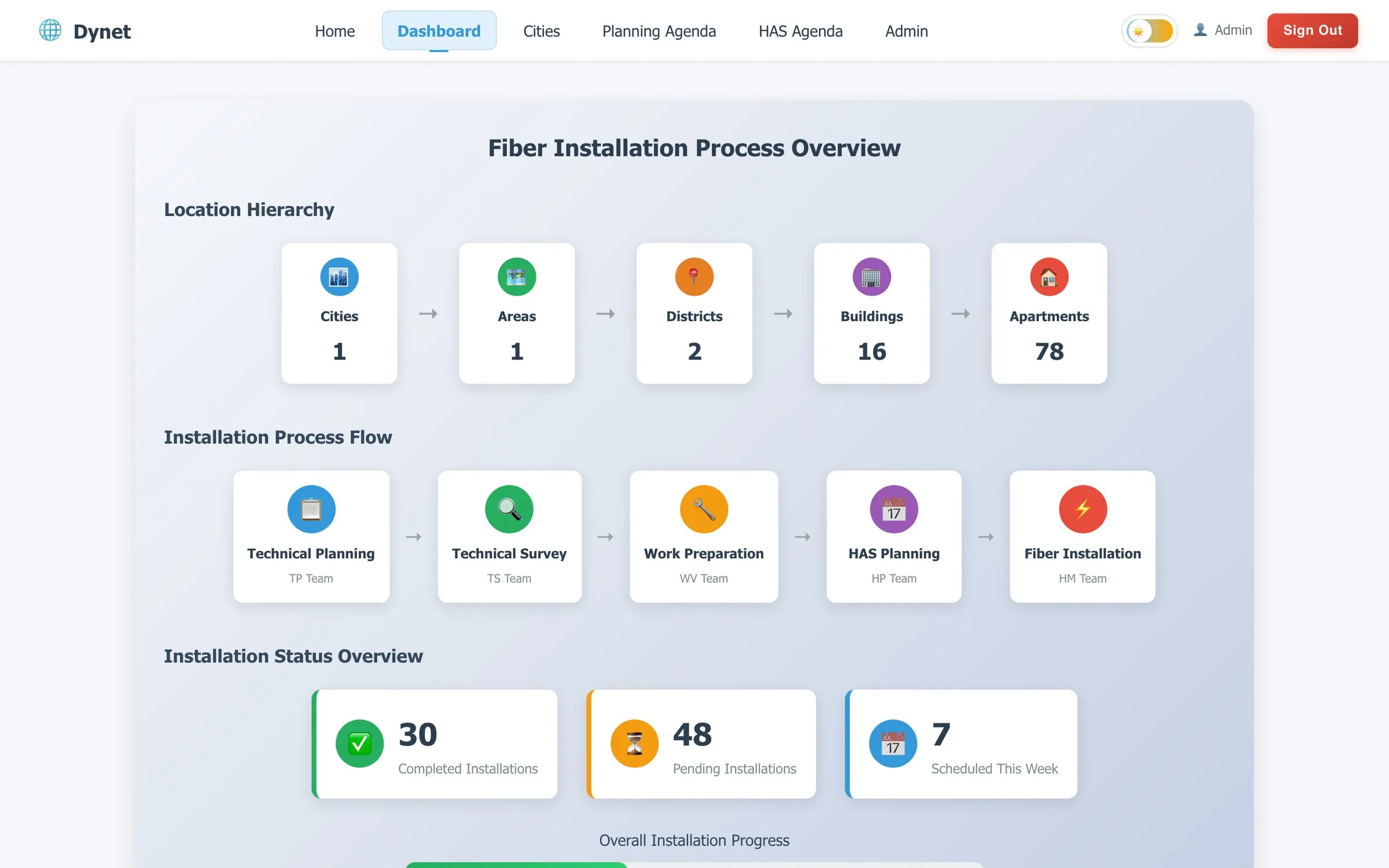
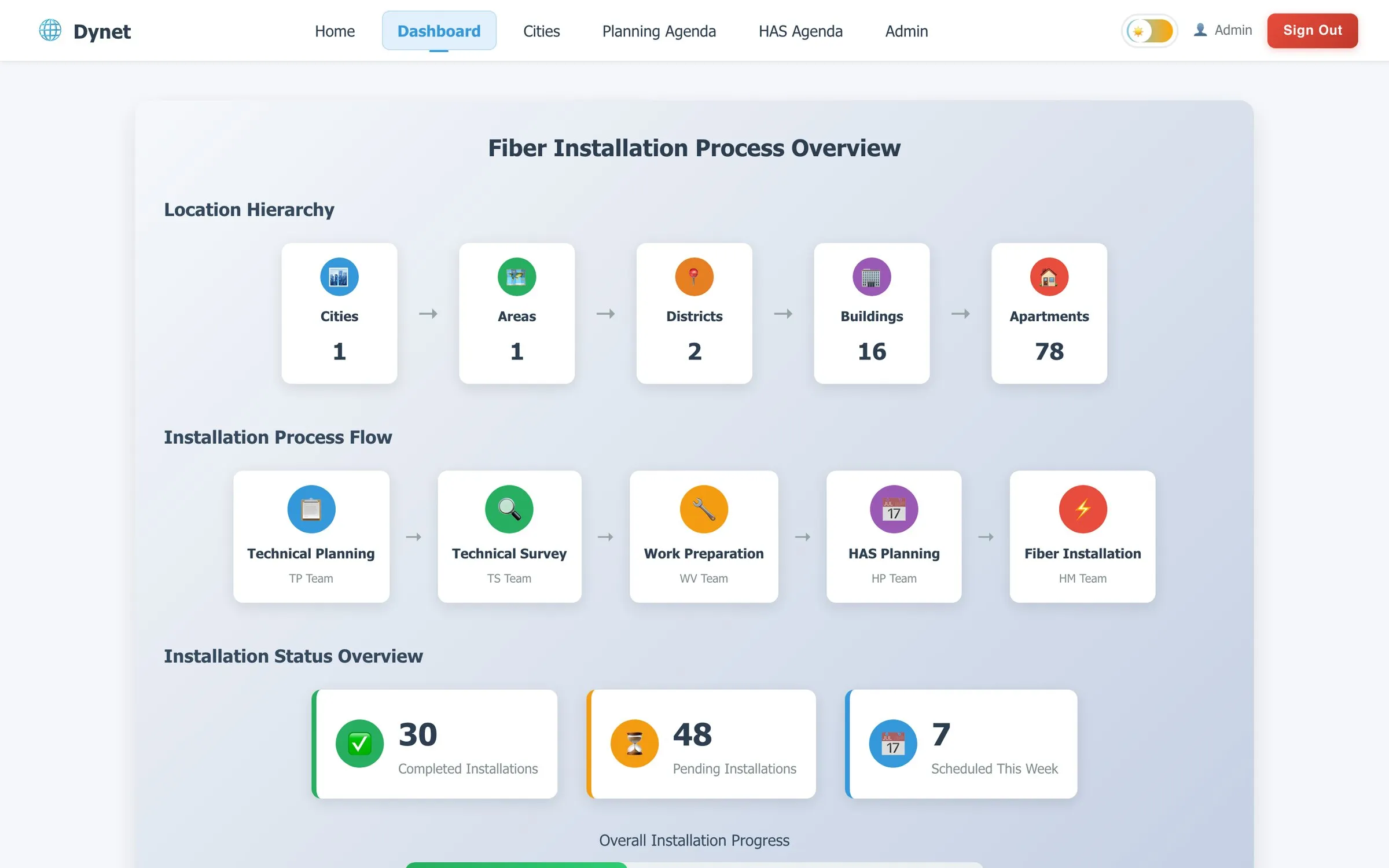
The data model is the country: City → Area → District → Building → Flat. A district comes in as the operator’s Excel sheet and becomes a set of buildings with their flats. Each flat then moves through five stages, each owned by a different role:
| Role (Dutch) | Who they are | What they do in Dynet |
|---|---|---|
| Technische Planning | Technical planner | Books the technical survey; owner and key-holder contacts; notes |
| Technische Schouwer | Technical surveyor | Records cable direction and riser point, uploads the report, signs off |
| Werkvoorbereider | Work preparation | Materials, cable type, lift needed, monument status, feed-through dependency |
| HAS Planning | Installation planner | Books the installation appointment with the resident |
| HAS Monteur | Installer | Sees today’s jobs, completes the install with photos |
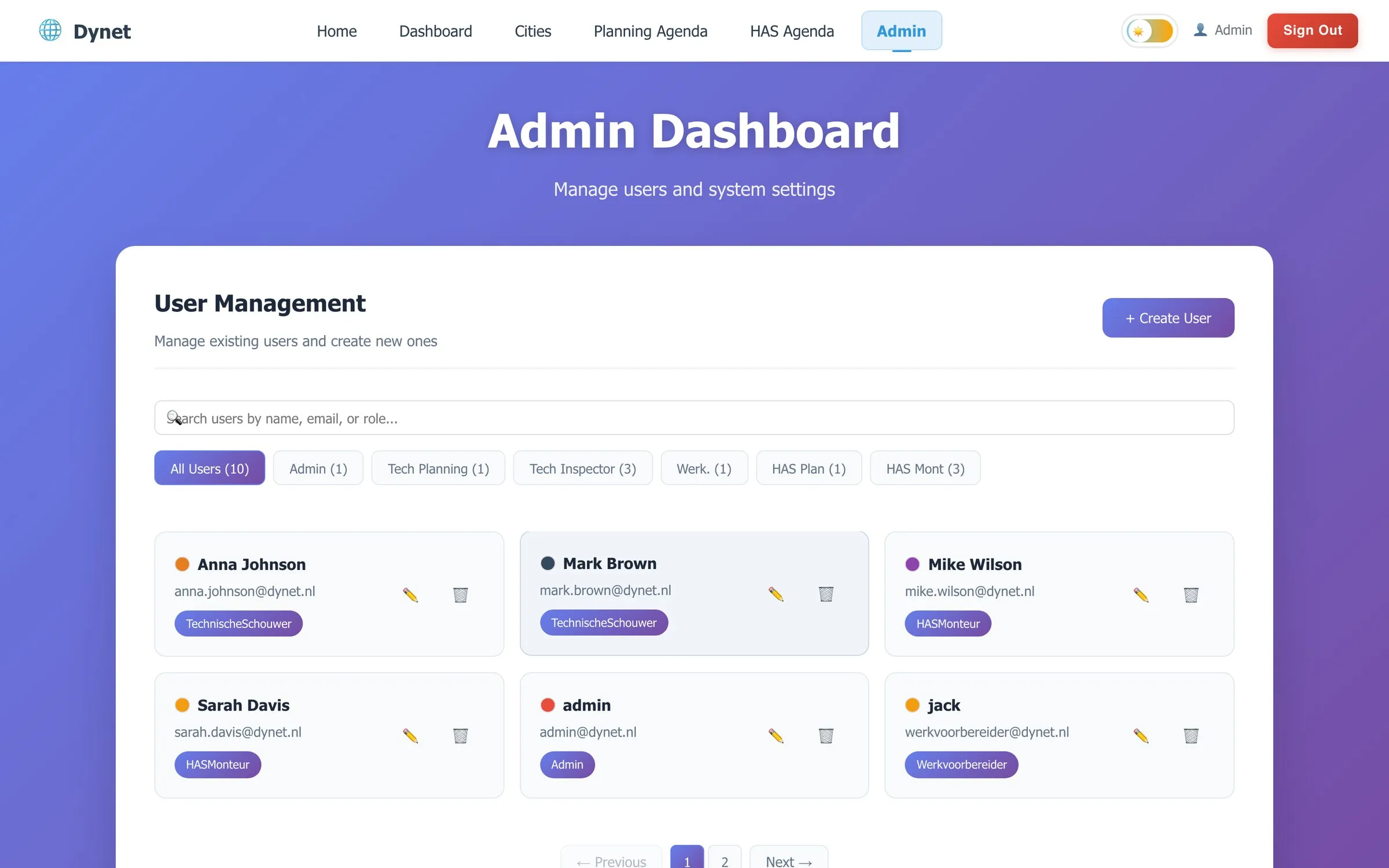
| Admin | Operations | Users, cities and areas, imports, priorities, everything above |
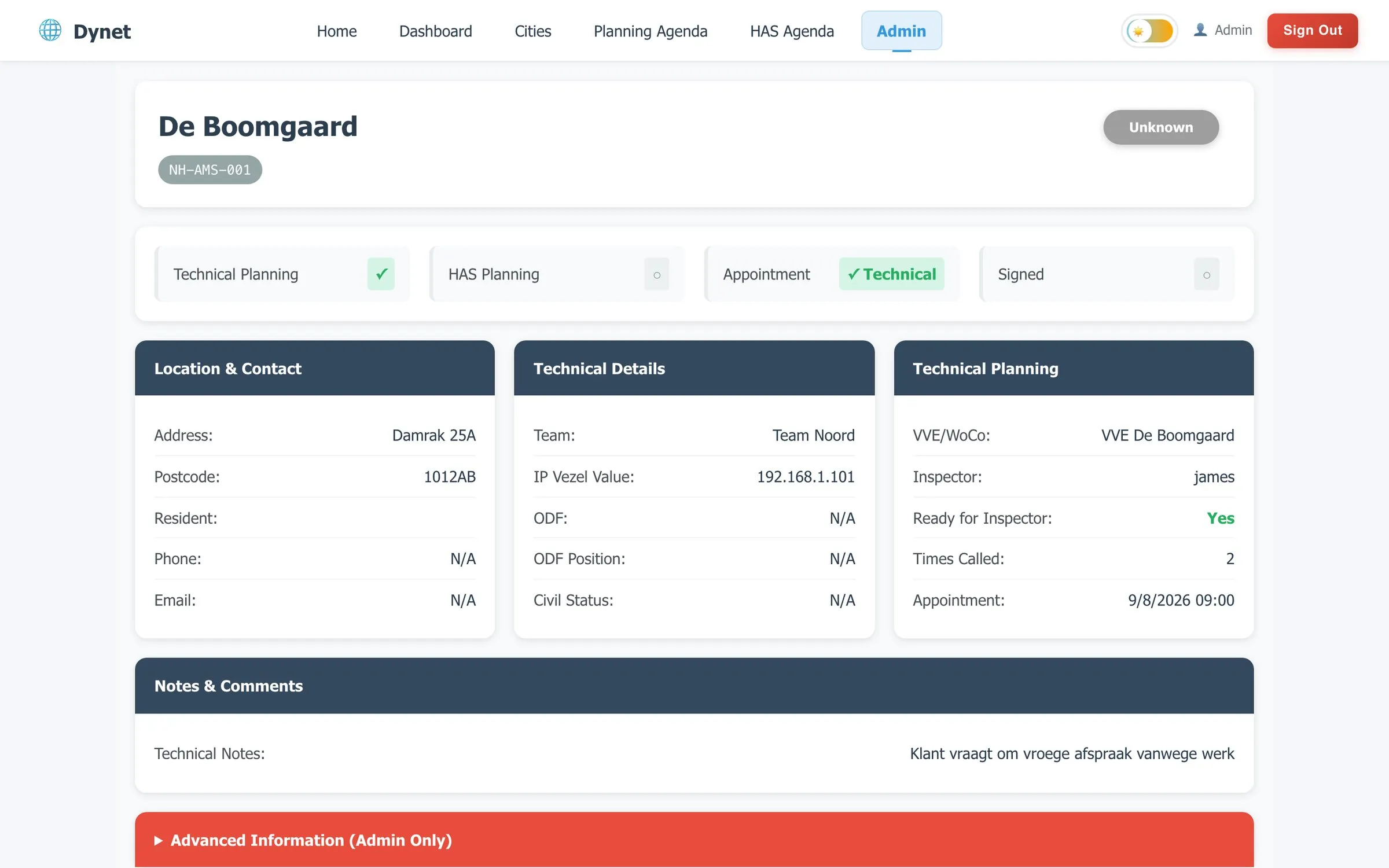
Everyone logs into the same app and sees a different one: their own navigation, their own apartment form, their own calendar. An installer never sees the survey form; a planner never sees the installer’s photo upload.
Districts and buildings
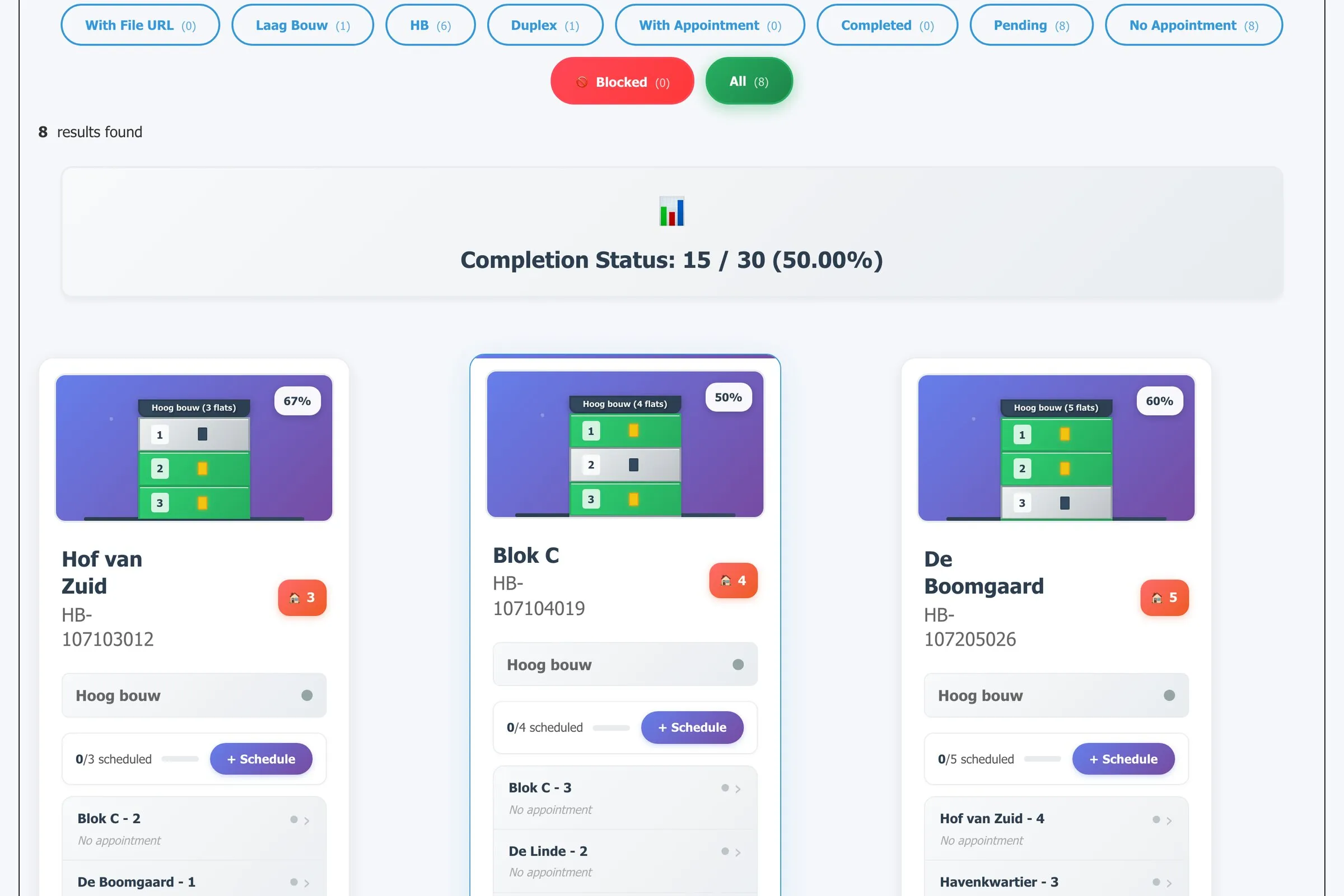
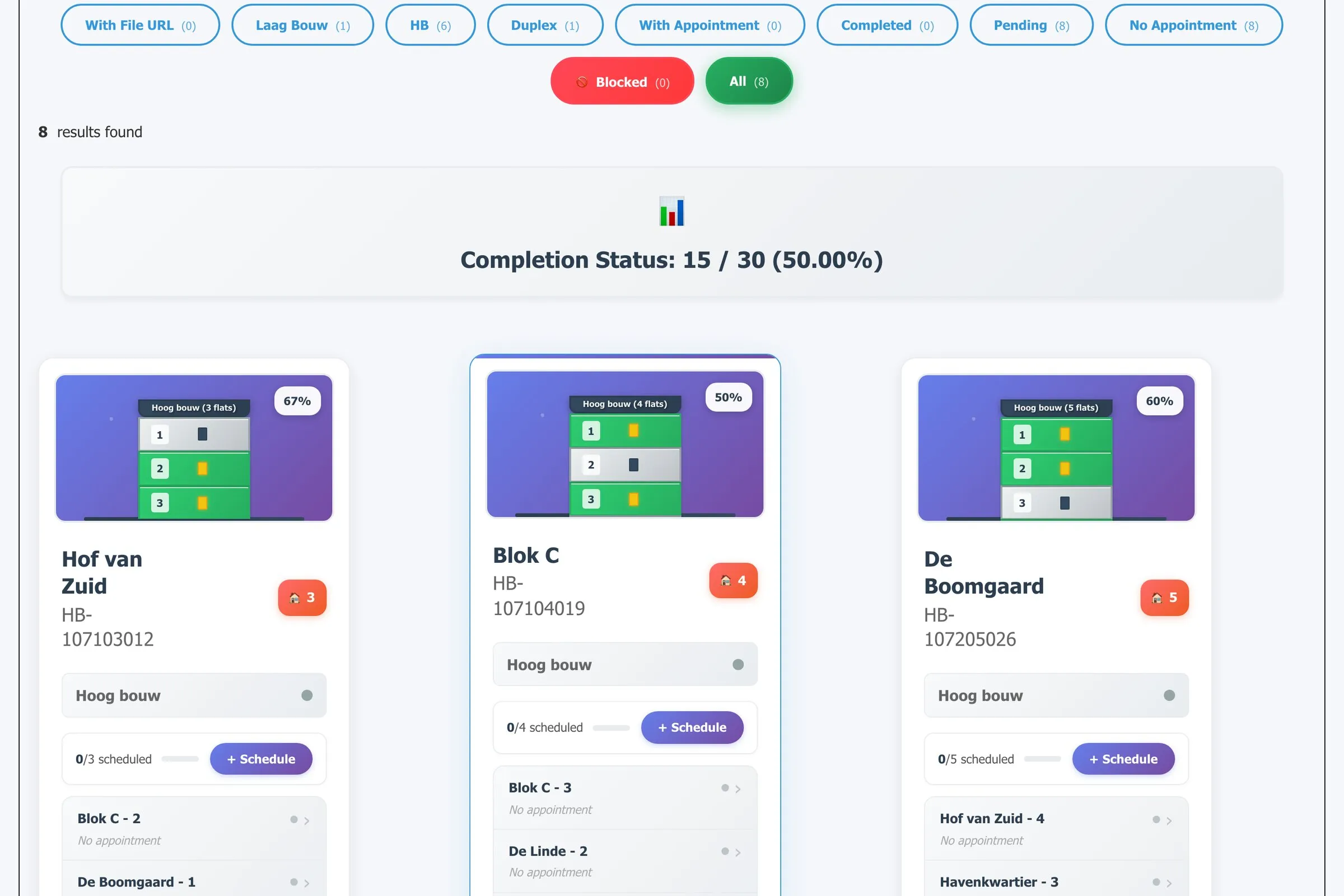
The district page is the daily view. Filter chips split buildings by type (high-rise, duplex, low-rise), by state (with appointment, completed, pending, blocked), and a completion bar tracks the district as a whole. Each building card draws itself floor by floor from its flats — finished flats green, pending grey — so a glance across a row of cards tells you which building the team should go to next. Districts can be reordered by drag and drop to set the priority the operator has agreed.
Building layouts, down to the cable
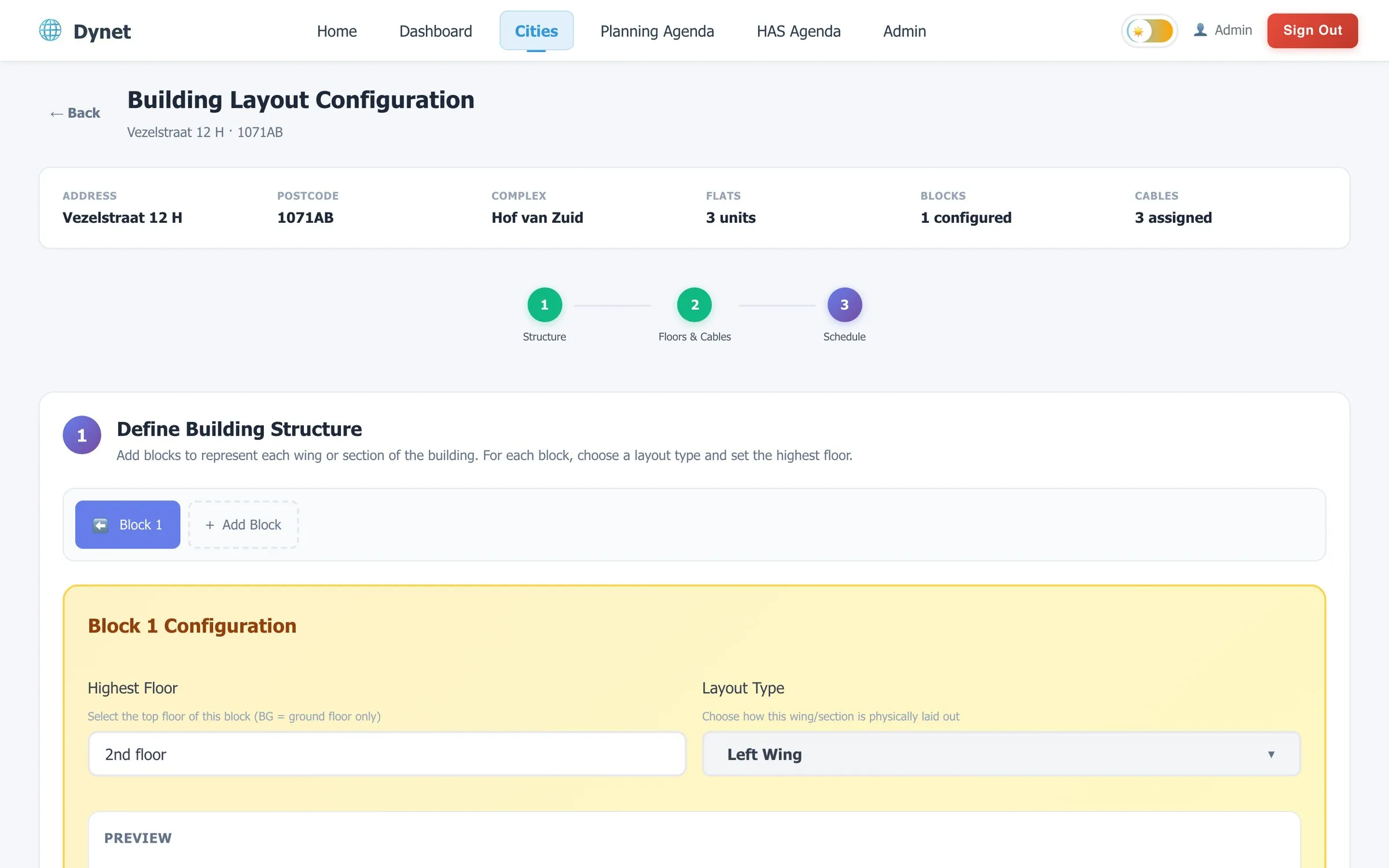
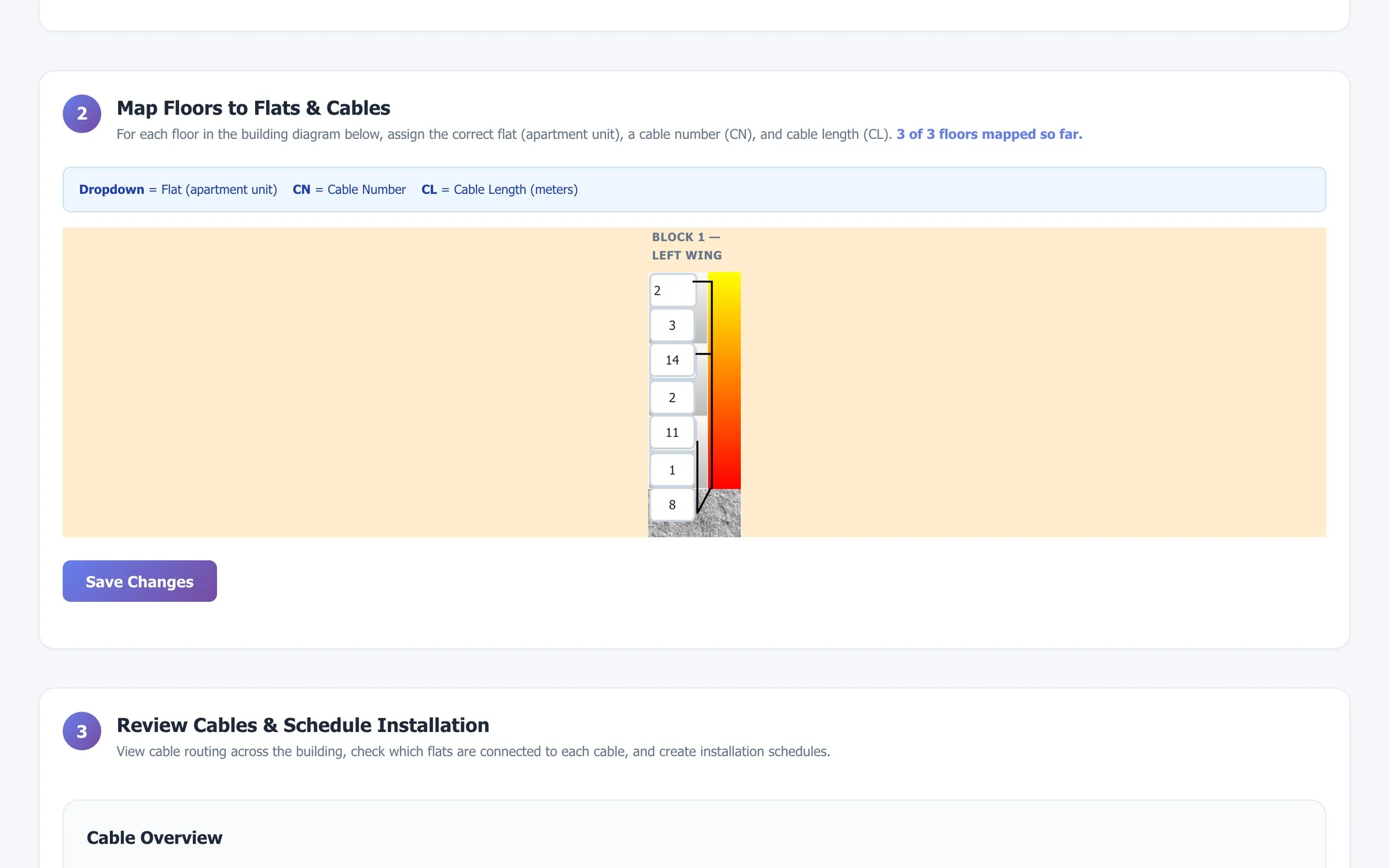
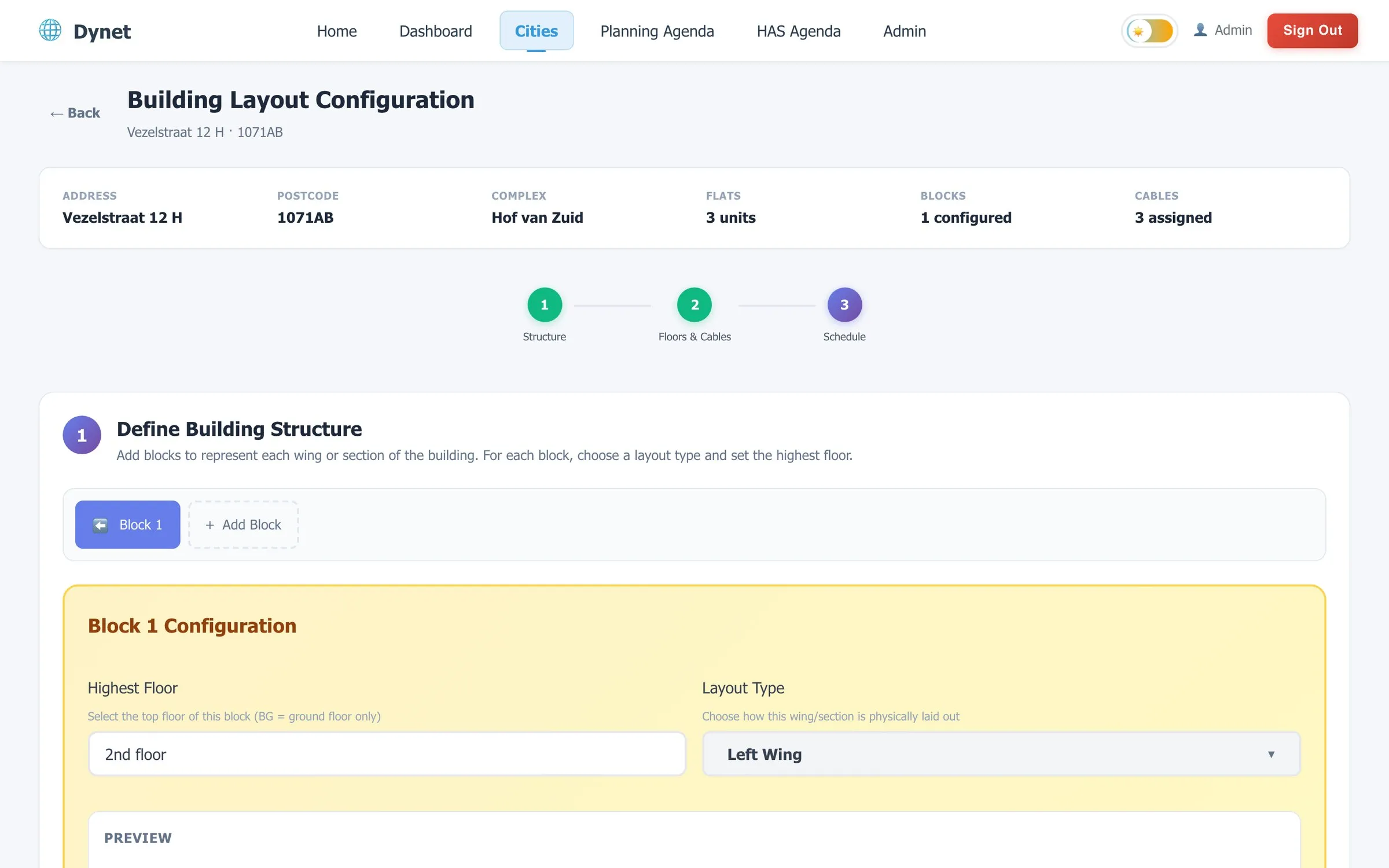
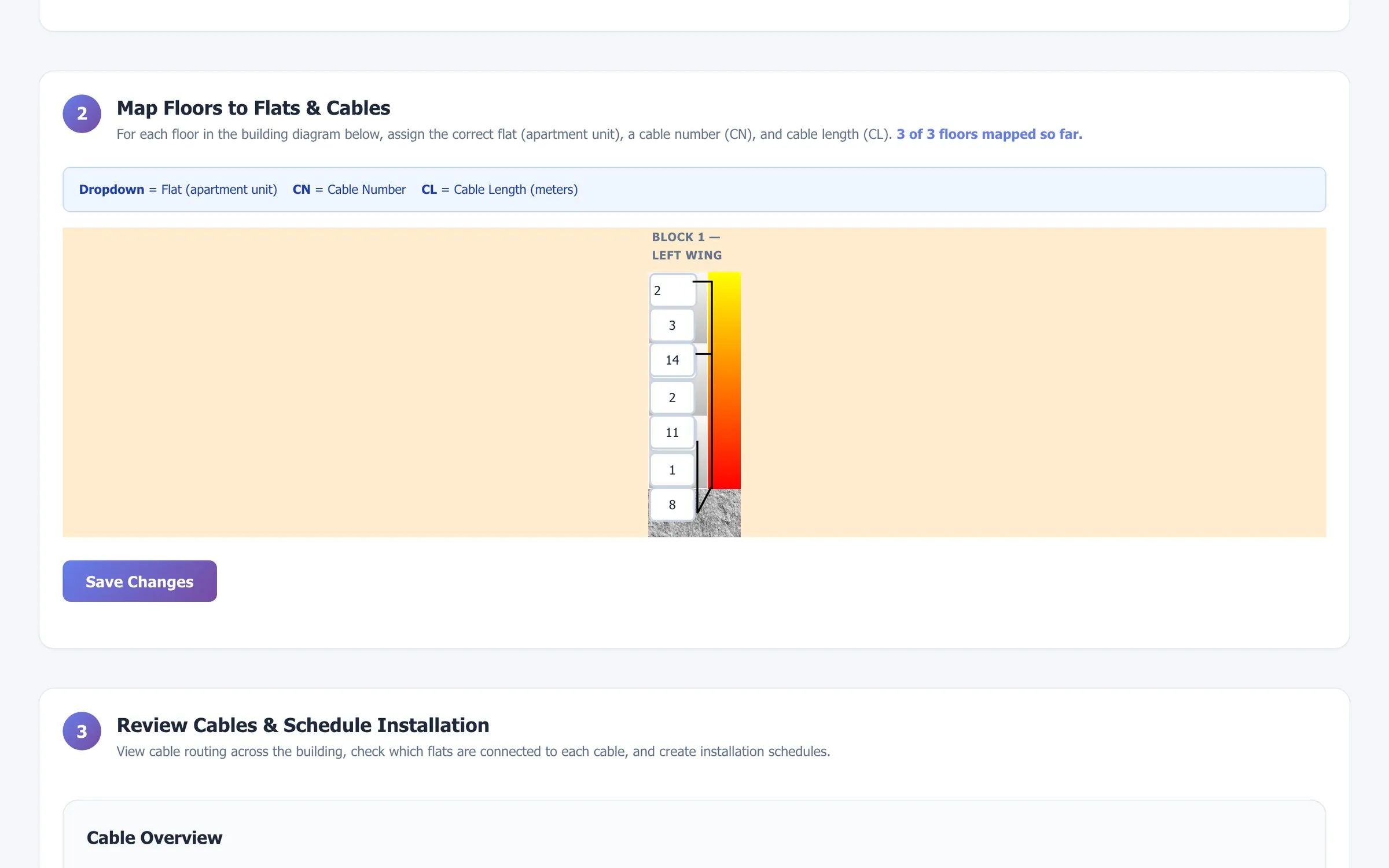
Fibre isn’t installed per flat; it’s installed per riser. So a building has a layout: one or more blocks, each with a wing type (stairs left, stairs right, no stairs, apartment blocks, wings without a ground floor — twelve schemas in total) and a top floor. Step one draws the cross-section. Step two maps every floor of that drawing to a flat, a cable number and a cable length. Step three lets a planner pick a cable and schedule the installation for exactly the flats hanging off it.
Scheduling
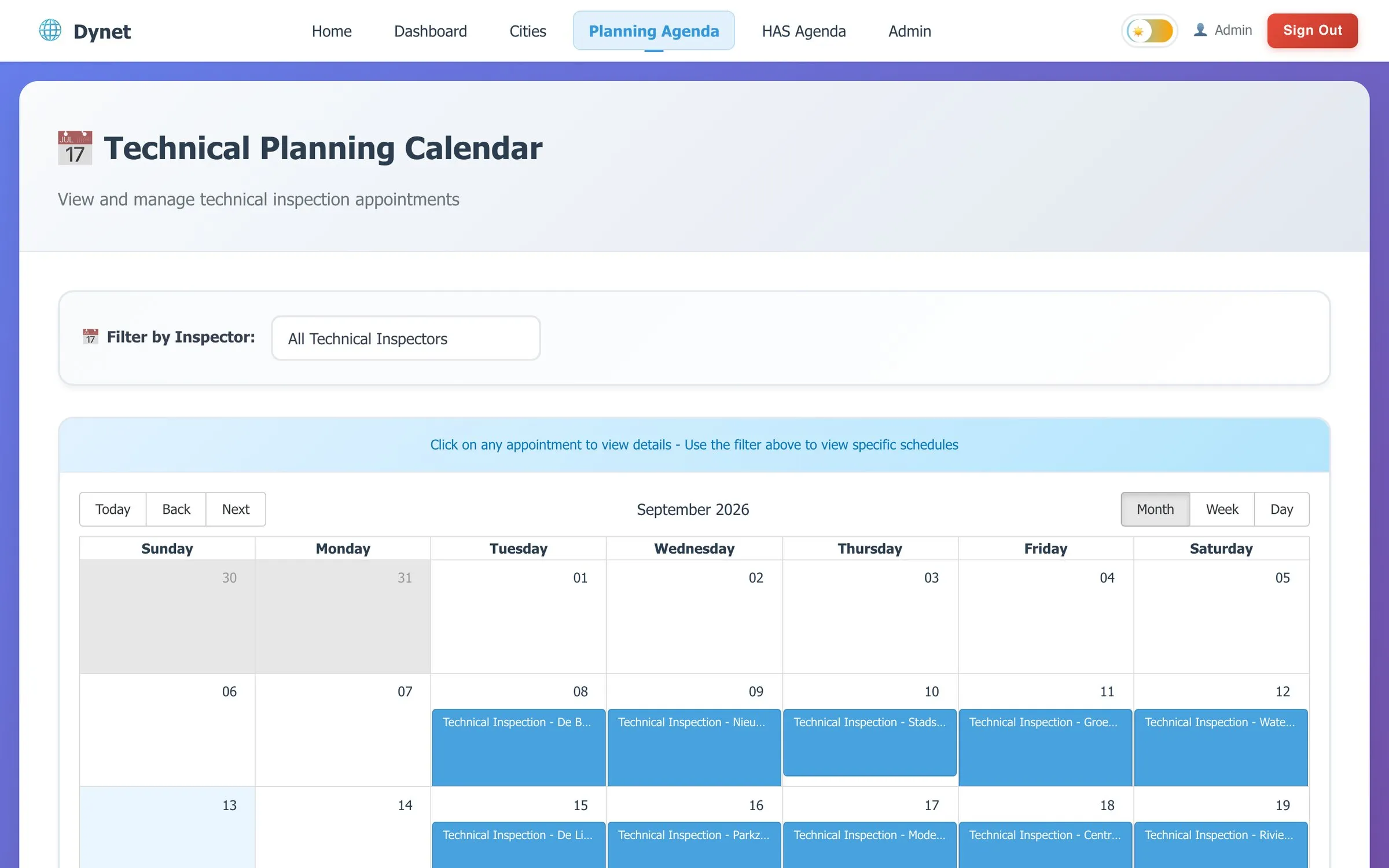
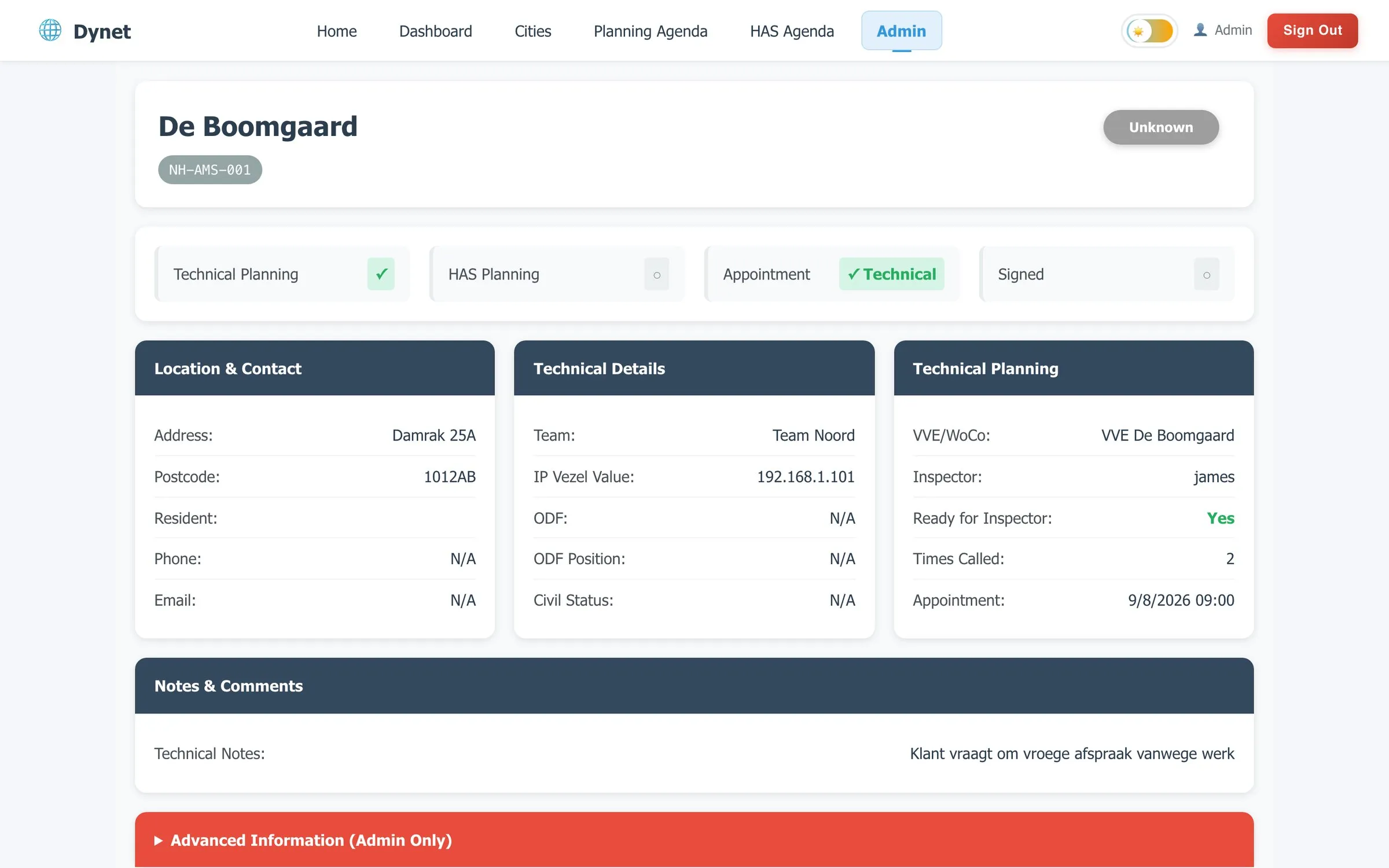
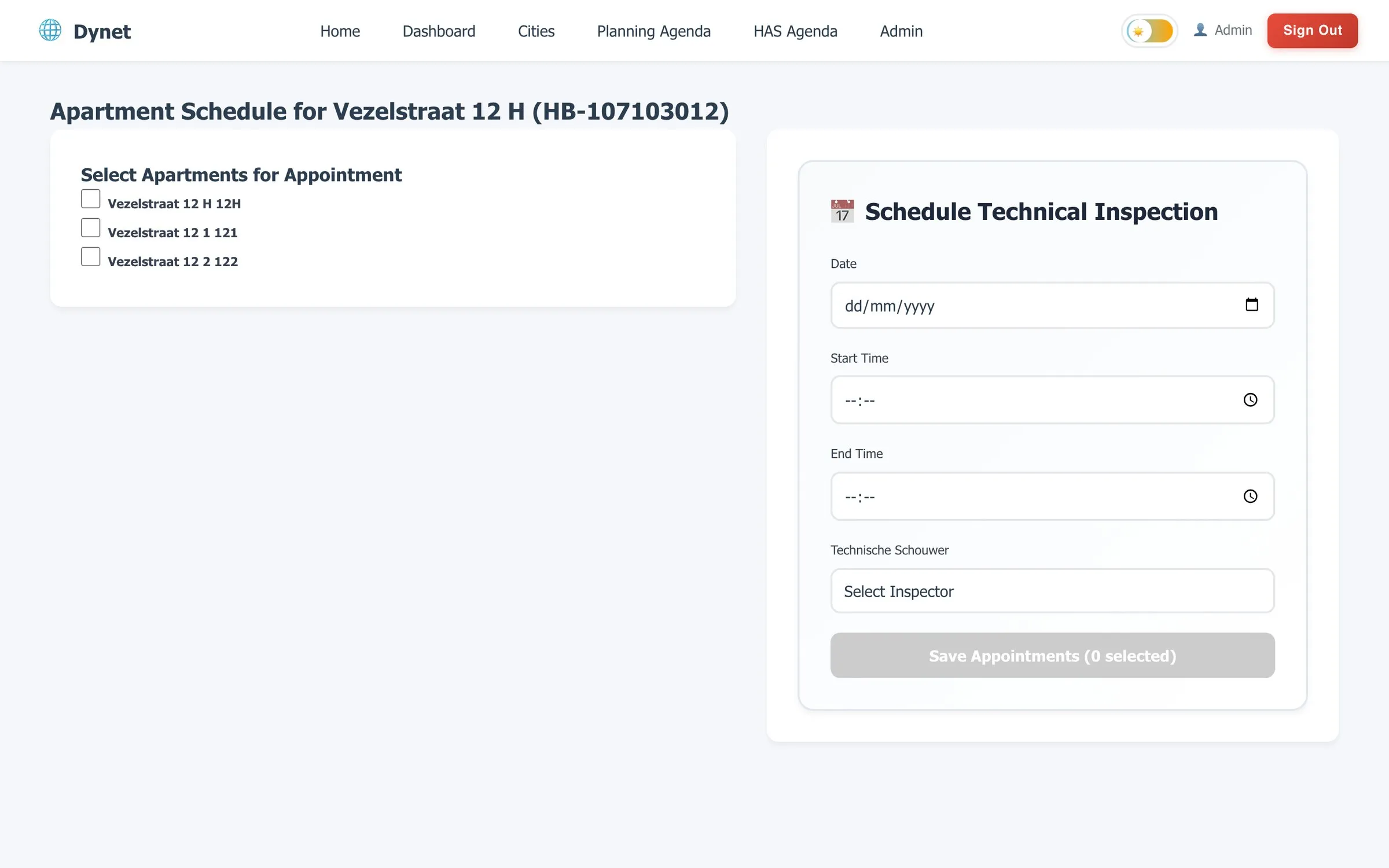
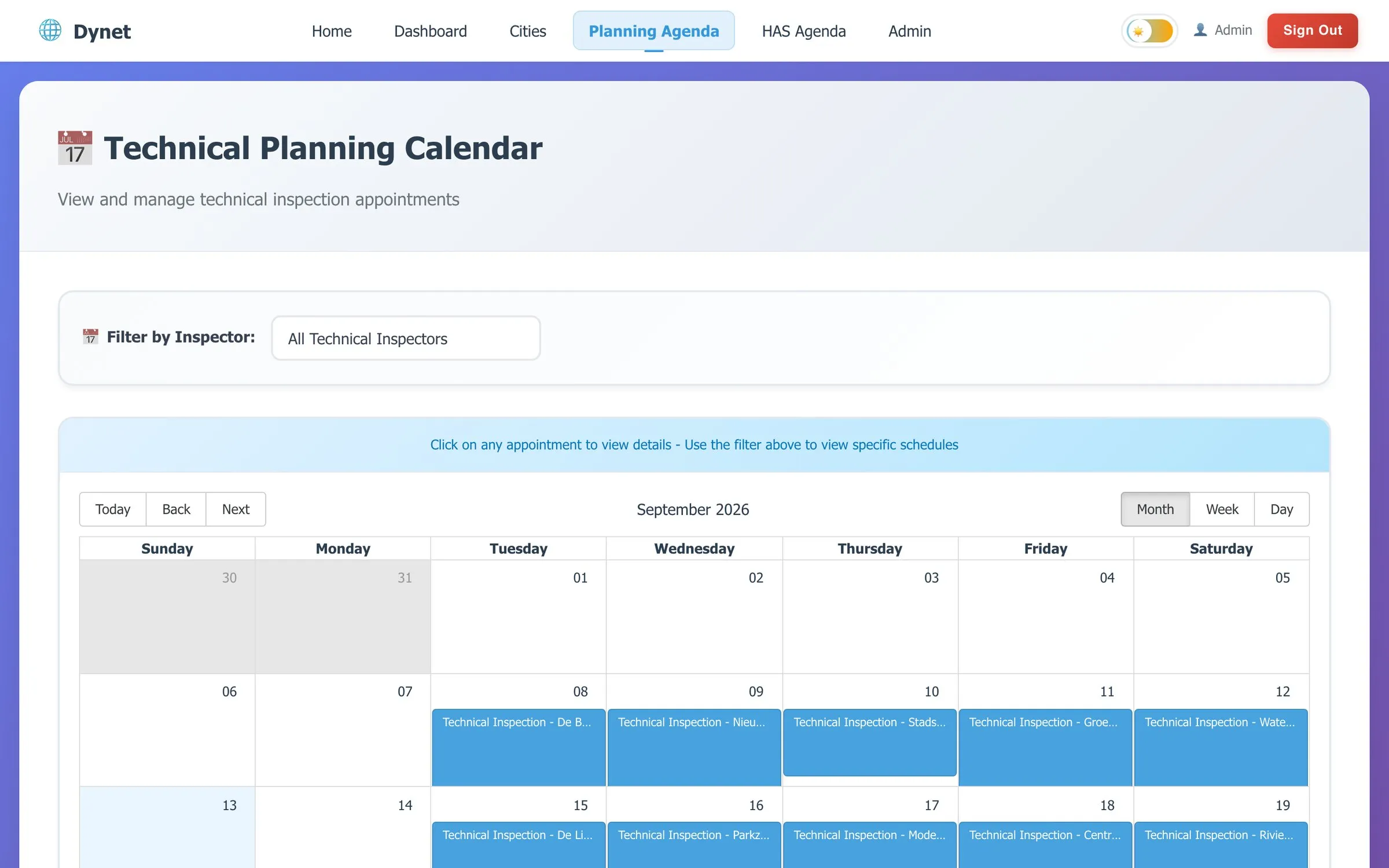
Two calendars — technical surveys and installations — with one colour per worker and a filter to show a single person’s week. Appointments are booked per building: tick the flats, choose date, time window and person, save. The apartment page then shows every stage in one place: who surveyed it, when the installation is, what the resident was told.
Under the hood
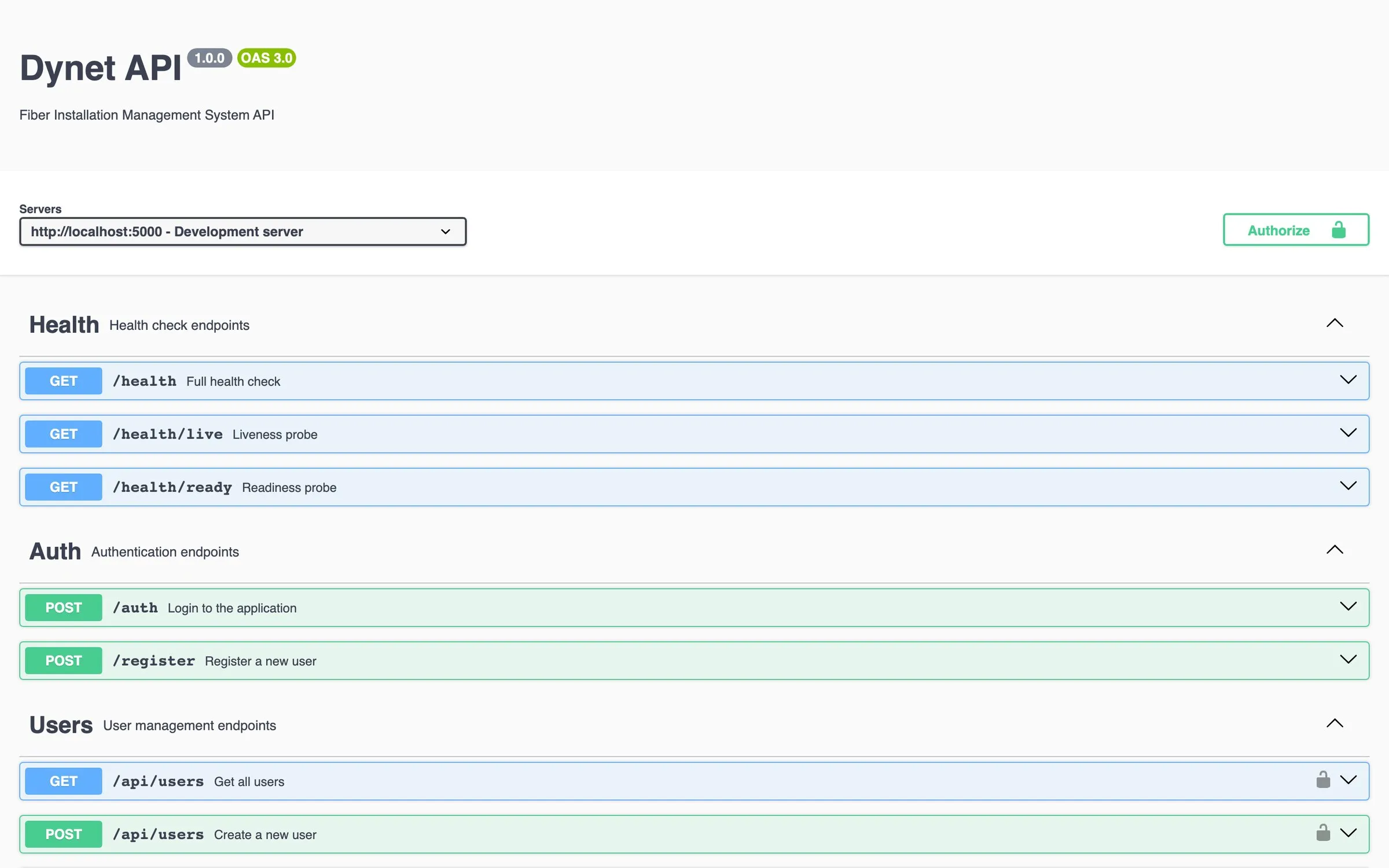
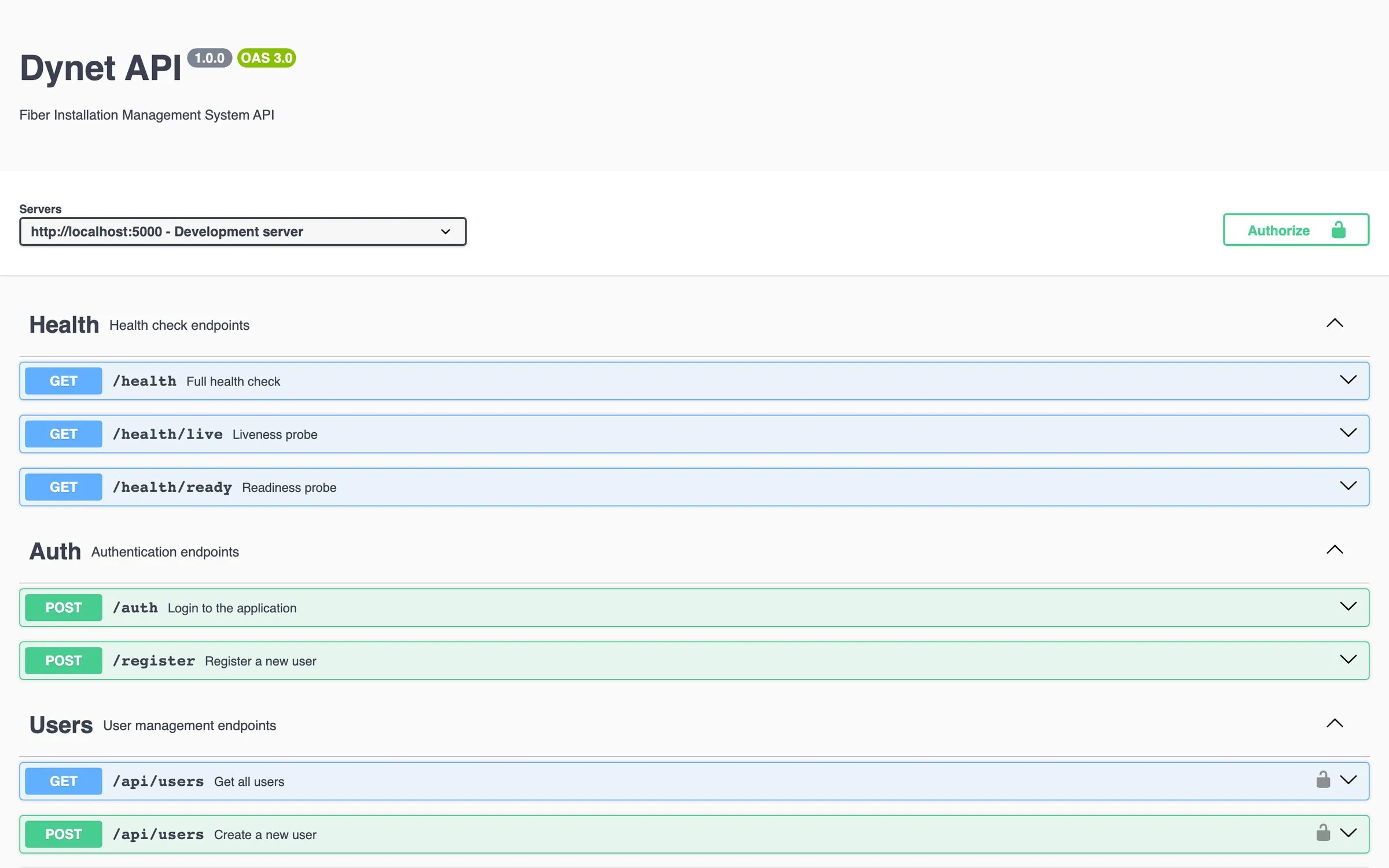
API. Express on Node.js, MongoDB through Mongoose, thirteen collections. Every /api/* route sits behind a JWT check; the access token travels in an httpOnly cookie (not localStorage), a refresh cookie rotates it, and a role middleware compares the token’s role codes against what each route allows. Separate rate limits for login, general API calls and file uploads; Helmet, a CORS allow-list from the environment, request sanitisation and express-validator on inputs; one error handler so controllers stay thin. Winston writes structured logs with daily rotation. /health, /health/live and /health/ready exist for the platform to poll, and the whole surface is documented as OpenAPI 3 in Swagger UI, generated from annotations on the routes.
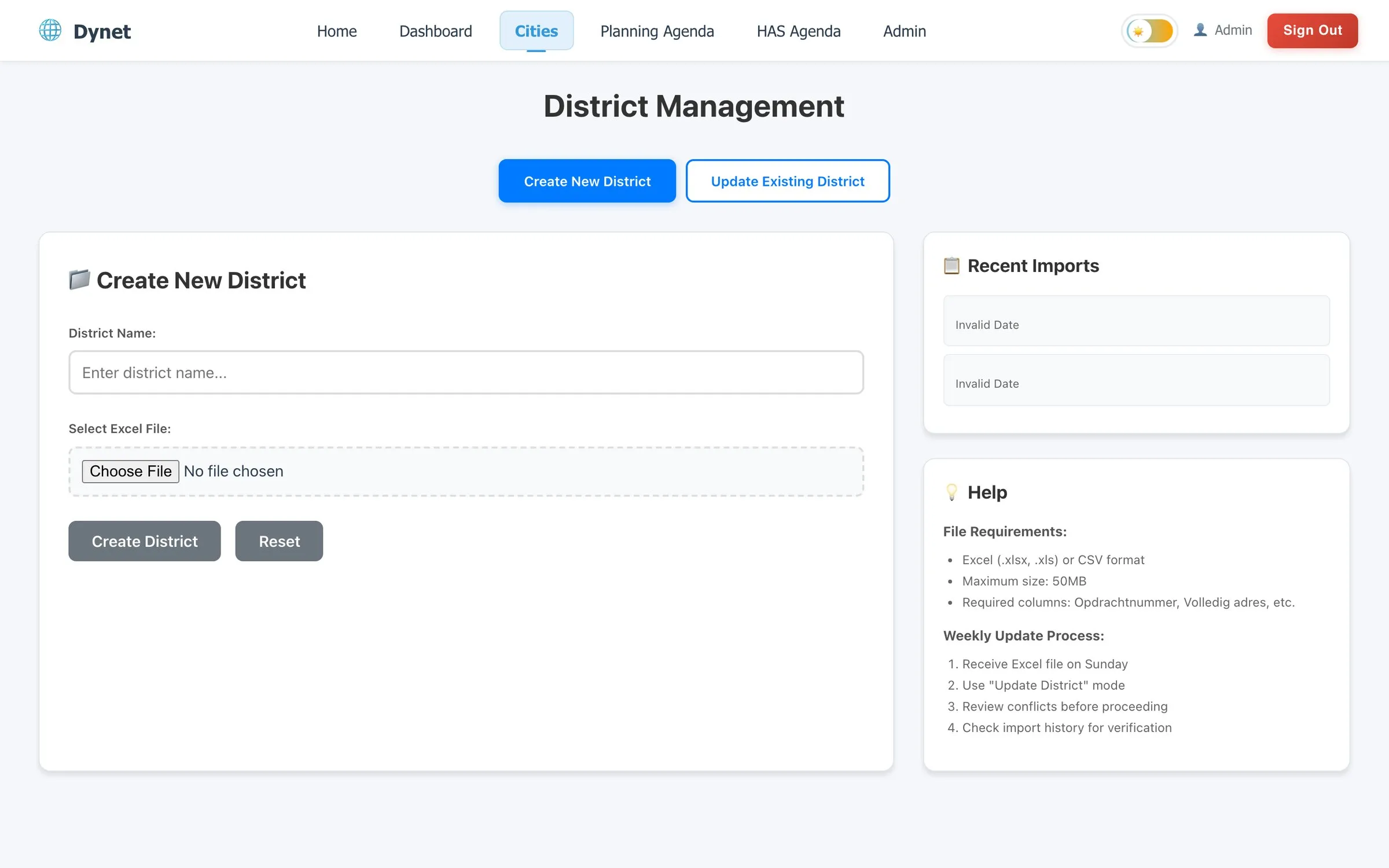
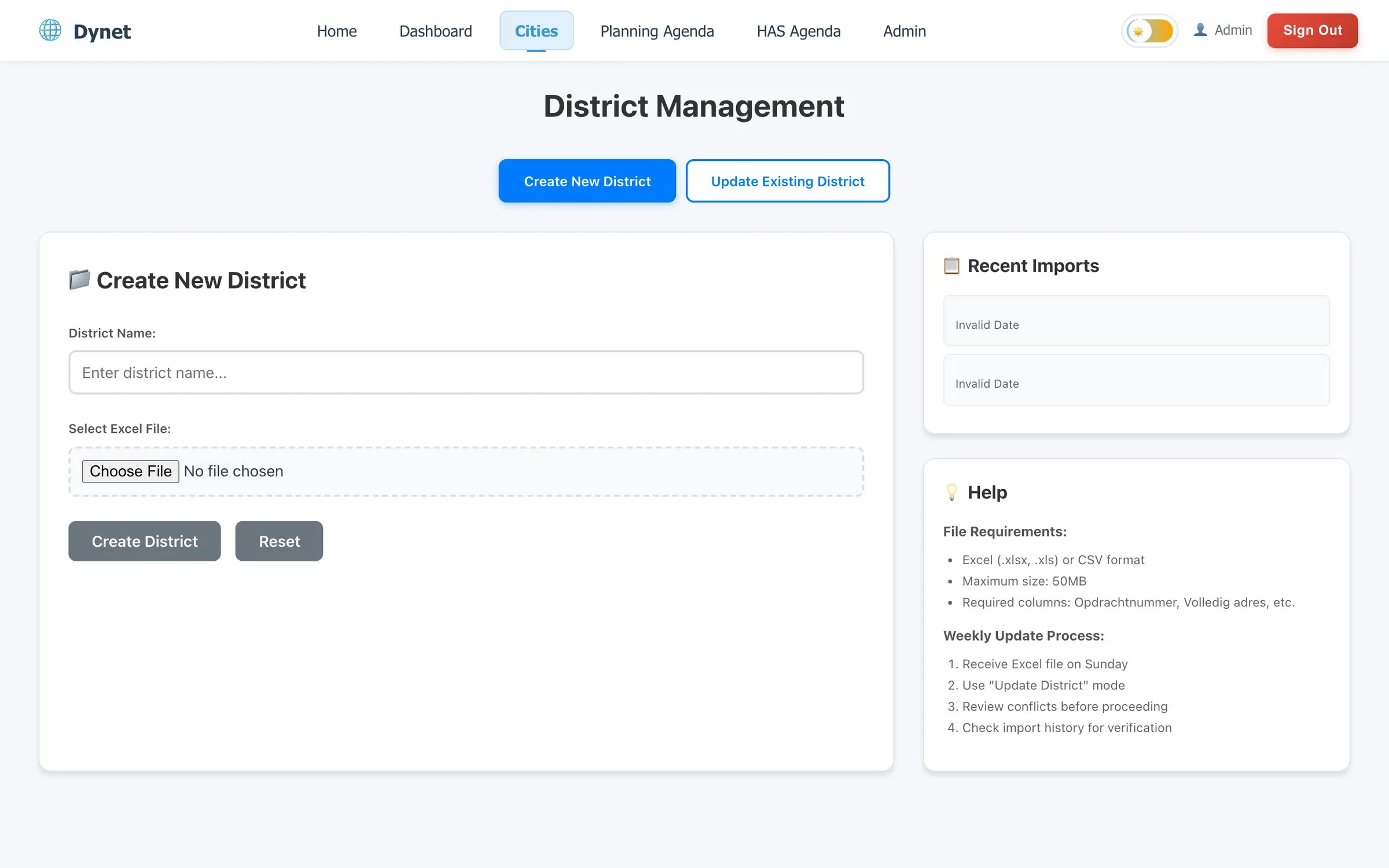
Import pipeline. The operator’s Excel is the integration contract, and it isn’t a stable one — headers change between sheets and between people. The importer matches each required field against a list of Dutch and English synonyms, falls back to fuzzy matching (substring, then Levenshtein within 30%), reports exactly which column it could not find, and previews the parsed rows before anything is written. Rows are grouped into buildings by the postcode_housenumber key inside the order number. The write itself runs inside a MongoDB transaction — district, buildings and flats either all land or none do — while a progress tracker streams steps to the browser over Server-Sent Events so a 2,000-row sheet doesn’t look frozen. Weekly refreshes from the operator go through the same validation in update mode, with a conflict check and an import history per area.
Web app. React 18 with TypeScript, Material UI, React Router 6 and React Query. Every page is lazy-loaded and wrapped in its own error boundary, so a crash in the calendar doesn’t take the district page down with it. Route guards take an allowedRoles array; the navigation is derived from the same roles. Long building and apartment lists are virtualised; district aggregations are cached for five minutes on the server and invalidated on import. There’s a dark mode because installers use this in vans.
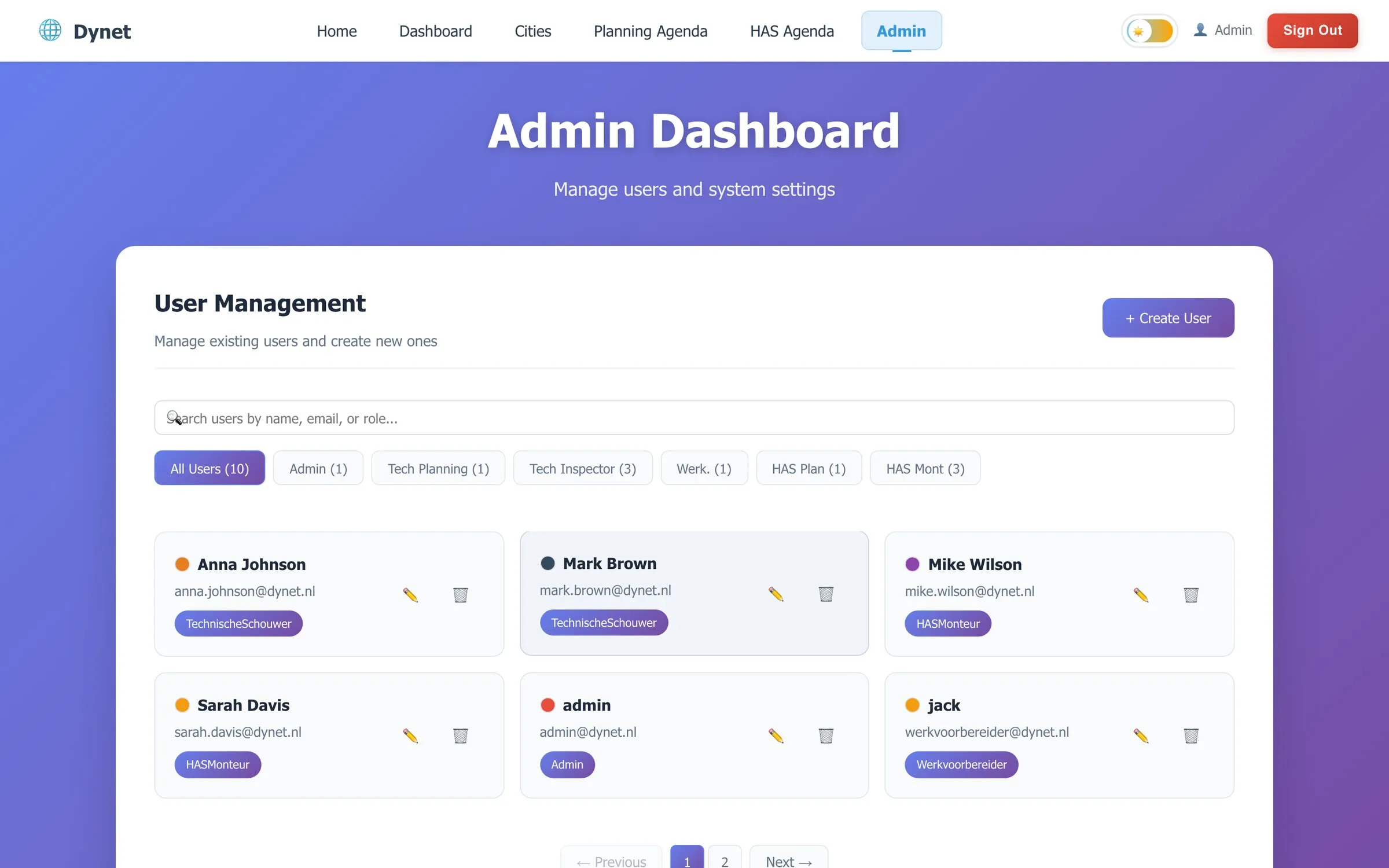
Operations. The API and the web app run on Render against MongoDB Atlas. Seeders can build a complete demo world — users with role colours, apartments, a month of appointments — in one command, which is how new roles get demoed to the client and how the screenshots on this page were made (no customer data appears in them). Jest and Supertest cover authentication, role checks, validation, the security middleware, the error handler and the health probes; React Testing Library covers the front-end hooks and pages.
What I’d do differently
- TypeScript end to end. The API is plain JavaScript because that’s how the project started. Shared types between the Mongoose models and the React
types/folder would have caught a class of mismatches that tests currently catch instead. - Permissions, not roles. Six numeric role codes were the right call for a six-person operation. The moment a client asks for “a planner who can also see installer photos”, codes stop scaling and a permission table starts.
- A column-mapping step in the UI. Fuzzy header matching removed most import failures; a screen where the admin confirms this column is the house number would remove the rest.
- A real cache. The in-process five-minute cache is fine for one instance. Two instances means Redis.
- Replica set from day one, even locally. MongoDB transactions need one. Every new developer machine hits that once.
Working with me on something like this
Dynet is the shape of work I like: an operation that already runs on spreadsheets and phone calls, a handful of specialist roles, and a system that has to earn its place by being faster than the spreadsheet on the first day. If you have one of those, here’s how I work and what I take on, or just email oday@saltserv.com with what the operation looks like.