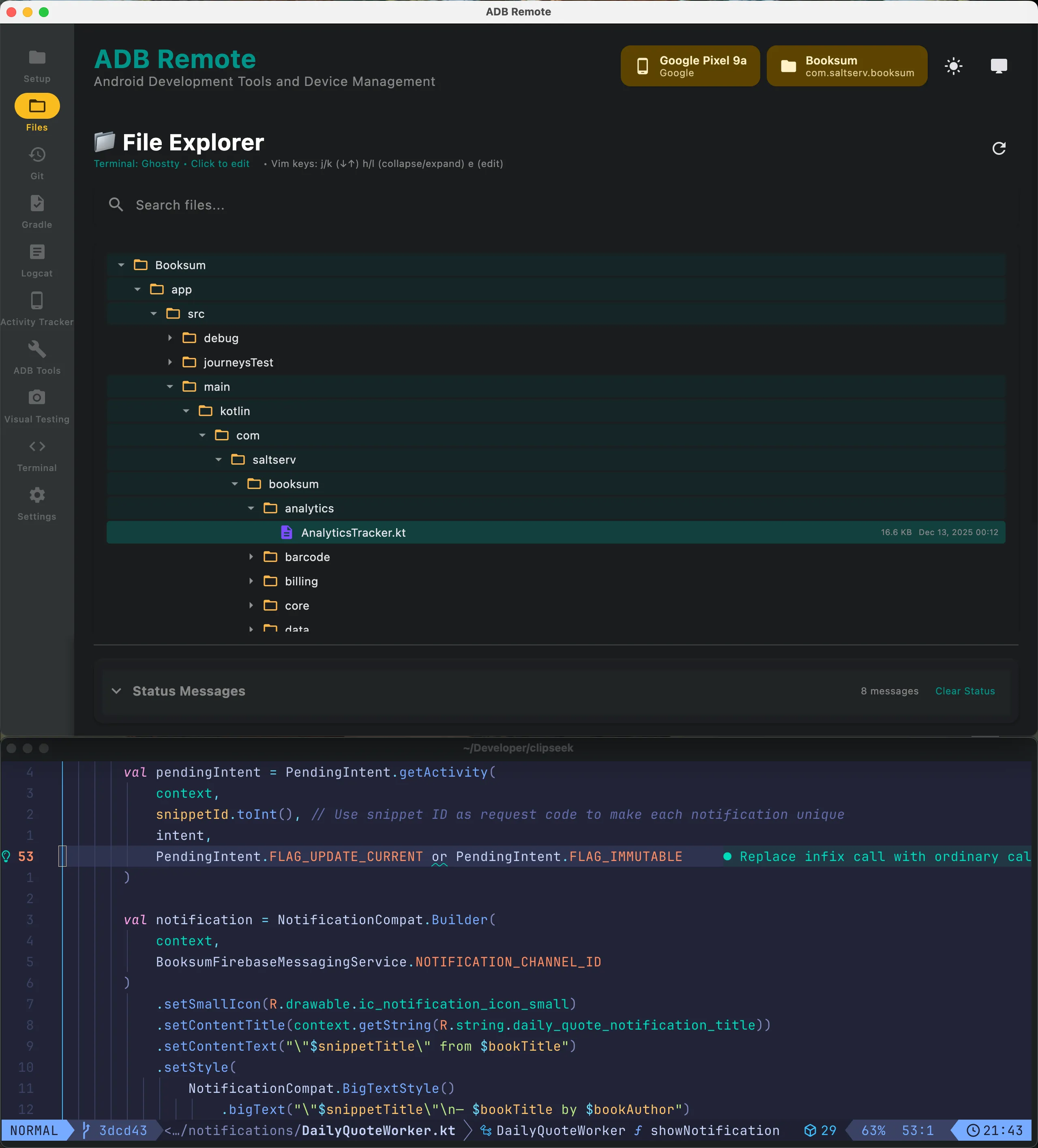
Android Studio takes half a minute to launch and another twenty seconds to index a project. For tasks that take three seconds in a terminal — pulling a file, checking out a branch, tailing logcat — that ratio is broken. ADB Remote is the in-between: a native macOS window for the commands and visual tools you reach for dozens of times a day.
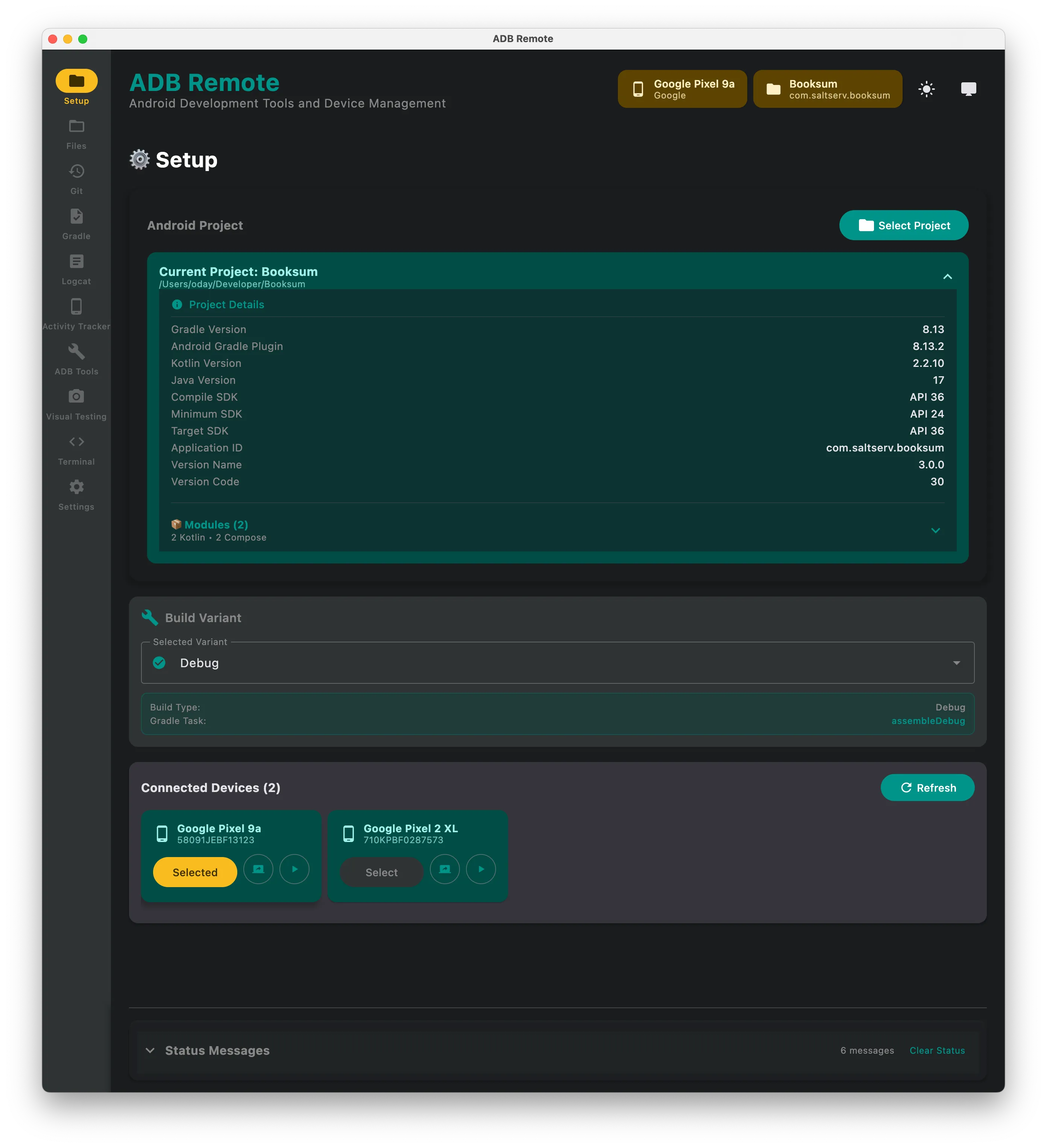
Project setup
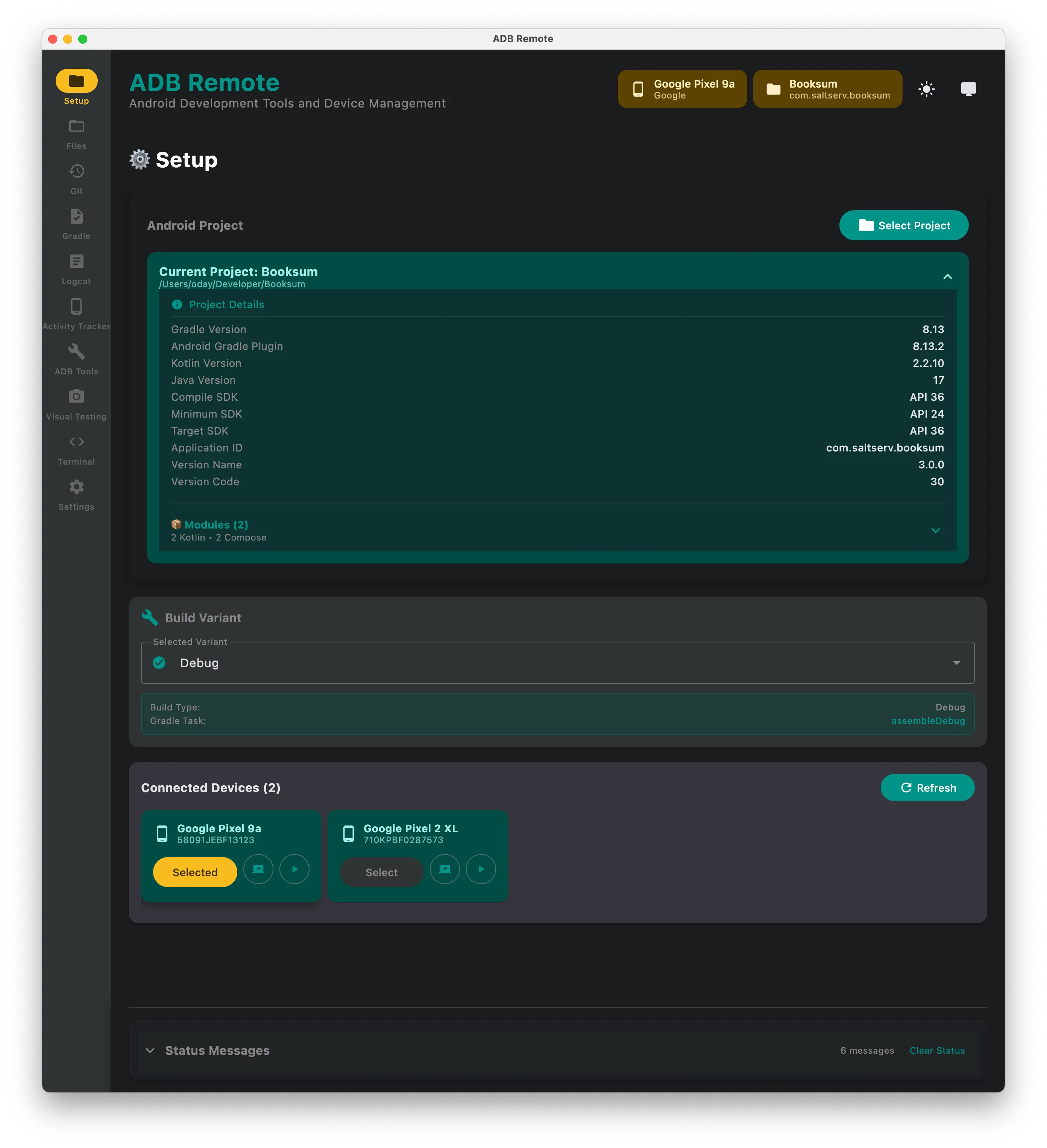
Attach an Android project directory. ADB Remote detects the Gradle configuration, available build variants and connected devices automatically.
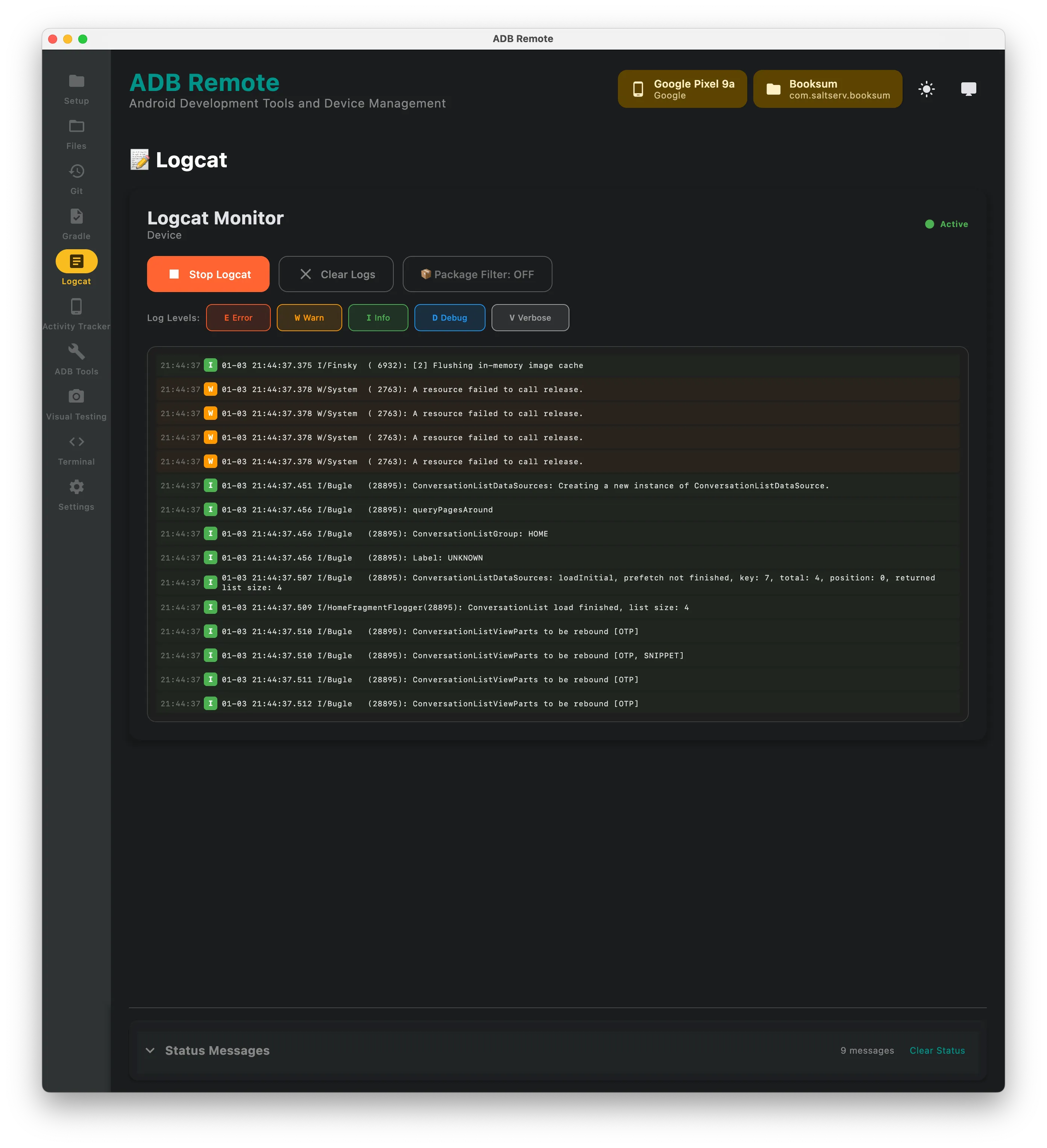
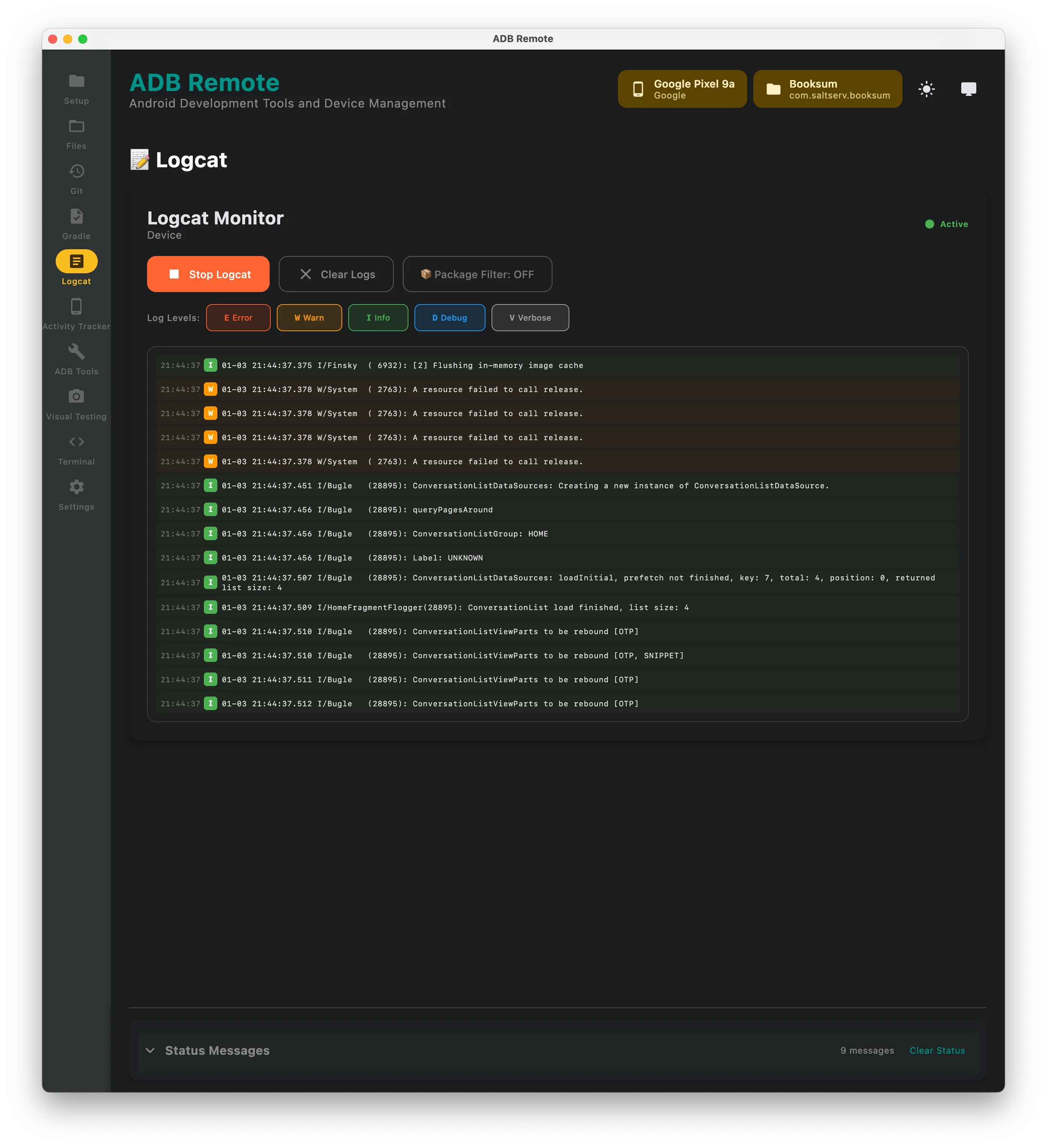
Logcat you can actually read
A live logcat viewer with filtering by level, tag and search text. Faster than remembering adb logcat *:S MyTag:V and far easier to read than a scrolling terminal.
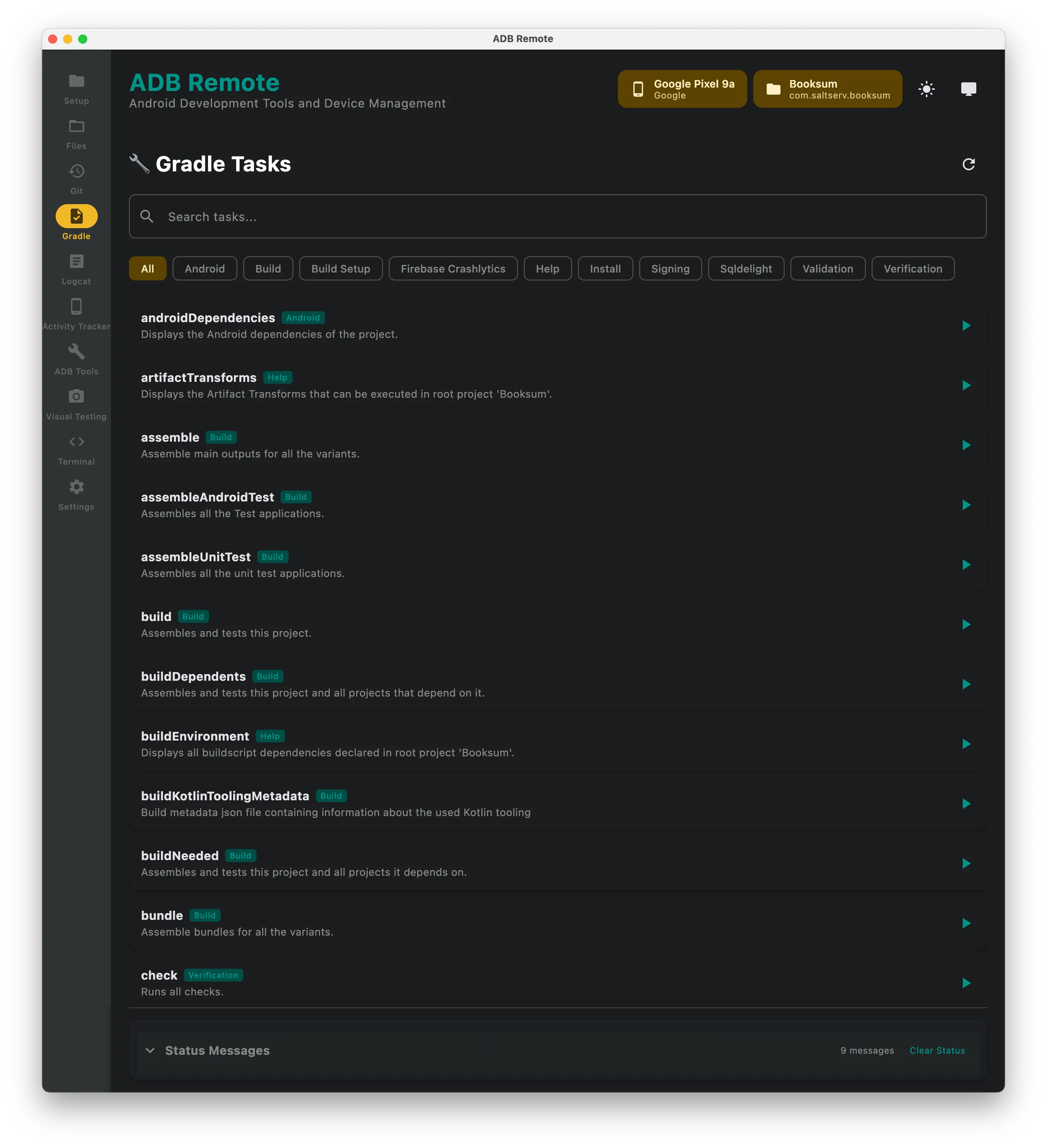
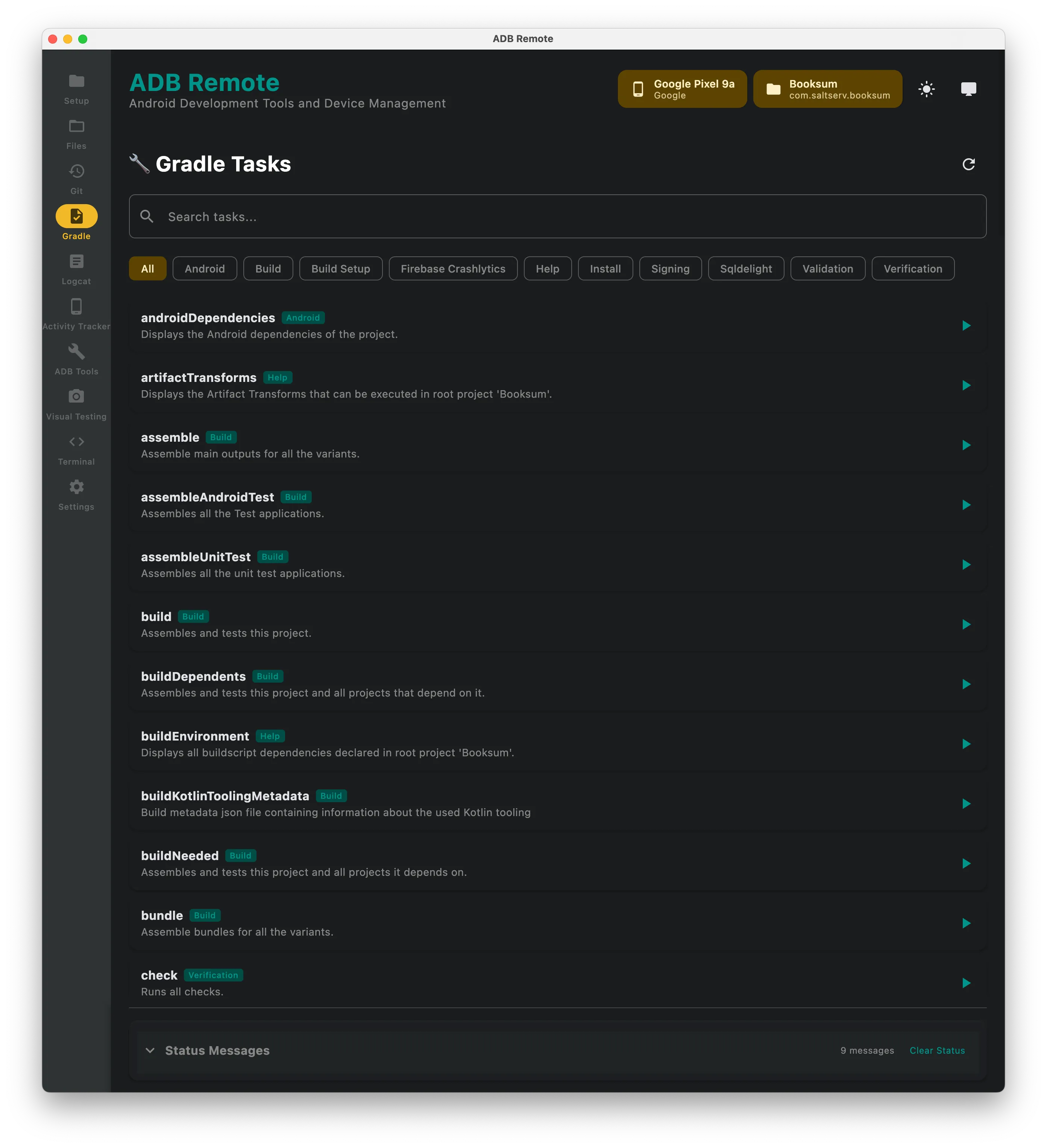
Gradle tasks
The project’s Gradle tasks in a list — assembleDebug, installDebug, your custom ones — with output streaming as they run.
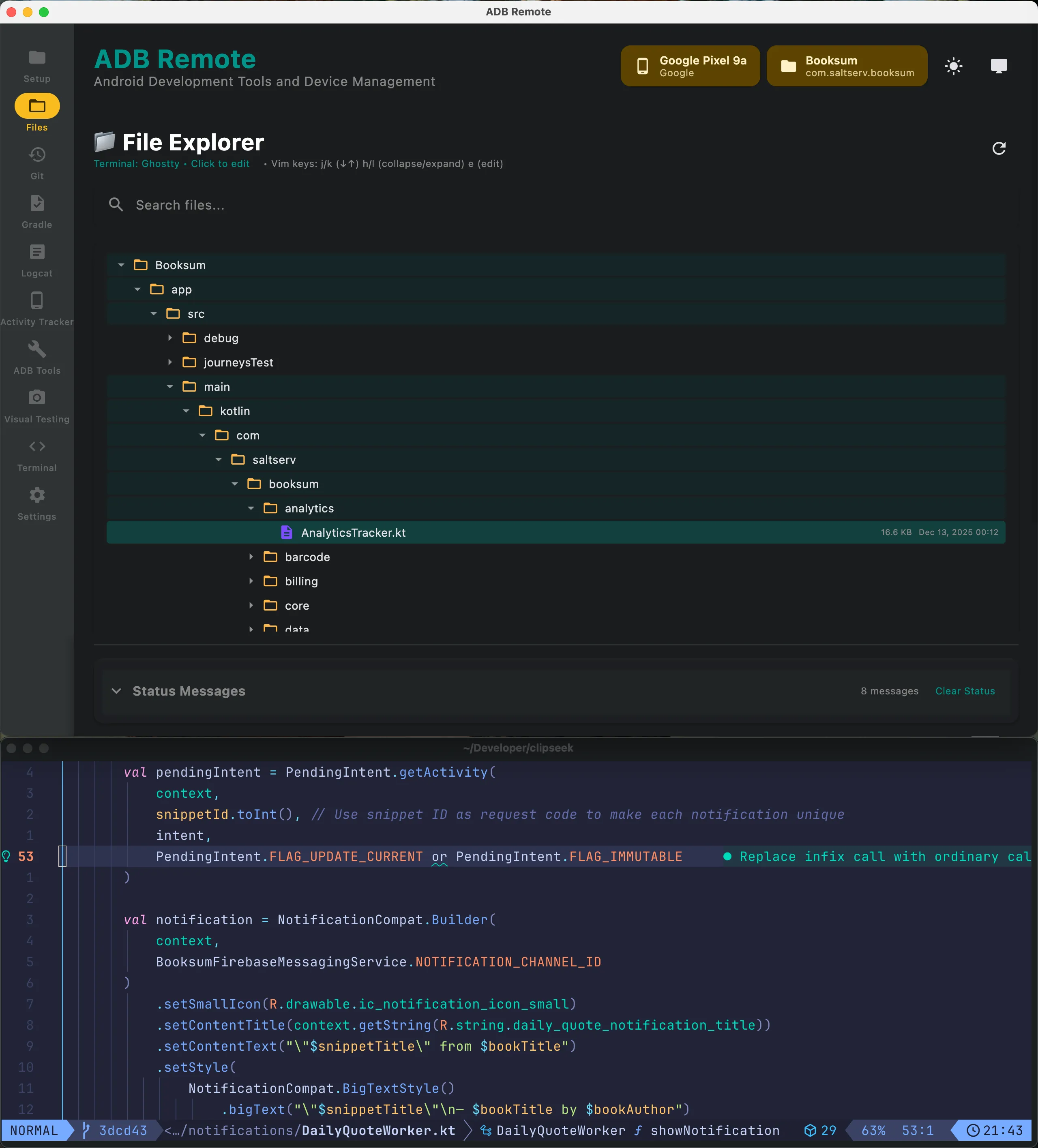
Device file explorer
Browse the device filesystem, navigate directories, pull files. No adb pull /sdcard/Android/data/... typed from memory.
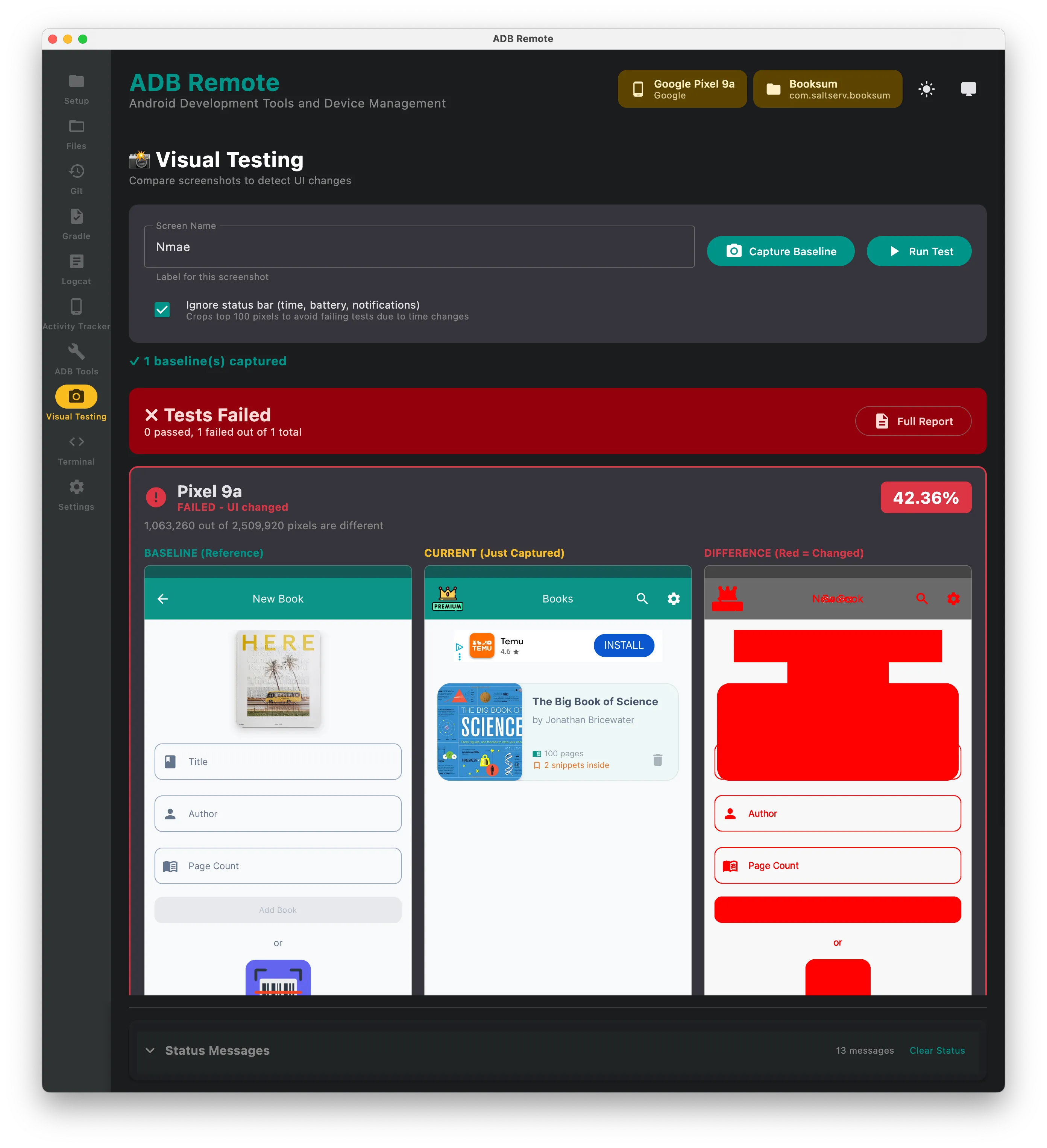
Screenshot testing
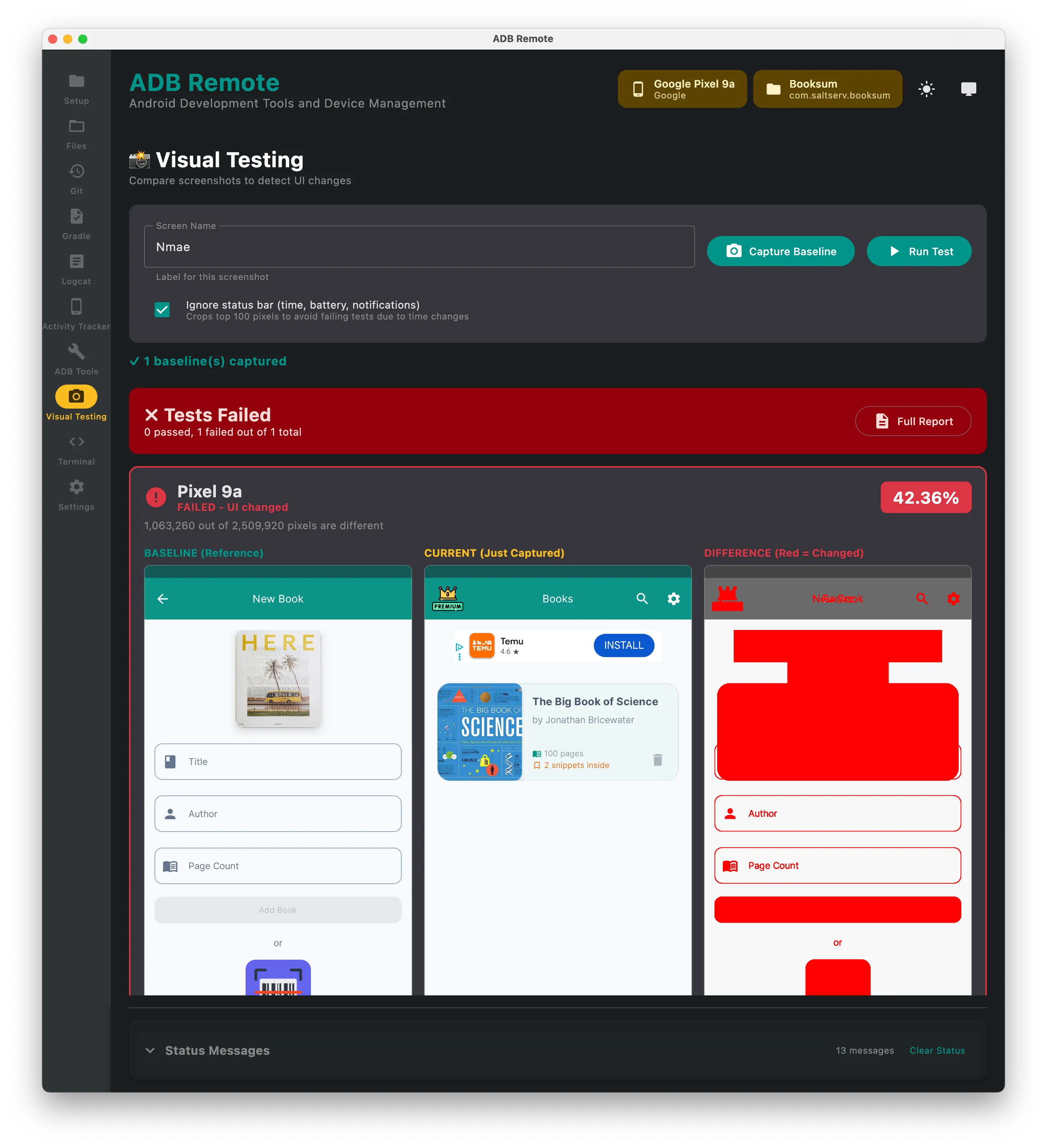
Capture a baseline, compare new screenshots against it, and see the differences highlighted. Cheap visual regression testing for the screens you keep touching.
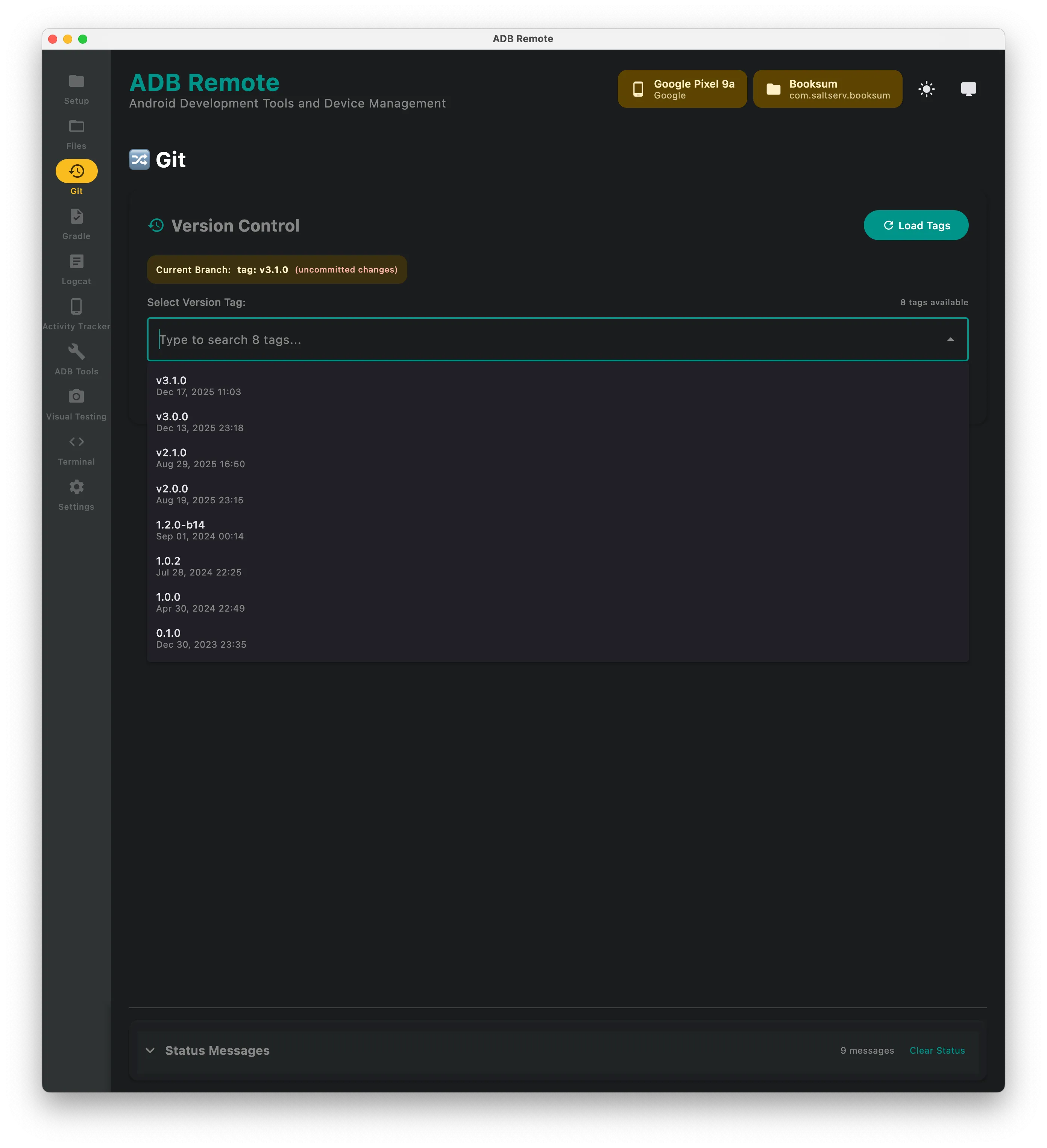
Git checkout and run
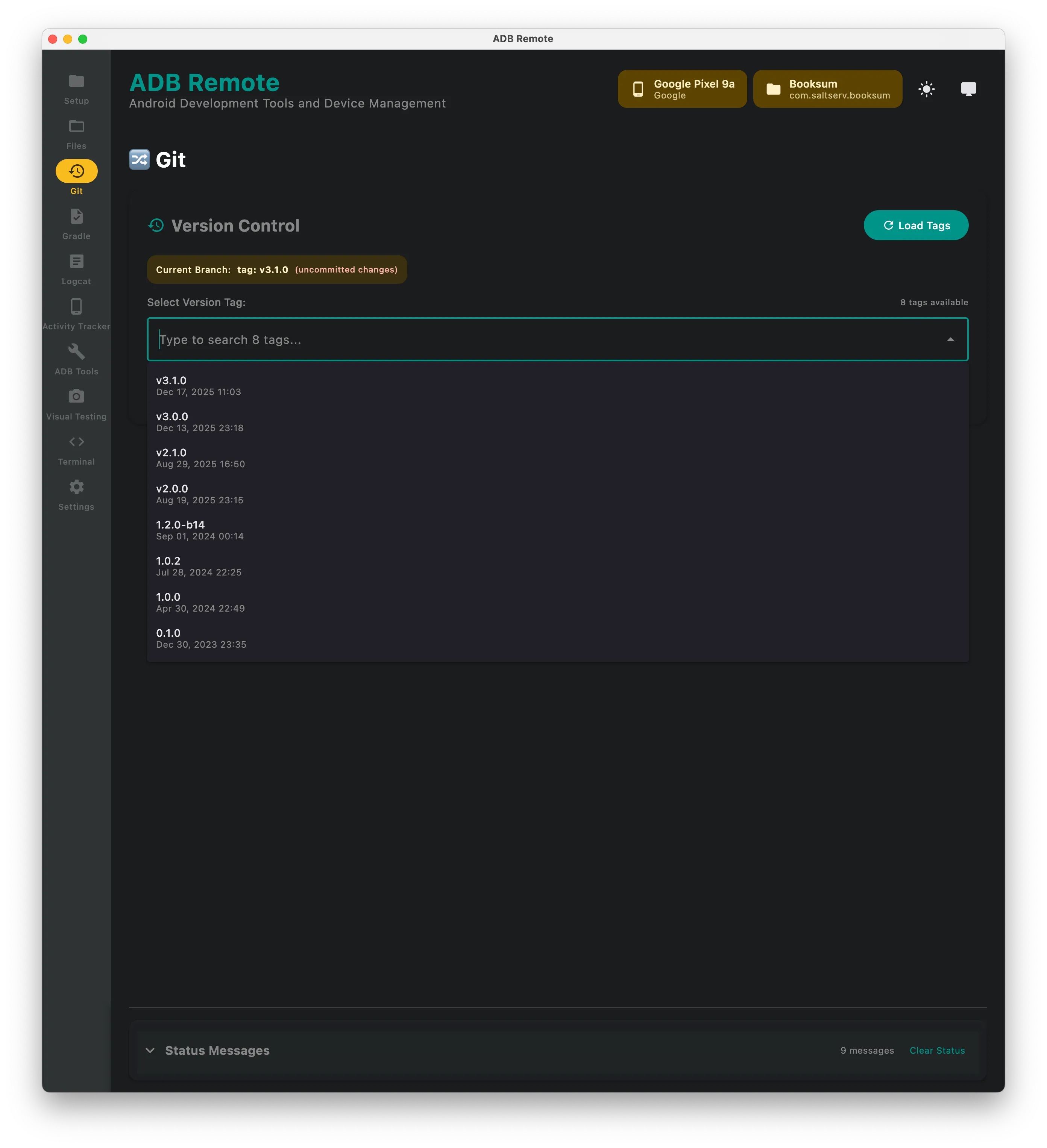
List local branches and tags, check one out, build and run it on a connected device — for testing a PR branch or a specific commit without touching your working tree in the IDE.
Also in the window
An activity tracker showing the current foreground activity, an ADB toolbox (clear app data, uninstall, grant and revoke permissions, input text, screenshots), an embedded terminal, and “open in” for iTerm2, Terminal.app, Warp and your editor.
Requirements and licence
macOS 10.15 or later, the Android SDK with adb on your PATH, and a Java 17 runtime (bundled in the DMG). Built with Kotlin and Compose Multiplatform for desktop, signed and notarized. Free for one device; Pro unlocks unlimited devices and every feature.