

It’s 2 AM and something pages you. The old sequence was laptop, VPN, terminal, SSH, htop, and by the time you’re looking at load averages the situation has either resolved or got worse. Cura collapses that to: open the app, see what’s wrong, tap into a shell if you need one. Under thirty seconds from notification to terminal.
A dashboard that tells you where to look
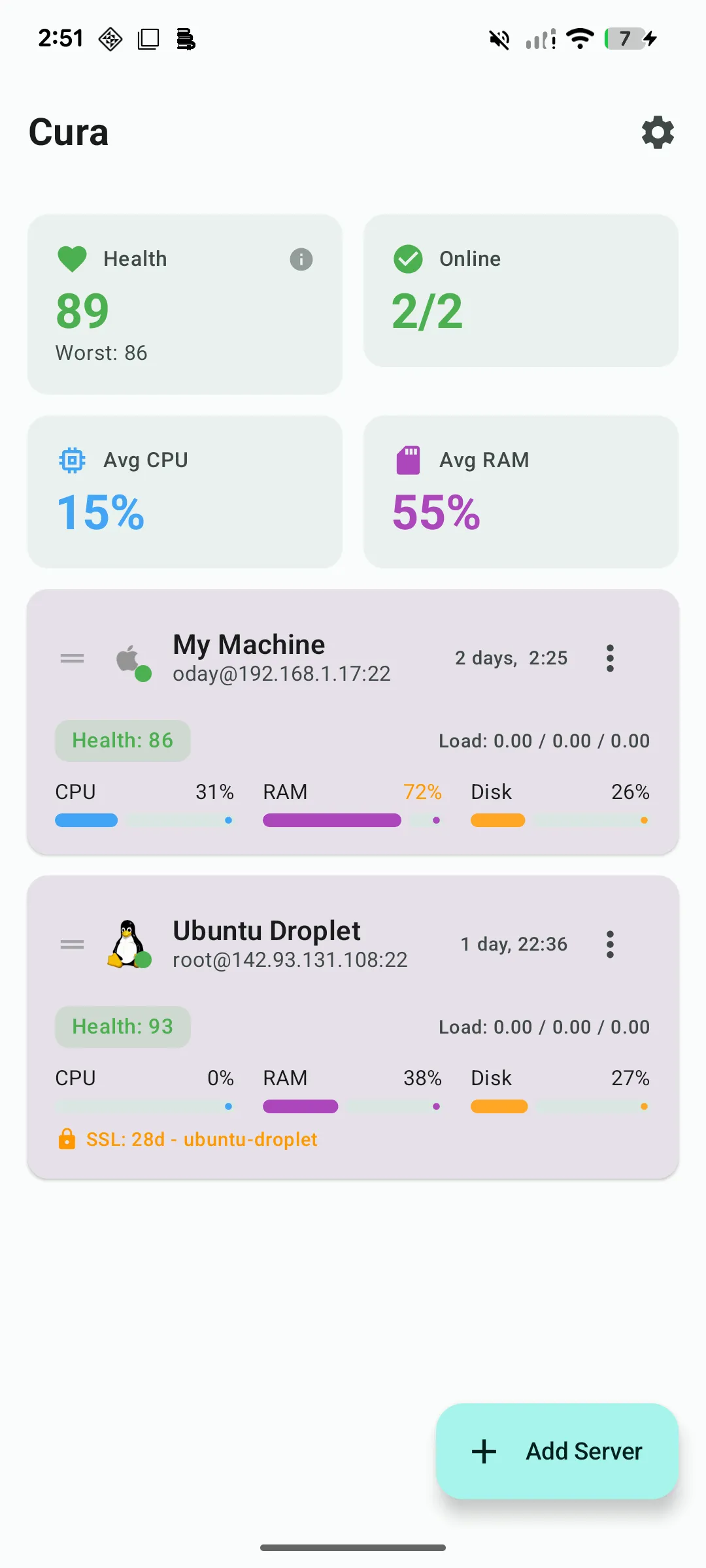
The first screen is every server you manage, each with a health score, online status, CPU, RAM and disk. The health score is a weighted composite — 35% CPU, 25% RAM, 25% disk, 15% load average — with steep penalties above 80% utilisation, so a box that is quietly degrading shows up yellow before it shows up as an outage.
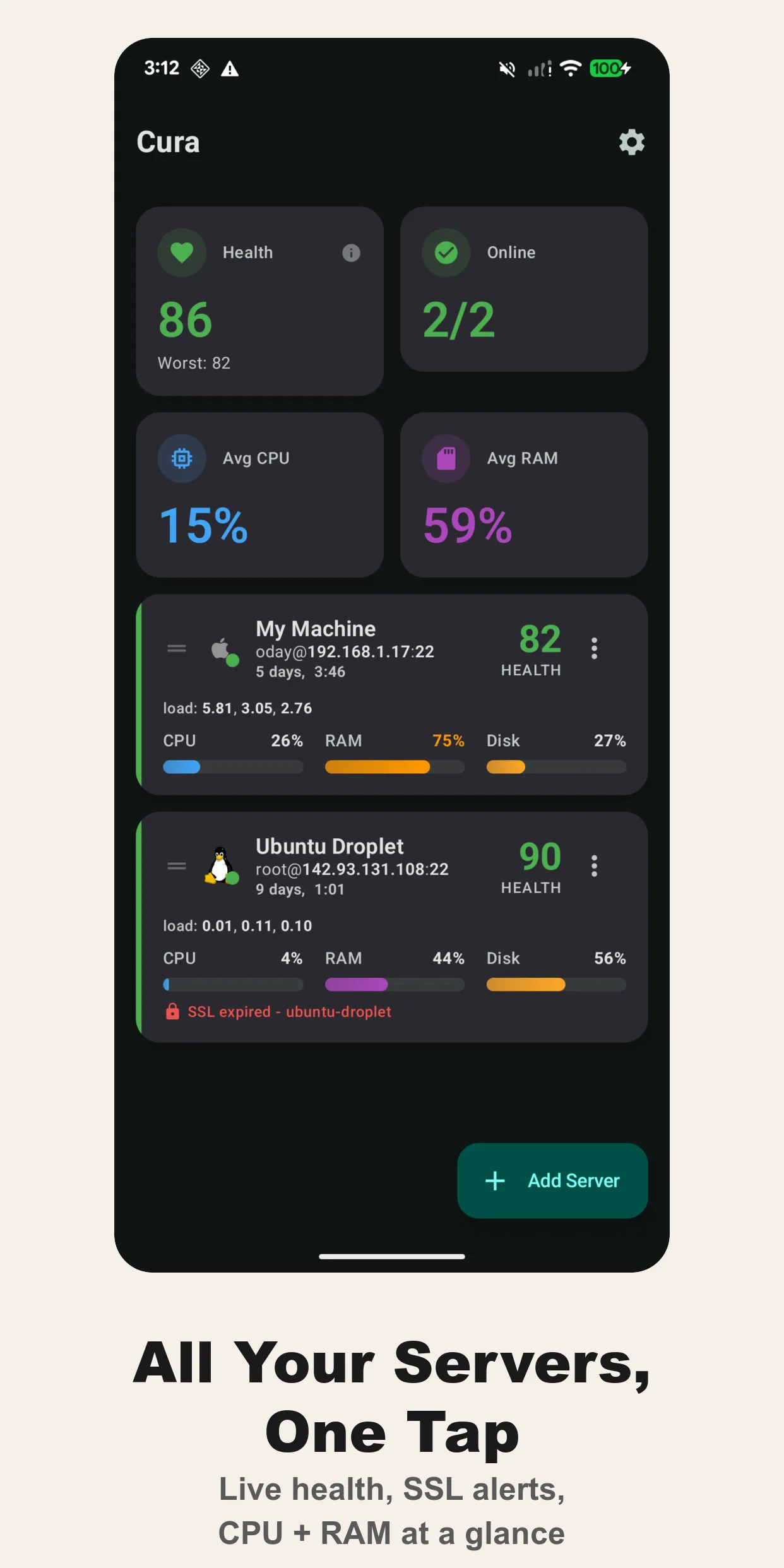
Each card also carries uptime, load averages and an SSL certificate indicator. A certificate that renews in six days is a fact you want on the front page, not in a cron email.
Stats over SSH, no agent
Cura doesn’t install anything on the server. It opens an SSH session and reads /proc/stat, /proc/meminfo, df, ip -s link and the process table, the same way you would by hand. That means it works on any Linux box you can already reach: Ubuntu, Debian, Alpine, a Raspberry Pi in a cupboard, a Hetzner VPS, an EC2 instance behind a bastion.
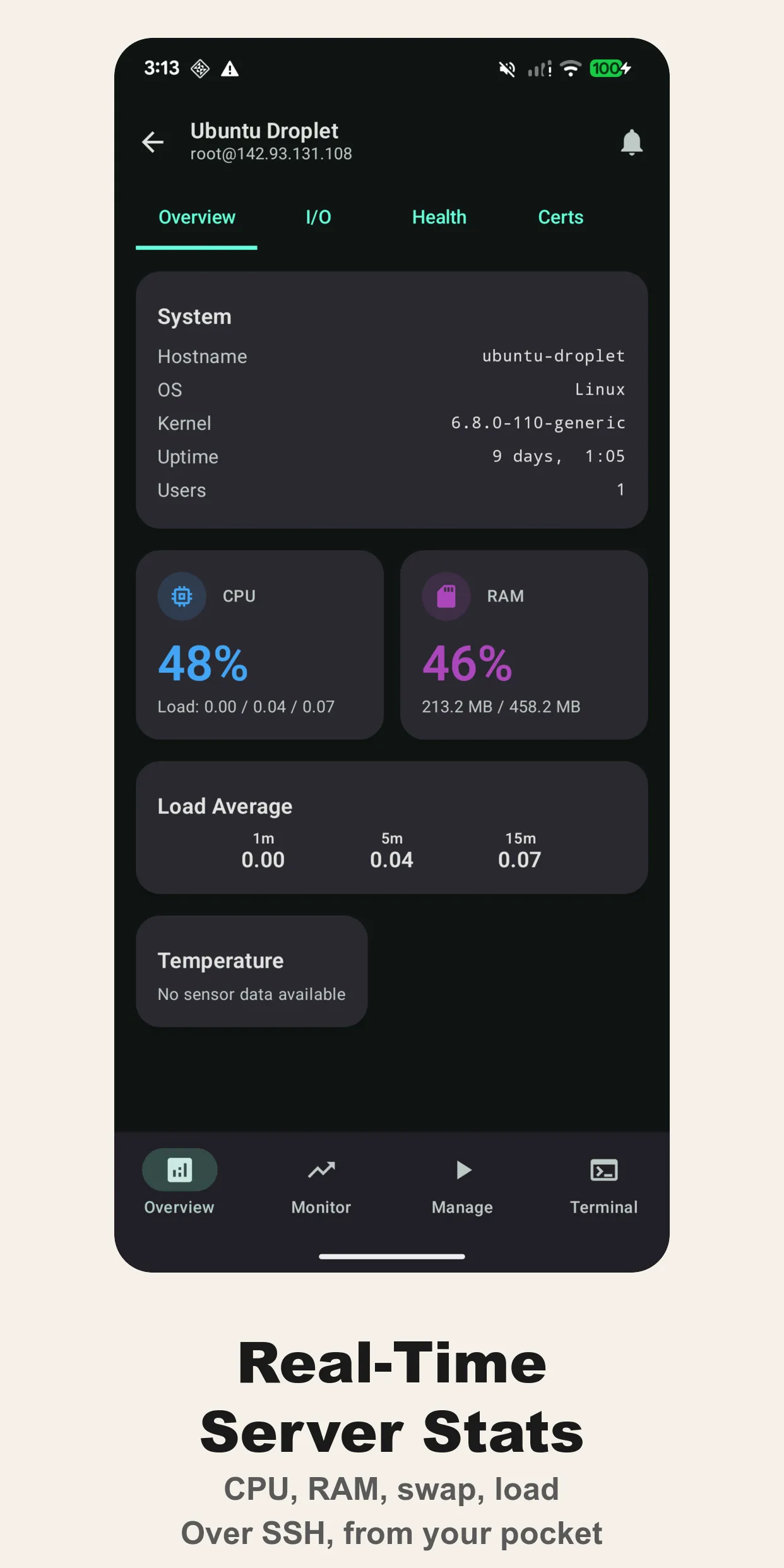
The server detail view is the full picture: hostname, OS and kernel, uptime, connected users, CPU and RAM with 1/5/15-minute load, then tabs for storage, network interfaces and processes sorted by what they’re eating.
Live monitoring charts
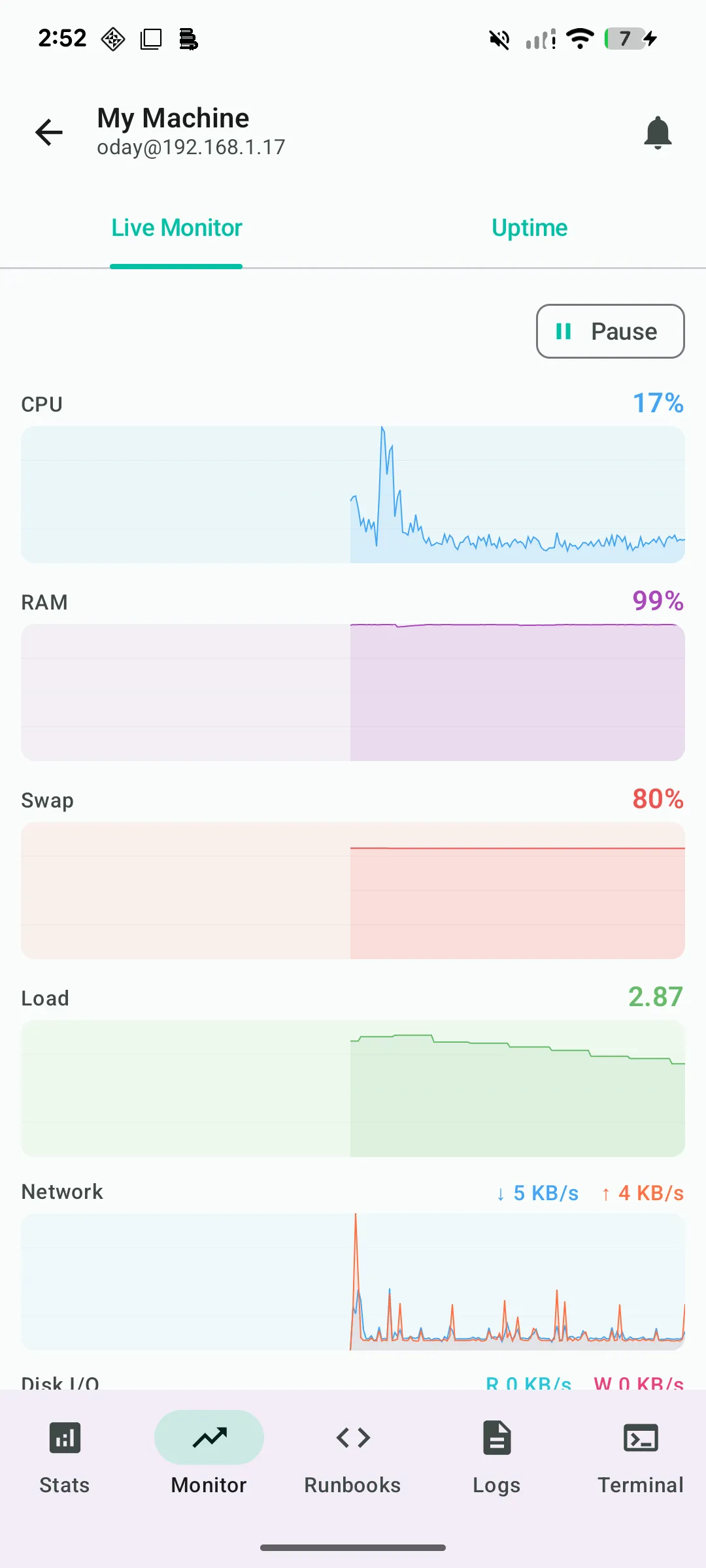
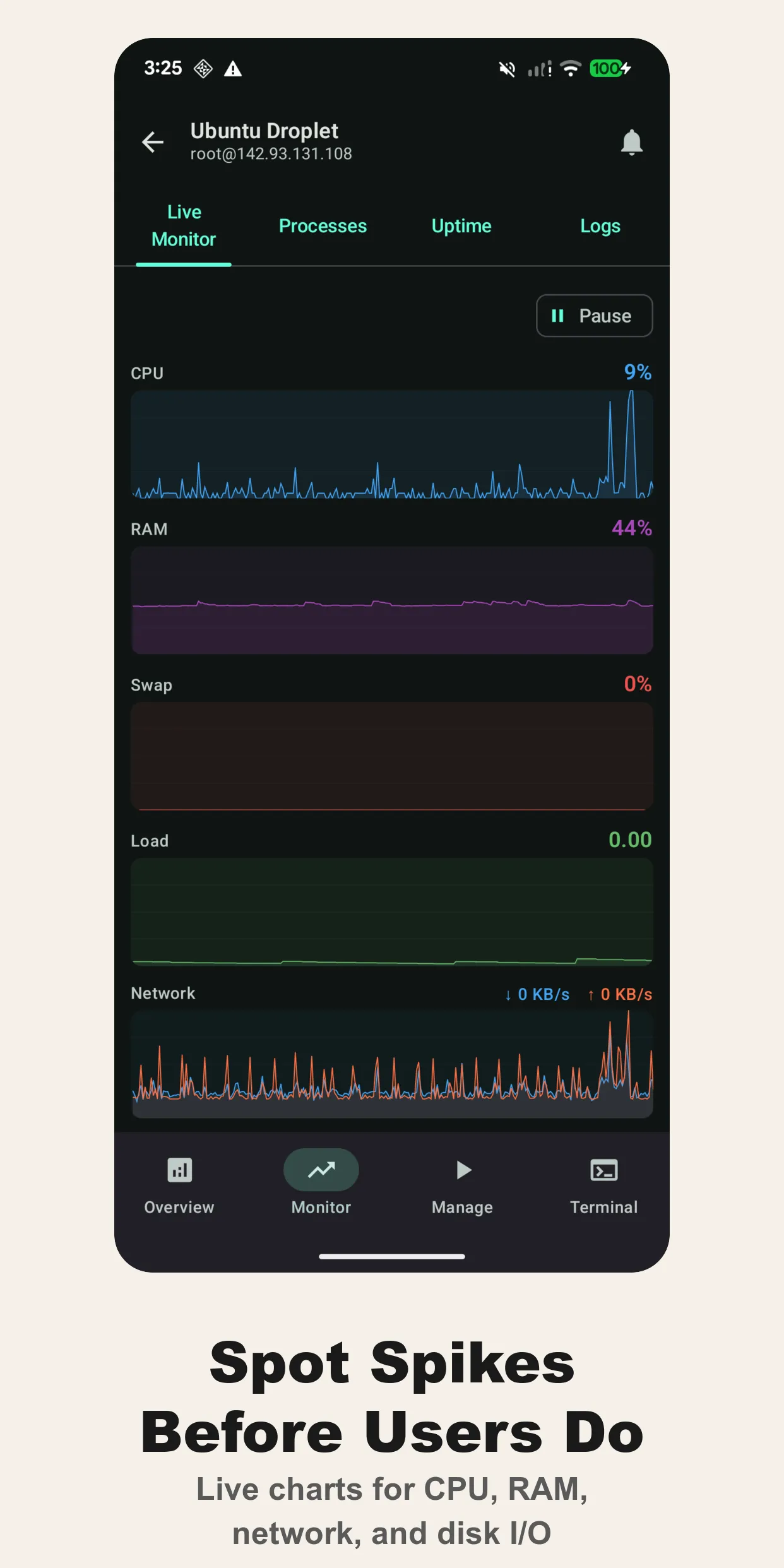
The monitor tab polls at a configurable interval and keeps a 500-point history in memory: CPU, RAM, swap, load, network throughput, disk I/O. It’s the screen you want open during a deploy, or when you’re trying to convince someone on a call that the OOM killer is about to fire.
Runbooks: the commands you always type
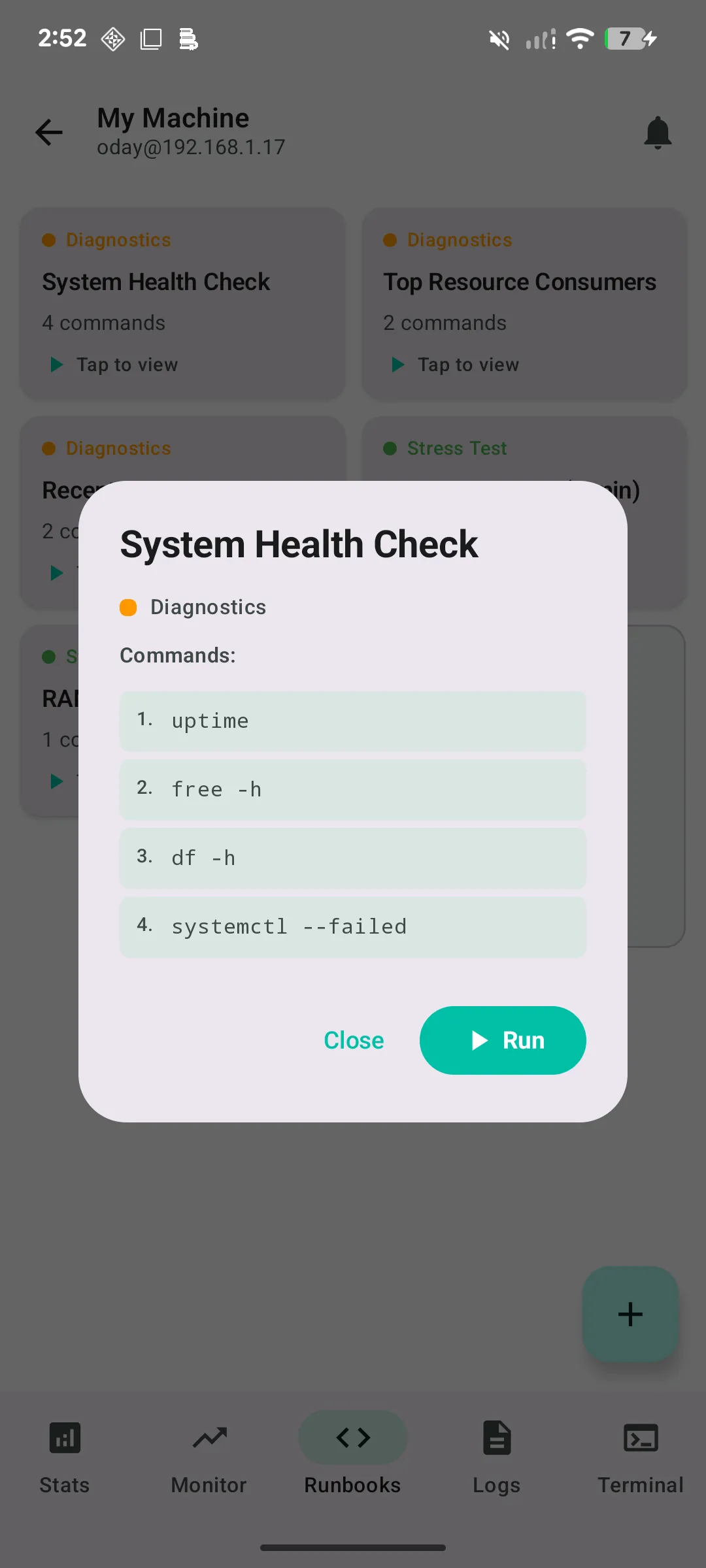
Runbooks are saved, multi-line command sequences that run with one tap. Cura ships with a few — the system health check (uptime, free -h, df -h, systemctl --failed), top resource consumers, a stress test — and you add your own. Anything destructive (rm, shutdown, reboot, kill, --force) asks for confirmation first.
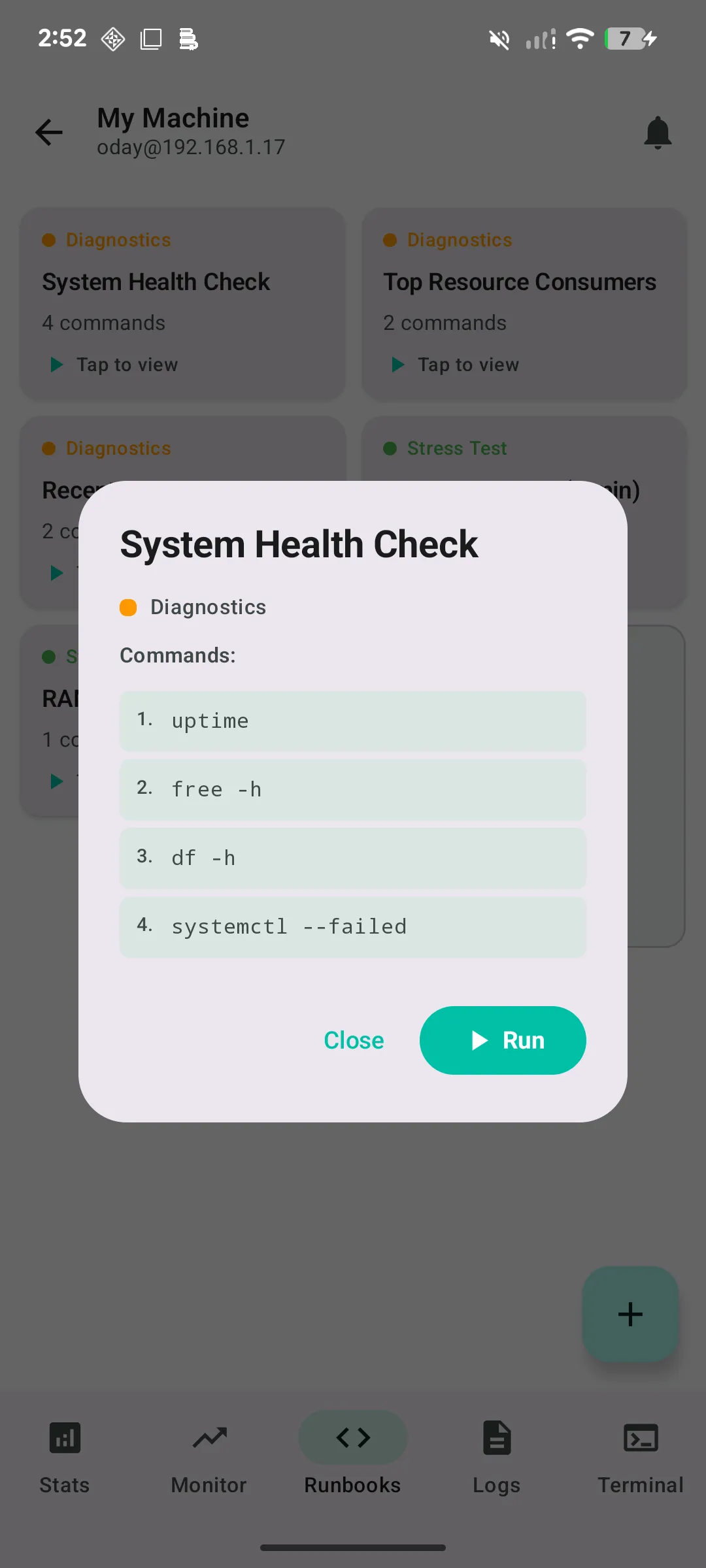
If you’ve ever tried to recall the exact journalctl --since incantation on a phone keyboard at 3 AM, this is the feature that pays for the app.
Docker, Podman and systemd without a shell
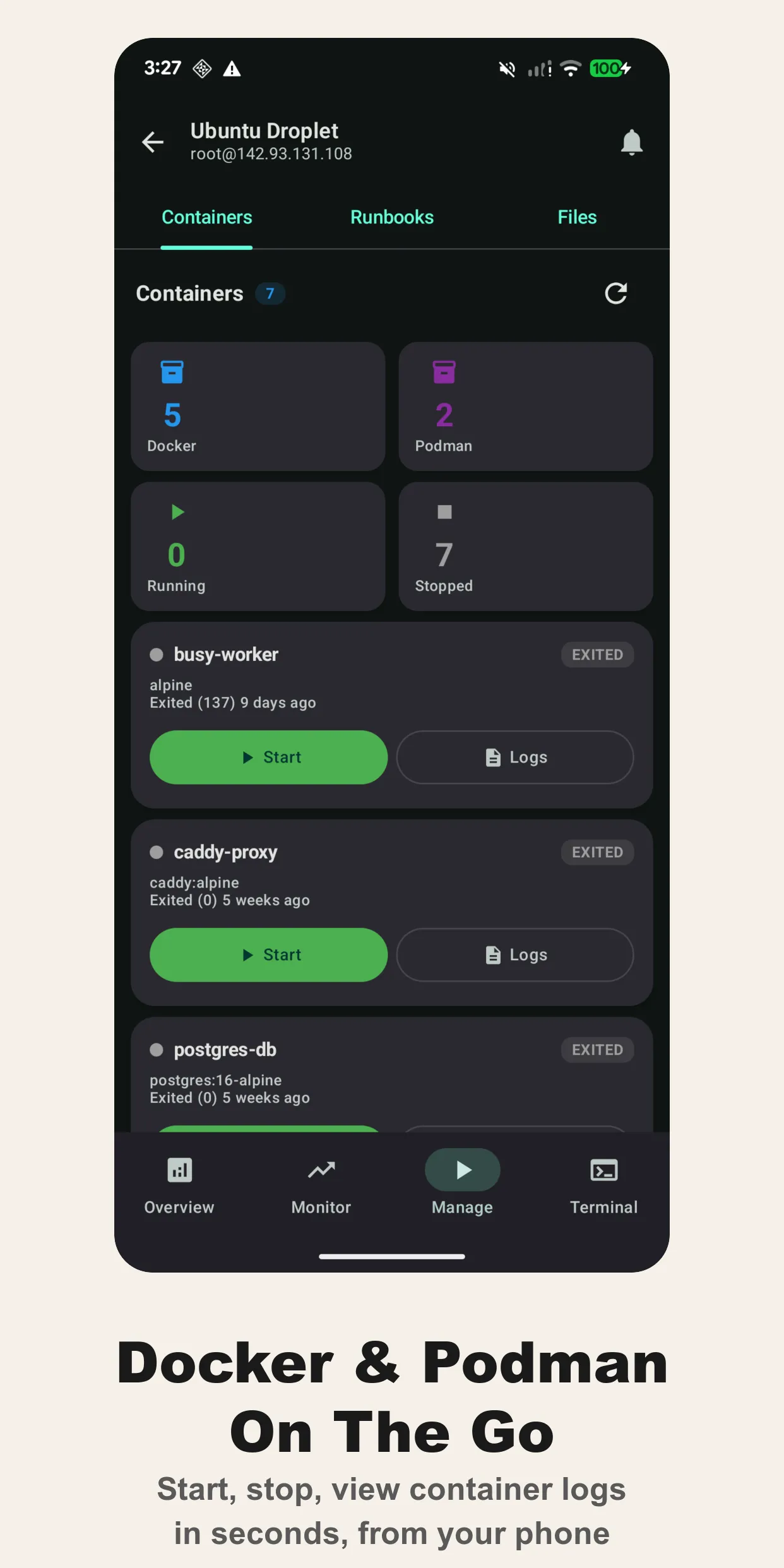
Cura detects Docker and Podman containers and lets you start, stop, restart and tail their logs from a list, grouped by runtime, with image, status and exit code visible. systemd services get the same treatment. Most 2 AM fixes are “restart the thing”; this makes that one tap.
Log viewer
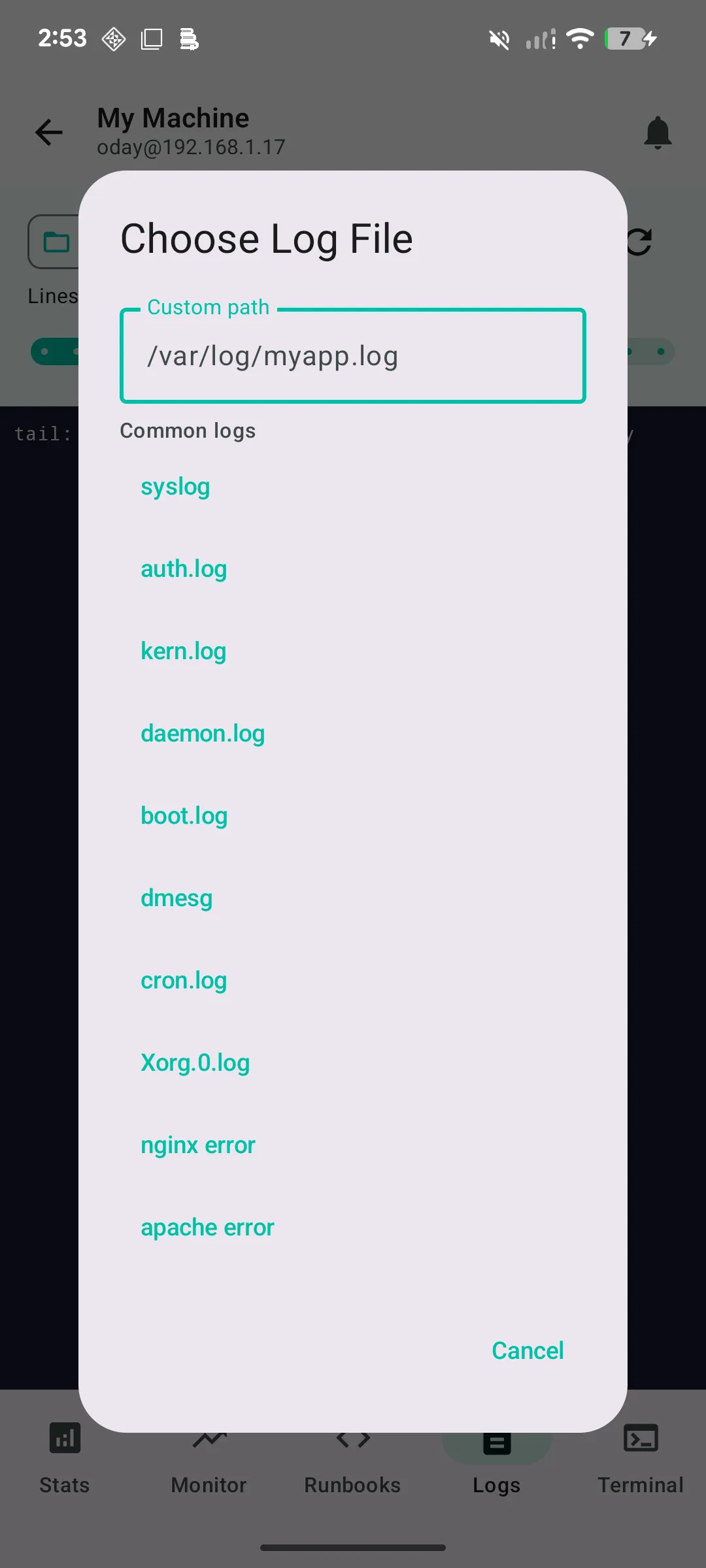
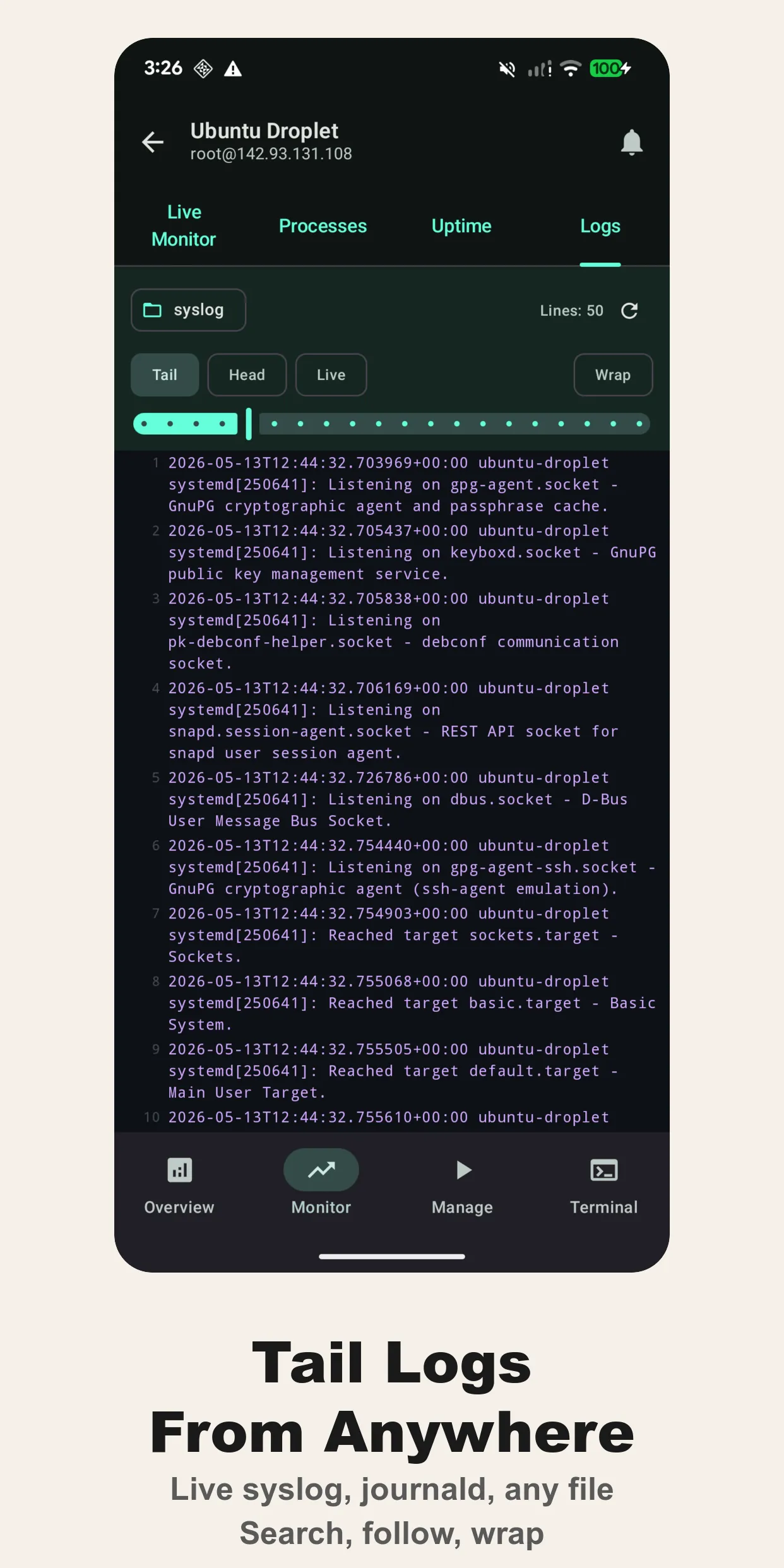
Syslog, auth.log, kern.log, daemon.log, dmesg, cron.log, boot.log, nginx and apache error logs, plus any custom path. Head or tail mode with a line limit, colour-coded by severity.
A terminal that handles real programs
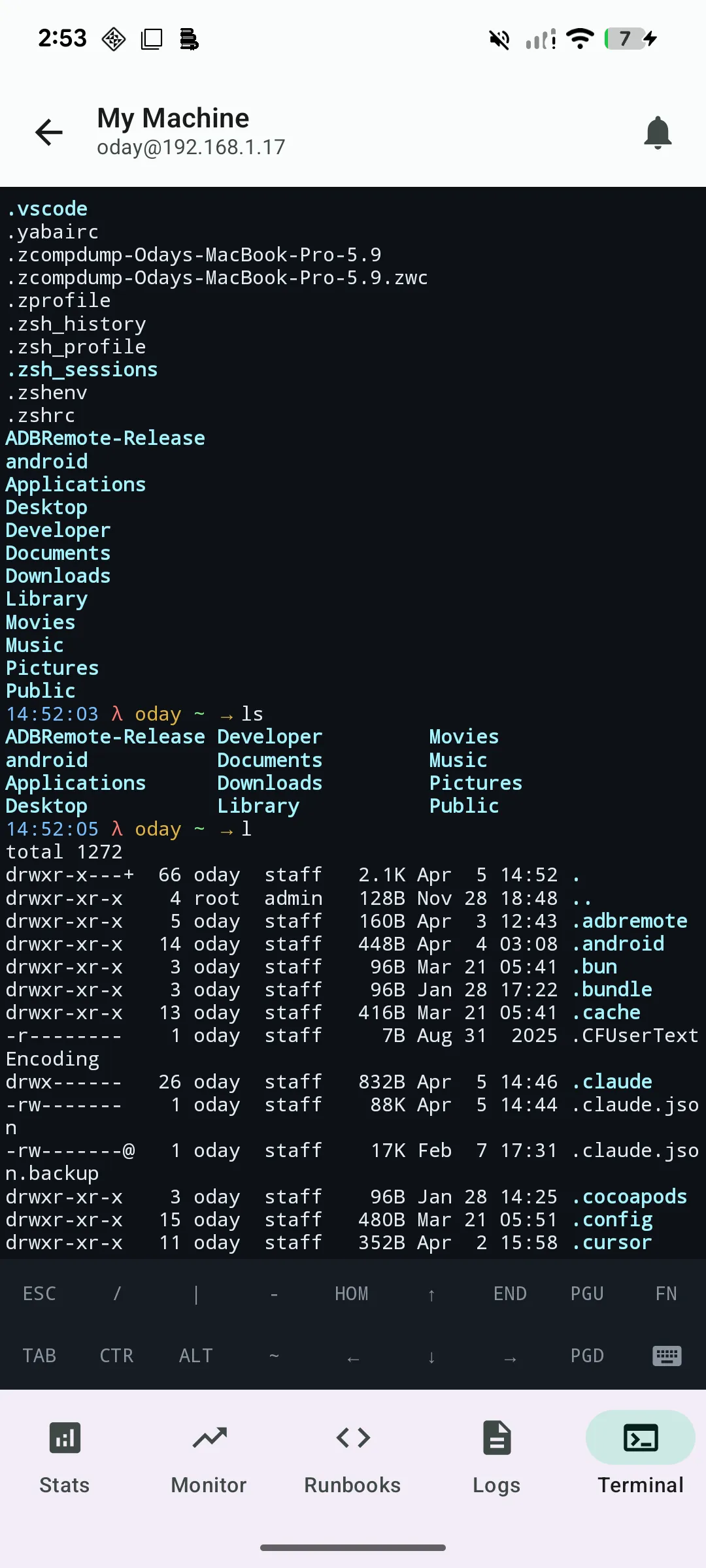
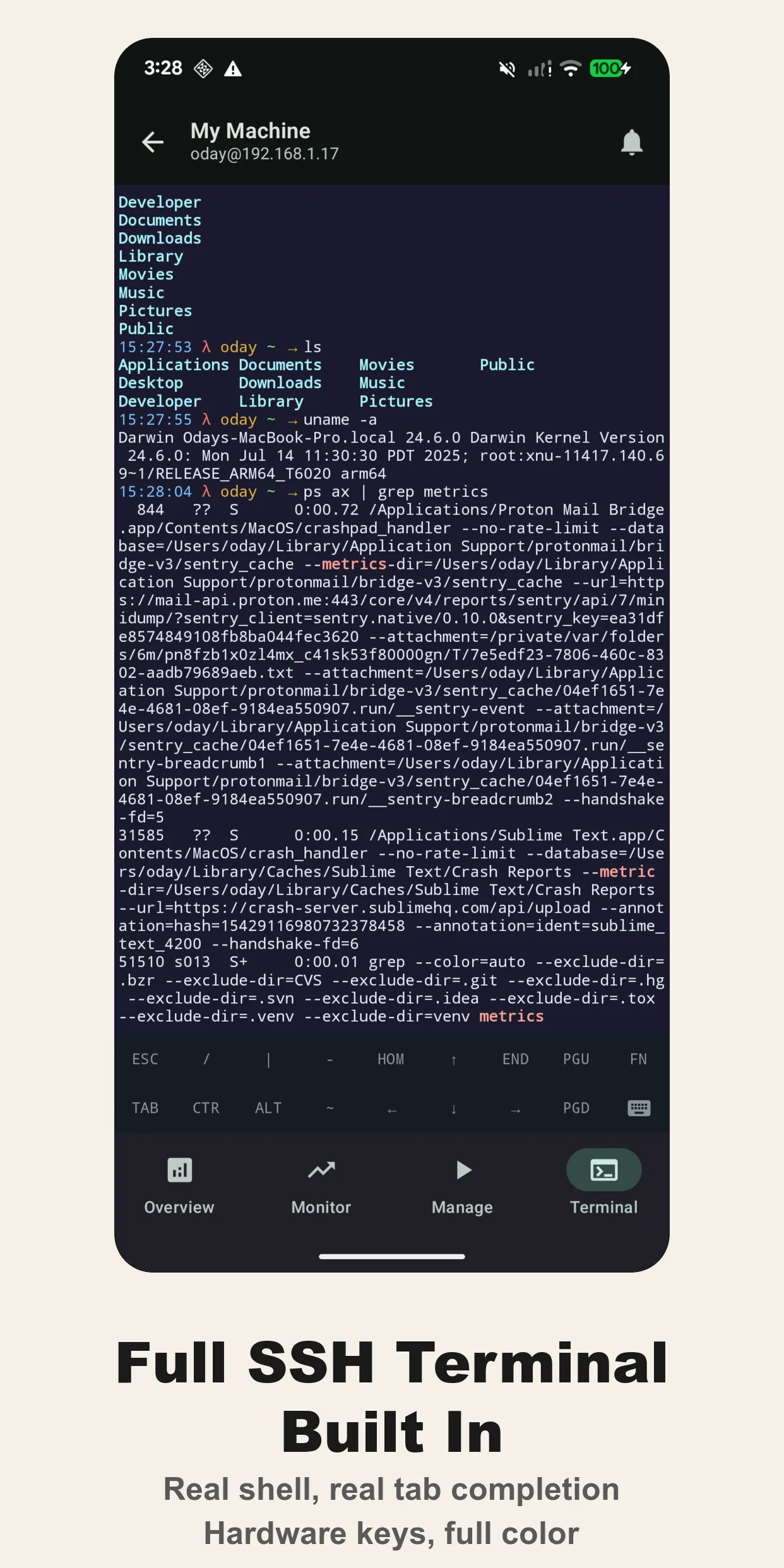
Full VT100/xterm escape-sequence support, session persistence, automatic reconnection. vim, htop, less, tmux all work as they should. The bottom bar gives you the keys phones don’t: ESC, CTRL, ALT, TAB, HOME, END, PgUp, PgDn, arrows.
Alerts that wake you up
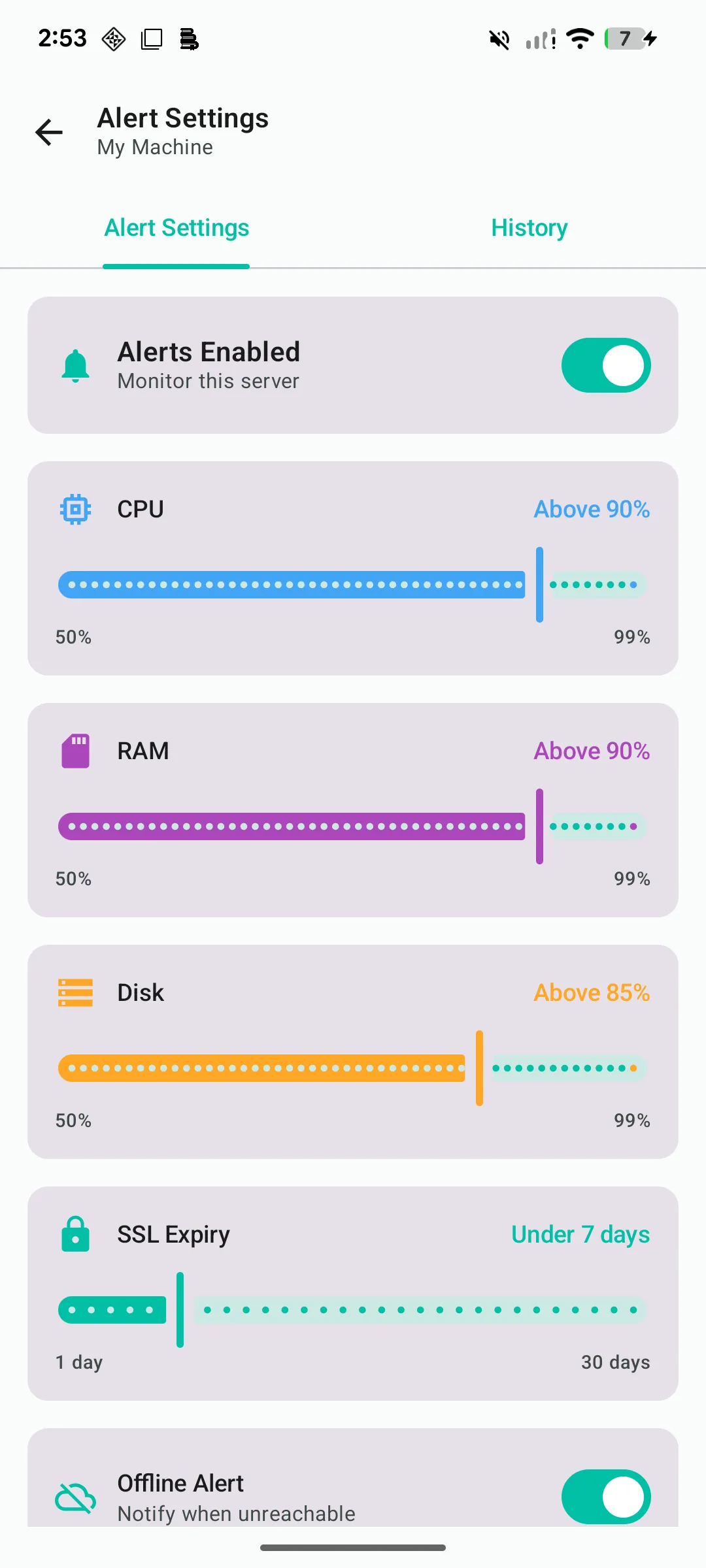
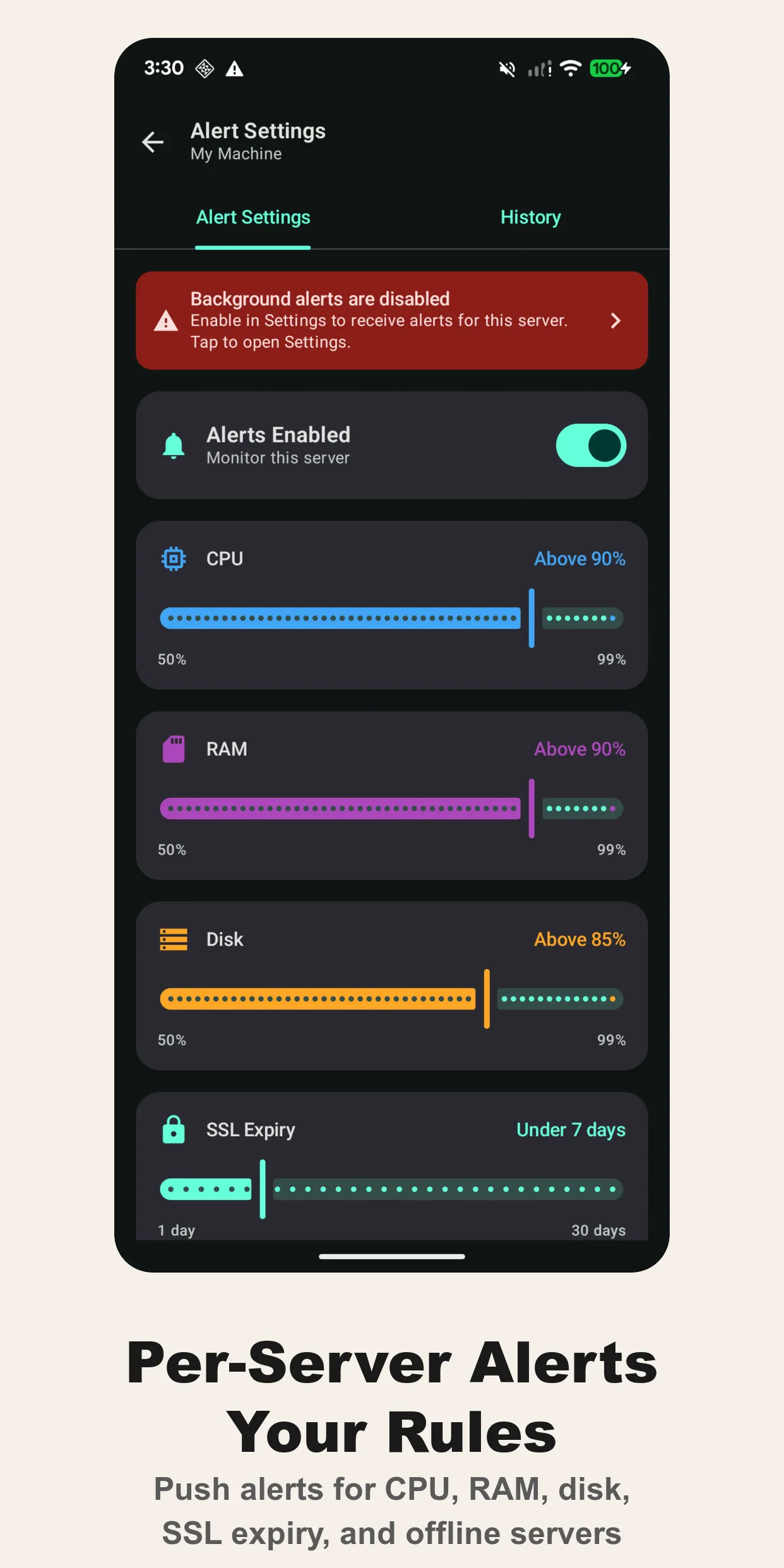
Per-server thresholds for CPU, RAM, disk and SSL certificate expiry, plus an offline alert when a server stops answering, and HTTP/HTTPS/TCP/ping uptime checks. Cura runs the checks in the background and sends a notification with process-level context — not just “CPU high” but which process. Alert history is kept so you can see what fired and when.
SFTP and file browsing
Browse the remote filesystem, download a file to look at it, upload a config you fixed on the phone. It’s not a replacement for rsync; it’s for the “I just need that one log file” moment.
Security
Credentials are stored in the iOS Keychain or Android Keystore, hardware-backed where the device supports it. Password, Ed25519 and RSA key authentication. Optional biometric lock on the app. There is no Saltserv server in the path: the phone talks to your machine directly over SSH, and nothing about your servers, commands or output is collected.
Free and Pro
The free tier is two servers with the full terminal and basic monitoring — enough to decide if you like it. Cura Pro is a one-time purchase that unlocks unlimited servers, background alerts, SSL expiry tracking, custom runbooks, uptime monitoring, the home-screen widget and notification history. No subscription; one purchase, yours forever.
Why not Termux, Termius or Blink?
Use them; I have. They give you a terminal. Cura gives you situational awareness first — the dashboard tells you which server needs attention before you open a shell, the alerts tell you while you’re asleep, and the runbooks mean you don’t type at all for the routine stuff. It’s purpose-built for administering servers from a phone, not for being a general-purpose terminal.