Most package-tracking apps on the App Store want one thing from you: access to your inbox. Connect Gmail, they say, and we’ll find your orders automatically. What they don’t say is that a scan of your receipts is a scan of your purchase history, and that history is the product.
You don’t have to hand it over. Here are the ways to track a parcel on an iPhone without email access, ordered from zero-install to one-install.
Table of contents
Open Table of contents
Option 1: The carrier’s own app
USPS, UPS, FedEx and DHL each have an app, and each is fine for its own parcels. Sign in, add a tracking number, get notifications.
Works because: first-party data, notifications straight from the source, and the delivery-day features (UPS’s map, USPS Informed Delivery) are things only the carrier can offer.
Falls short because: you now have four apps, four accounts and four notification styles, and an order shipped through a regional carrier (PostNL, DPD, Evri, GLS) needs a fifth. Nothing gives you one list.
Option 2: Apple’s built-in tracking
If a shipping confirmation lands in Apple Mail, iOS often detects the tracking number and offers to track it; orders paid with Apple Pay can show up in Wallet with tracking attached.
Works because: zero setup, and it’s Apple reading your mail on-device rather than a third party reading it in the cloud.
Falls short because: detection is hit-and-miss, especially for non-US carriers and for numbers that arrive in a chat rather than an email. There’s no list view, no Live Activity, and no way to add a number by hand.
Option 3: A Shortcut
You can build a Shortcut that takes a tracking number from the clipboard and opens the carrier’s tracking page in Safari. Ten minutes of setup.
Works because: no app, no permissions, no account.
Falls short because: it’s a bookmark. No notifications, no status, no idea which carrier the number belongs to unless you tell it.
Option 4: A tracker that only knows what you paste
This is the gap Underway is built for: one list across 900+ carriers, with carrier detection from the number itself, and no email access at all. It learns about a parcel in exactly three ways — you paste the number, you scan the barcode, or you share it from Mail, Messages or a shop’s app with the share sheet.
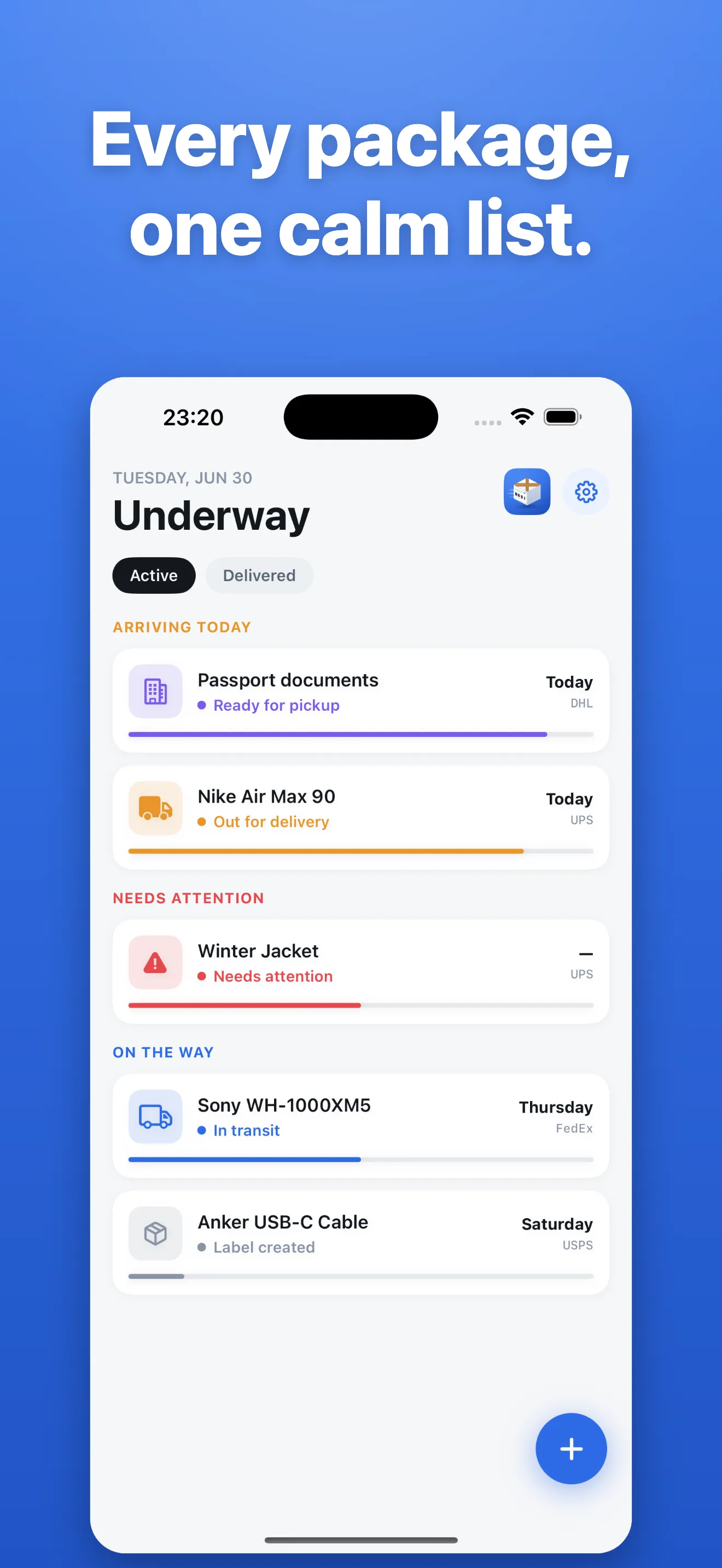
What that gets you:
- One list grouped by what matters: arriving today, needs attention, on the way.
- Auto carrier detection — paste a number, the carrier is worked out for you.
- Notifications for movement, out-for-delivery, delivered and exceptions.
- A Live Activity on delivery day: the parcel’s status on the Lock Screen and in the Dynamic Island.
- Widgets for the next delivery.
- No account. Your list is on your phone and syncs through your own iCloud.
Saving a tracking number and checking it on the carrier’s site is free. Live tracking is Premium, and there are no ads, which is the point.
The share-sheet trick
Whichever option you pick, the fastest way to add a parcel on iOS is the share sheet. Long-press the tracking number in Mail or Messages, tap Share, and pick the tracker. It’s one gesture and it works from any app, which is why Underway ships a share extension rather than asking to read the email itself.
What to check before you install any tracker
- Does it ask for email or Gmail access? If the answer is yes and you didn’t want that, keep looking.
- Is there a weekly subscription? Yes, $4.99 a week for short-term needs. Yearly at $39.99 is the best value, and lifetime is $99.99 once. No free trial.
- Where does the list live? On the device with iCloud sync means you can delete the app and lose nothing to anyone.