The lock screen is the most-seen surface you own — forty, fifty, a hundred unlocks a day — which makes it the obvious place for the one sentence you’re trying to keep in front of you. The trouble is that a static wallpaper goes invisible within a week. Here’s how to get your words there, and how to keep them from disappearing into the background.
Table of contents
Open Table of contents
Option 1: Make a wallpaper by hand
Open any image editor (Canva, Snapseed, even Google Photos’ markup), type your affirmation over a photo, export, set it as the lock screen wallpaper in Settings → Wallpaper & style.
Works because: total control, no app, five minutes.
Falls short because: it’s static. By day four your brain has filed the sentence under “furniture” and stopped reading it. Changing it means doing the five minutes again, so you won’t.
Option 2: A lock-screen widget
Android 14+ shows some widgets on the lock screen, and a plain-text widget can hold a sentence. Third-party launchers and lock-screen replacements go further.
Works because: the text is live — change it in the app and it updates.
Falls short because: widget support on the lock screen is patchy across manufacturers, the text sits in a small box rather than being the design, and it’s still the same sentence in the same place every day.
Option 3: An app that re-renders your words every morning
The version that solves the invisibility problem is an automatic wallpaper changer that keeps your text and swaps the background. This is what Mantra does: you write the line, pick lettering and a position, and every morning (or every few hours, or weekly) it renders your affirmation on a fresh illustrated background and sets it as your lock screen, home screen or both.
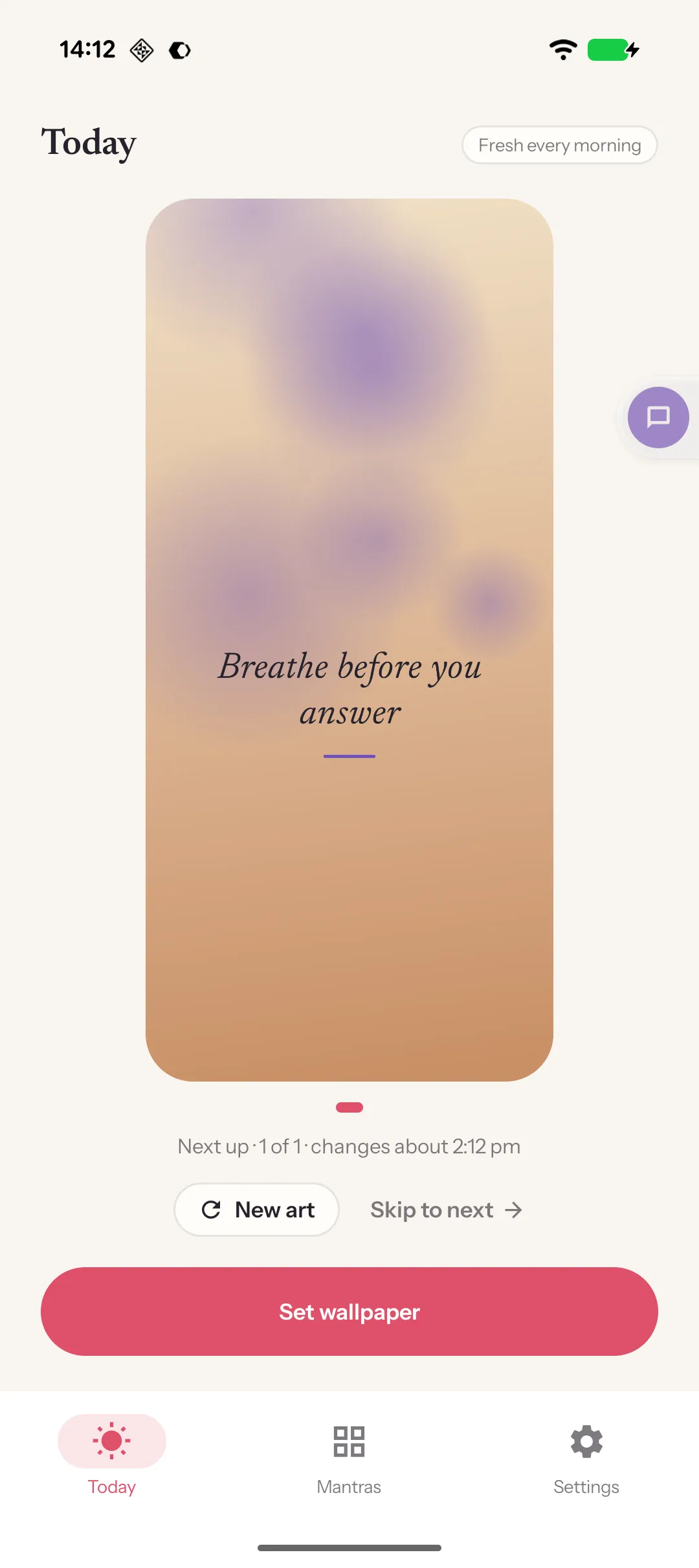
The details that matter, because they’re the ones other wallpaper apps get wrong:
- Your words, not a quote library. Most “affirmation” apps push generic motivational quotes. The point is your sentence — the goal, the reminder, the dua.
- Backgrounds designed for text. Fifty flat-vector illustrations in five collections, each with a quiet zone where the lettering sits.
- Or your own photos. Pick from your gallery (no storage permission needed); the app measures how busy the photo is behind the text and adds a soft shade only when it needs one.
- Never repeats what you just saw. Rotation excludes the last three backgrounds.
- Nothing uploaded. No account, no cloud. Your words and photos stay on the phone.
Three mantras with one collection and daily refresh are free; Plus unlocks all collections, annually or once.
Settings worth knowing on Android
- Lock only vs. both. Putting the affirmation on the home screen too doubles how often you see it but competes with your icons; lock-only is calmer.
- Dynamic colour. On Android 12+, changing the wallpaper re-themes the system’s accent colours from the new image. It’s a feature, but it means a bright background can recolour your whole phone. Calmer backgrounds behave better.
- Battery. A wallpaper changer that renders once a day costs nothing measurable. One that polls a server every hour is a different story — another reason to prefer an app that works offline.
A note on doing this for someone else
If you’re setting this up on a family member’s phone — a parent, a teenager — the honest version is: write the sentence with them. An affirmation someone else chose is a nag; one they chose is a reminder.