SSH into your servers, monitor resources, and get alerts from your pocket.


It’s 2 AM. PagerDuty goes off. You grab your laptop, wait for it to boot, connect to VPN, open a terminal, SSH in, and start triaging. By the time you’re looking at htop, the issue has either resolved itself or gotten worse.
I built Cura because I wanted to skip all of that. Open the app, see what’s wrong, SSH in if needed, fix it. Under 30 seconds from notification to terminal.
The Dashboard
The main screen shows all your servers at a glance. Health score, online status, CPU, RAM, disk usage, no tapping required. The health score is a weighted composite (35% CPU, 25% RAM, 25% disk, 15% load average) with steep penalties above 80% utilization, so you’ll notice degradation before it becomes an outage.
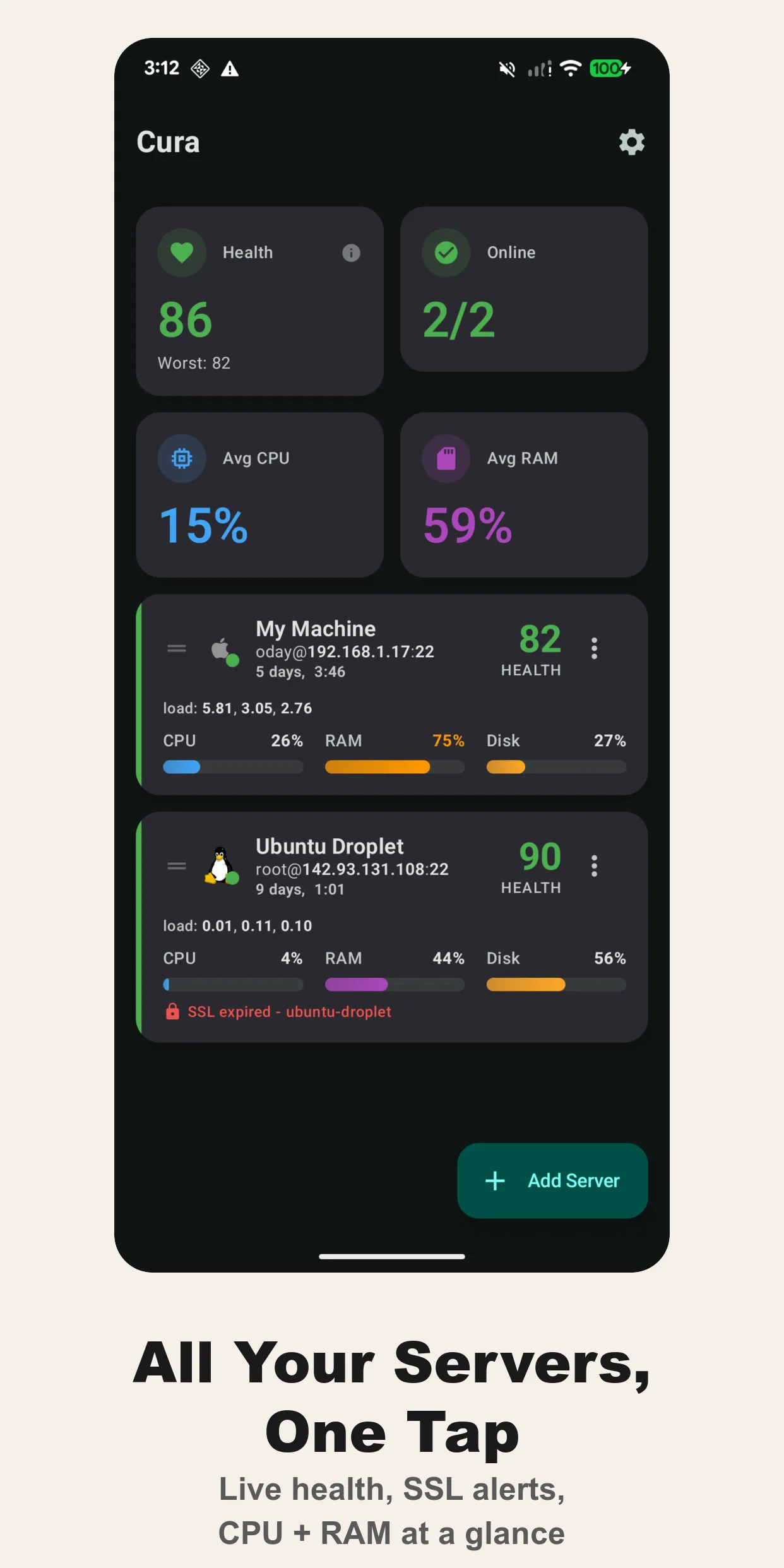
Each server card shows connection info, uptime, load averages, and an SSL certificate status indicator. If a cert is expiring soon, you see it right there.
Server Details
Tap into a server and you get the full picture: hostname, OS, kernel version, uptime, connected users, CPU and RAM usage with load averages across 1m/5m/15m intervals. There are tabs for storage, network interfaces (RX/TX bytes), and running processes sorted by resource consumption.
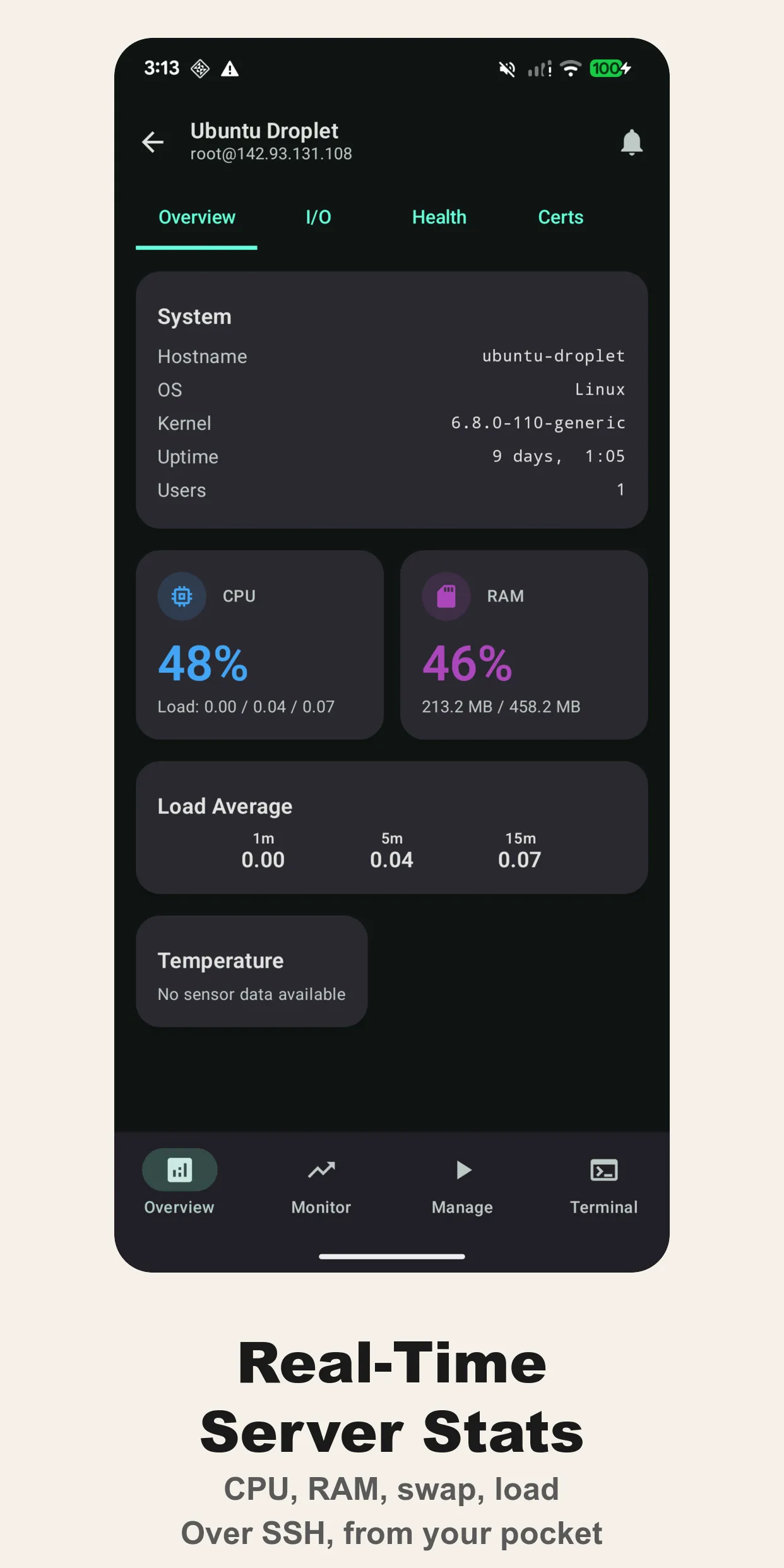
The stats are pulled over SSH. No agent to install, no daemon to configure. Cura parses the output of standard Linux commands (/proc/stat, /proc/meminfo, df, etc.), so it works on any box you can SSH into.
Live Monitoring
The monitor tab gives you real-time charts for CPU, RAM, swap, load, network throughput, and disk I/O. It polls at a configurable interval and keeps a 500-point history in memory. Useful for watching resource trends during a deploy or tracking down a memory leak.
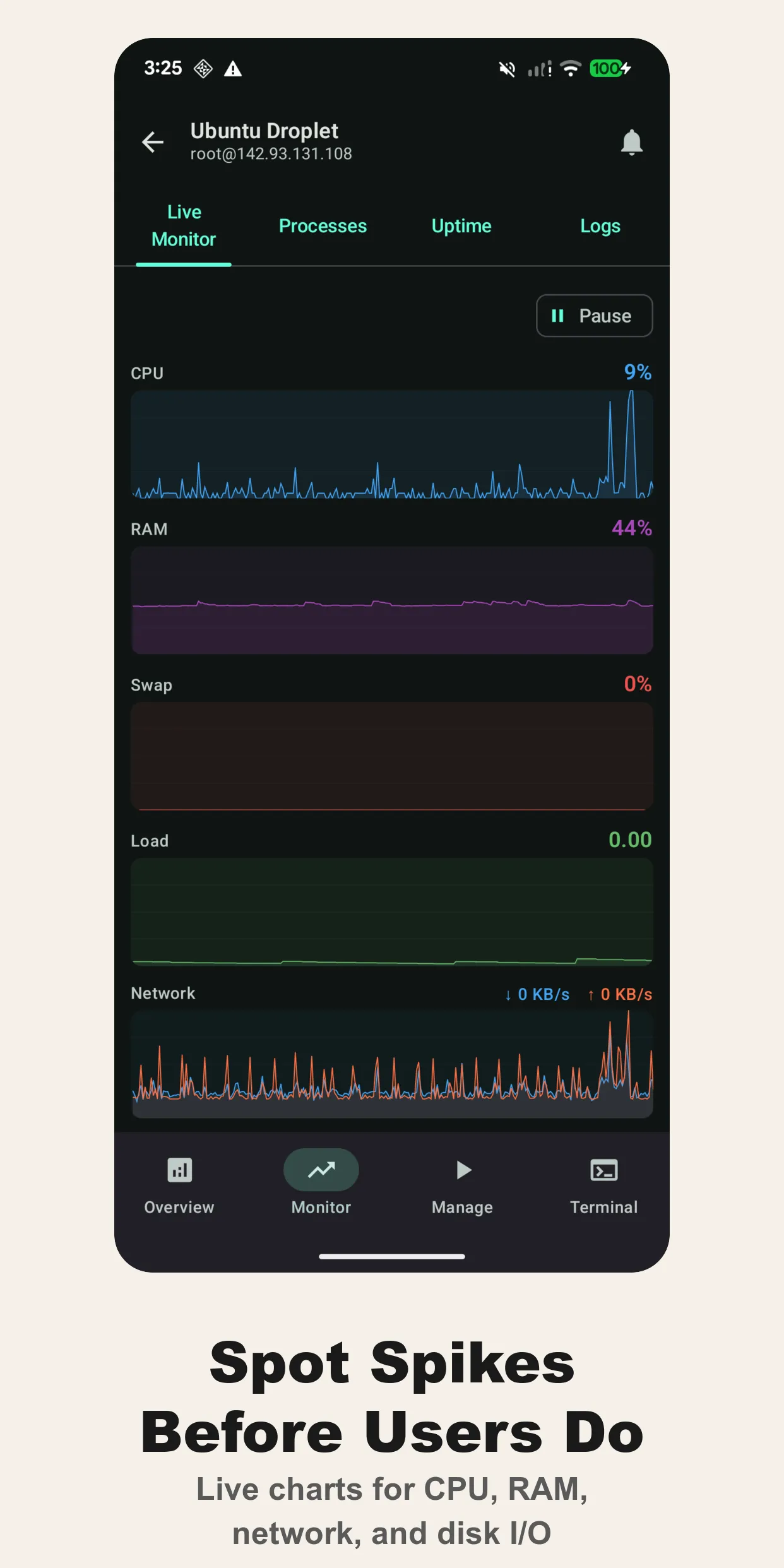
The charts aren’t just eye candy. When you’re on a call trying to explain to someone that the OOM killer is about to fire, it helps to have a visual.
Runbooks
This is the feature I use most. Pre-built command sequences you can execute with one tap. Cura ships with defaults like the system health check (uptime, free -h, df -h, systemctl --failed), top resource consumers, and stress tests. You can add your own on top of those.
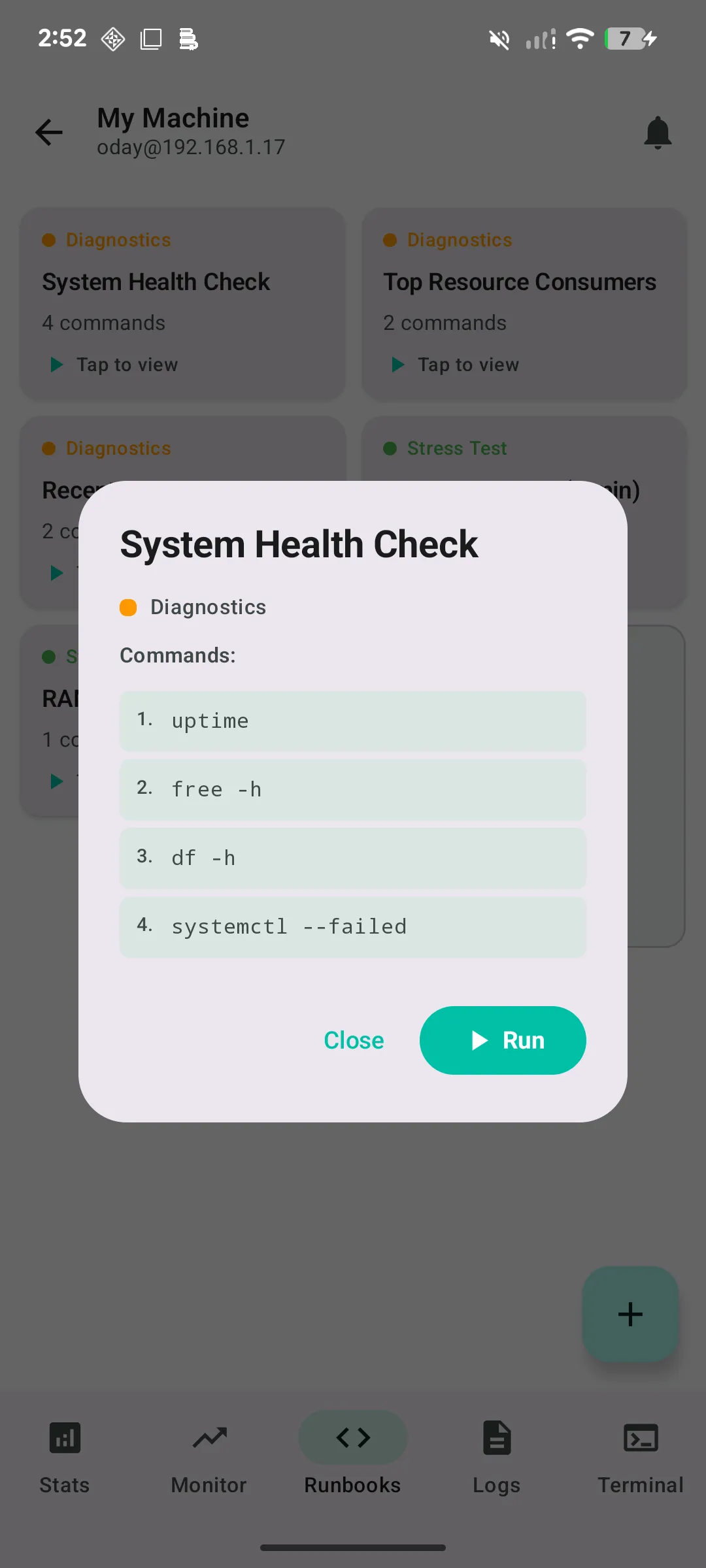
Commands that could be destructive (rm, shutdown, reboot, kill, --force) require confirmation before execution. You can organize runbooks by category and pin the ones you use frequently.
If you’ve ever fumbled through shell history at 3 AM trying to remember the exact journalctl incantation for a specific service, this saves time.
Containers
Cura detects Docker and Podman containers on your servers and lets you start, stop, and tail logs without dropping into a shell. The Manage tab groups containers by runtime and shows their image, status, and exit code at a glance.
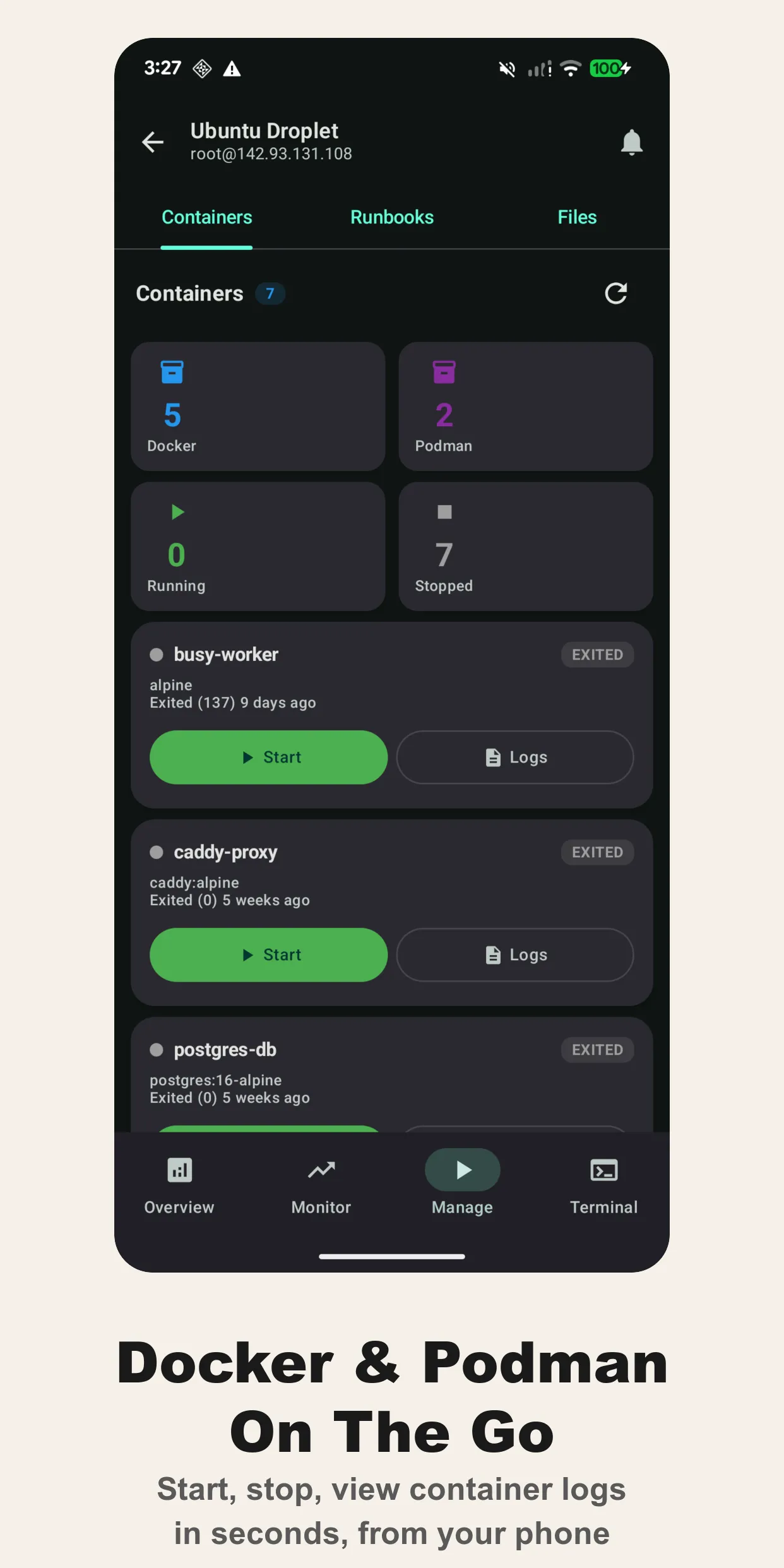
Most of the time when a service breaks at 2 AM, the fix is “restart the container.” This skips the SSH dance for that one common case.
Log Viewer
Browse system logs directly: syslog, auth.log, kern.log, daemon.log, dmesg, cron.log, boot.log, and web server error logs. You can also specify custom paths for application-specific logs.
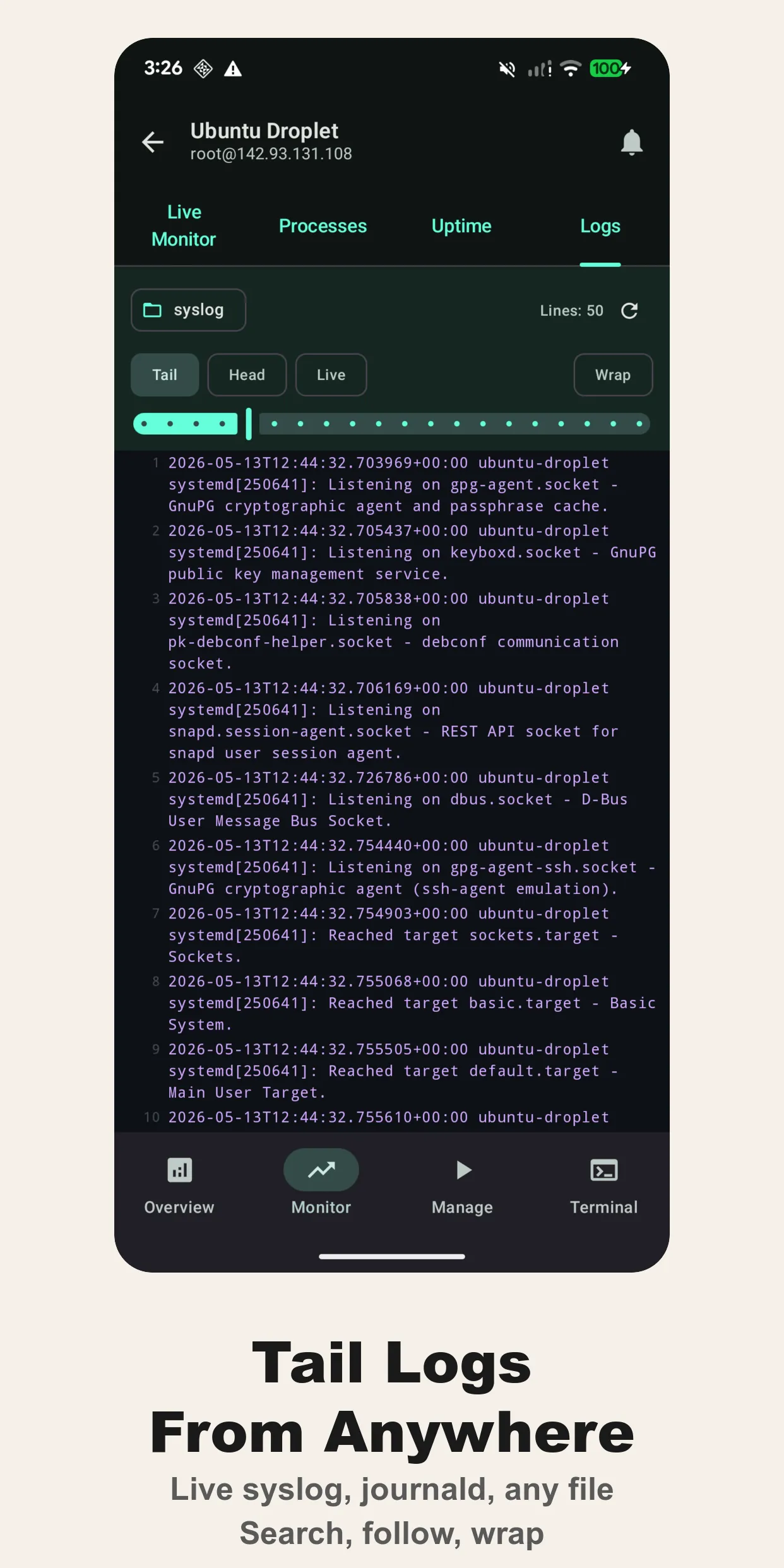
Head or tail mode with configurable line limits. Pro users get unlimited lines. The free tier caps at 50 to 200 depending on the log.
Terminal
A full SSH terminal emulator with VT100/xterm escape sequence support. Session persistence, automatic reconnection, and interactive command support. It handles everything from vim to htop to less.
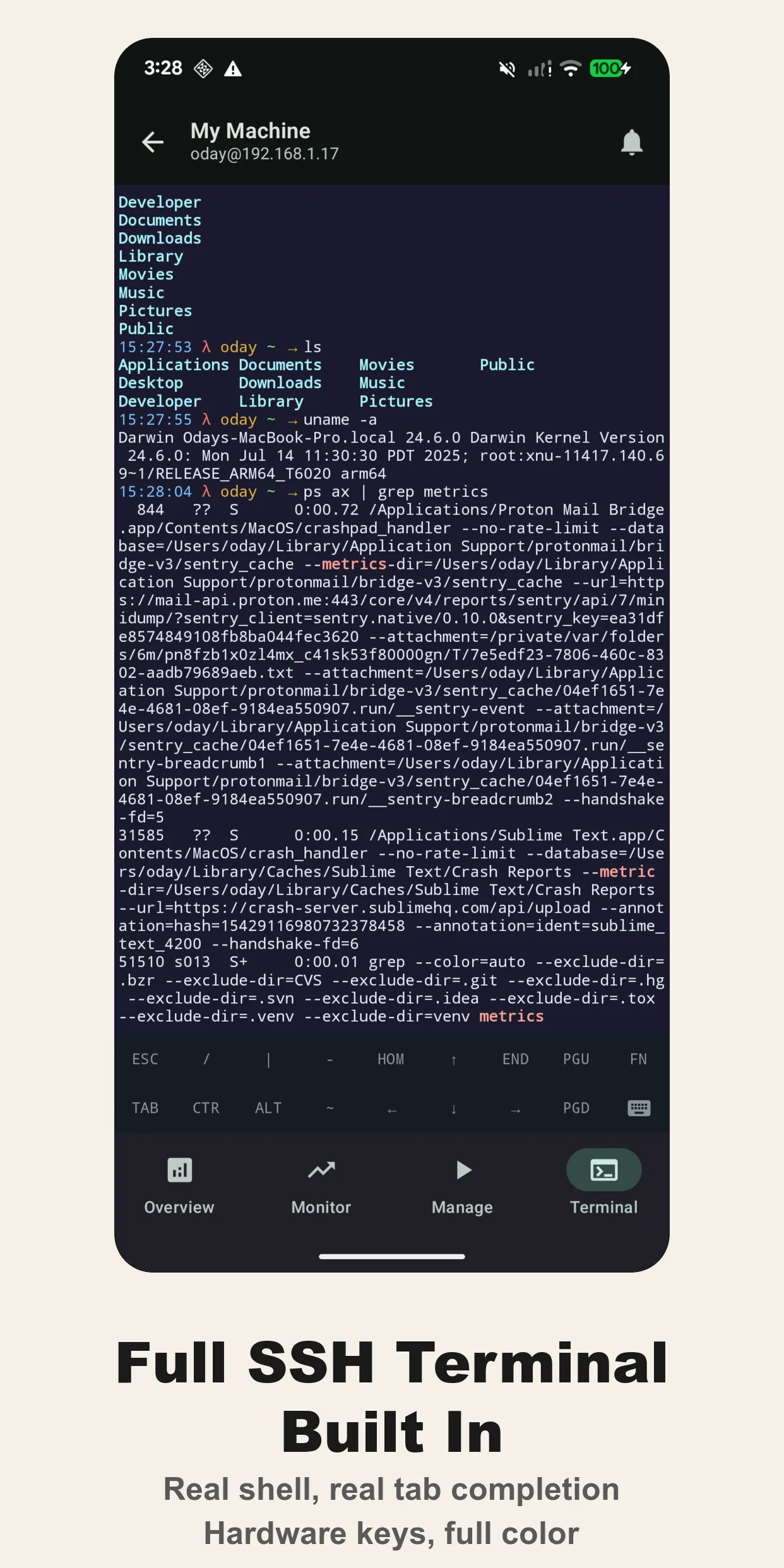
The bottom bar gives you quick access to modifier keys (ESC, CTR, ALT, TAB) and navigation (HOME, END, PGU, PGD). It’s not a toy terminal. It handles escape sequences properly, so interactive tools actually work.
Alerts
Set per-server thresholds for CPU, RAM, disk, and SSL certificate expiry. Cura runs background checks via Android WorkManager and sends notifications when thresholds are breached. There’s also an offline alert that fires when a server becomes unreachable.
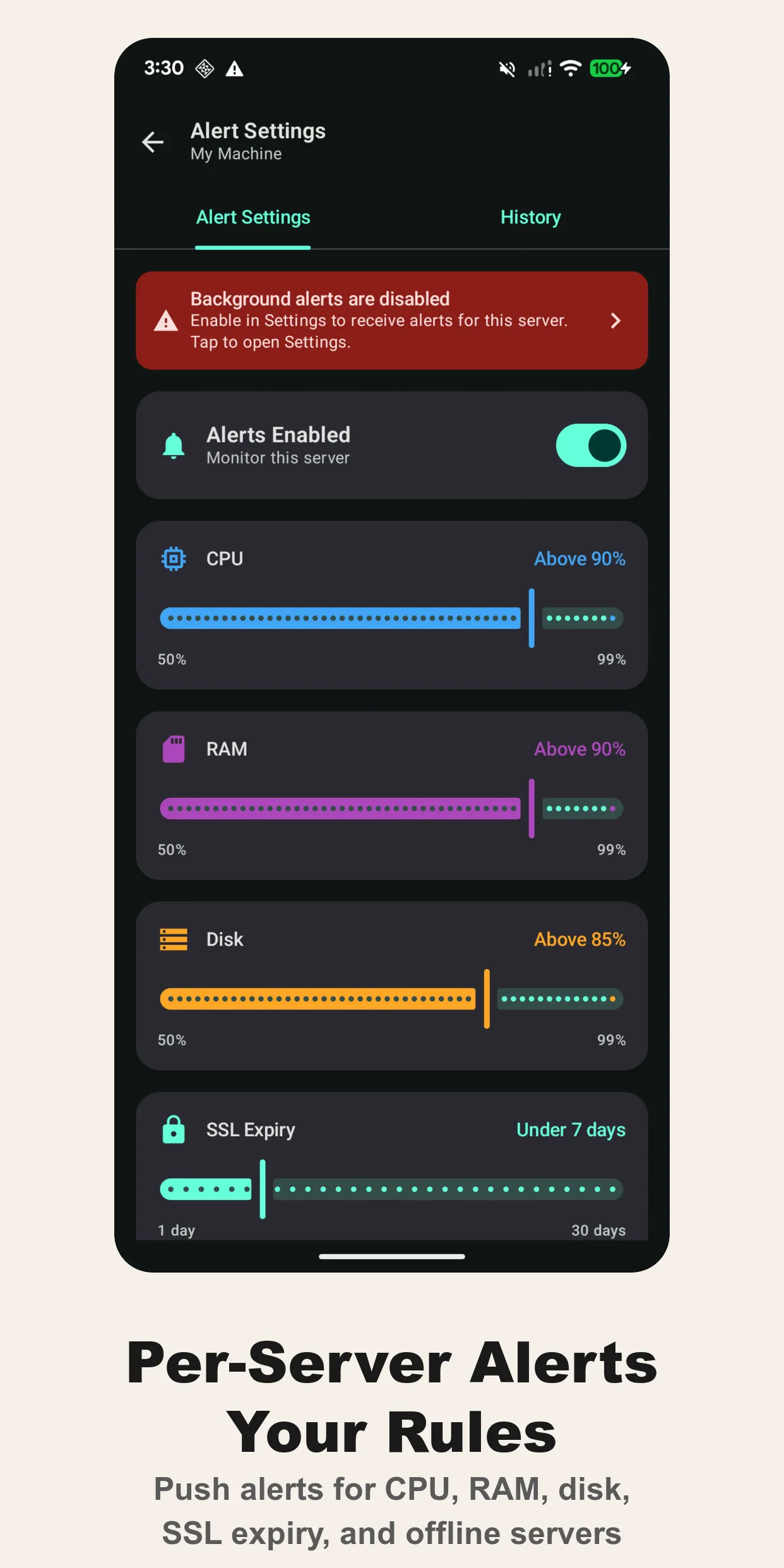
Alert history is persisted so you can review what triggered and when. The SSL expiry monitor checks ports 443 and 8443. Useful if you’ve been burned by a forgotten Let’s Encrypt renewal.
Security
Credentials are encrypted with Android Keystore before storage. There’s an optional biometric lock (fingerprint or face) so your servers are protected even if someone picks up your unlocked phone. No credentials leave your device. Everything goes direct over SSH.
The app uses SSHJ with BouncyCastle for the SSH implementation. Password and key-based authentication are both supported.
What’s Free, What’s Pro
The free tier gives you one server with full terminal access and basic stats. Cura Pro ($9.99 one-time, no subscription) unlocks:
- Unlimited servers
- Multi-server dashboard
- Background alerts and notifications
- Custom runbooks
- Live monitoring charts
- Unlimited log lines
- Home screen widget
- Priority support
Technical Details
- Platform: Android 8.0+ (API 26+)
- Connection: SSH (SSHJ + BouncyCastle + EdDSA)
- Architecture: Kotlin, Jetpack Compose, Room, Hilt, WorkManager
- Agent required: No, everything runs over SSH
- Languages: 12+ (English, Spanish, French, German, Portuguese, Russian, Turkish, Dutch, Hindi, Arabic, Japanese, Chinese)
- Data storage: All local, encrypted with Android Keystore
Why Not Just Use Termux?
You can. I have. But Termux gives you a terminal. Cura gives you situational awareness. The dashboard tells you which server needs attention before you open a shell. Alerts wake you up when something breaks. Runbooks mean you don’t have to type commands on a phone keyboard at 2 AM.
Termux is a great general-purpose terminal. Cura is purpose-built for server administration.
No agent, no SaaS dependency, no subscription. Just SSH access and a $9.99 unlock if you manage more than one server.
Related guide: How to Monitor a Linux Server From Your Phone
More from Saltserv
- Booksum — Android book scanner with on-device OCR, AI summaries, and spaced-repetition flashcards
- Textrix — iOS paraphraser, summariser, and PDF-to-text extractor powered by DeepSeek
- ADB Remote — A macOS GUI for ADB, logcat, Gradle, and Android devices
- Marjai — Offline Arabic reader for Shia fiqh rulings, verbatim from Sayyid Sistani and Sayyid Fadlallah